
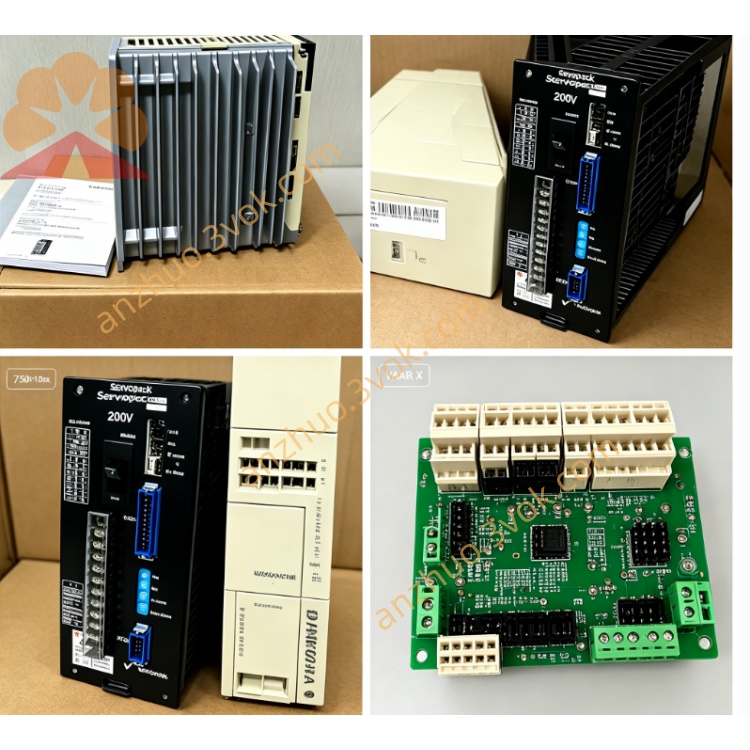
JANCD-YSF22
Description
1.1 Basic Information
Model: JANCD-YSF22-E / JANCD-YSF22B-E, Yaskawa Motoman DX200 dedicated safety I/O logic PCB
Function Name: Machine Safety I/O Logic Board, core safety control board for DX200 robot cabinet
Matching configuration: Main CPU JANCD-YCP21-E, servo axis board JANCD-YIF01-4E, backplane YBB21; matched external safety terminal block JANCD-YFC22-E
Safety compliance: IEC61508 SIL3 safety specification, dual-channel redundant safety circuit design for emergency stop and safety interlock
Install location: Fixed dedicated slot on DX200 YBB21 backplane inside control cabinet
1.2 Core Functions
Dual-channel redundant safety input processing: External emergency stop, cabinet safety door lock, safety plug interlock, teach pendant enable/ESTOP, tool collision shock input
Safety chain logic judgment & servo cutoff control: Output servo disable signal to YIF01 board to cut off all servo power once safety loop is broken
Safety signal communication with main CPU via dedicated high-speed serial bus, feed all safety status & fault codes to controller system
Drive interlock output: External system ready, system running status output, safety fault alarm output to peripheral equipment
Cooperate with YFC22-E terminal board to expand all field safety wiring terminals for workshop safety circuit connection
2. Electrical & Environmental Specifications
2.1 Power Spec
Operating power: DC24V ±10% supplied from cabinet backplane slot
Rated power consumption: 12W max
Onboard protection fuse: 1.25A slow-blow fuse for safety circuit overcurrent protection
2.2 I/O Electrical Parameter
Safety Digital Input: Dual redundant DC24V sink/source universal input; input ON=DC24V applied, OFF=open circuit; rated input current 4~6mA per point
Safety Digital Output: Relay isolated output, each contact rated load DC24V/0.5A max for safety interlock control
All safety signals adopt dual-circuit redundant wiring to prevent single wire breakage from losing safety protection
2.3 Ambient Condition
Operating temperature: -10℃ ~ +55℃
Storage temperature: -25℃ ~ +70℃
Humidity: 30%~80%RH non-condensing; avoid corrosive gas, welding spatter, strong high-frequency electromagnetic interference, water vapor
Cooling: Passive natural convection cooling without fan
3. On-board Connector Definition
CN200: Backplane Bus Connector
CN218: Safety Bus to YIF01 Servo Board
CN219: Main External Safety Signal Port (Connect to JANCD-YFC22-E safety terminal block)
EXESP1+, EXESP1- / EXESP2+, EXESP2-: Dual-channel external emergency stop input (normally closed factory jumper shorted)
SAFF1+, SAFF1- / SAFF2+, SAFF2-: Safety fence door interlock / safety plug dual redundant input (factory shorted by jumper)
TP-ESP: Teach pendant emergency stop dual redundant input
ENABLE: Teach pendant deadman enable switch input
SHOCK: Tool collision shock sensor safety input
SYSRUN: System normal running contact output
SAFE-FAULT: Safety loop abnormal alarm output
CN220: Auxiliary I/O Connector
4. PCB LED Indicator Description
PWR(Green): Power LED
ON=DC24V supply normal; OFF=fuse blown or backplane power failure
RUN(Green): Communication status LED
Slow flashing=normal communication with CPU & YIF01; steady OFF=bus communication breakdown
SAFE(Orange): Safety loop status LED
ON=All safety chains closed, servo enable allowed; OFF=E-stop pressed/safety door open/interlock broken
ERR(Red): Fault LED
Steady ON=Safety input short/open or dual-channel signal inconsistency fault; Flashing=board internal logic error or address conflict
5. DIP Switch Setting (S1 on PCB)
BIT1~BIT3: Station address coding, factory default fixed address for safety board (no modification permitted normally)
BIT4: SHOCK sensor input logic: ON=active high(24V trigger), OFF=active low(open trigger)
BIT5: EXESP input mode: ON=normally open safety switch, OFF=normally closed(default factory)
BIT6: Reserved factory setting, keep OFF permanently
NOTE: All DIP adjustment must be done under full cabinet power OFF.
6. Standard Installation Steps
Step 1 Power Cutoff Safety Operation
Step2 DIP Pre-setting
Step3 Board Mounting
Step4 External Wiring
Use shielded cable for CN219 → YFC22-E connection; single-point ground of shielding layer at cabinet earth bar
Remove factory jumper on YFC22 terminal for field external E-stop/safety door wiring according to site safety schematic
Connect shock sensor/limit switch to CN220 as needed.
Step5 Power-on Verification
7. DX200 System Software Configuration
8. Common Troubleshooting
Fault 1: PWR LED always OFF
Check onboard 1.25A fuse burnout, replace same-spec slow-blow fuse
Re-seat YSF22 board to fix poor gold finger contact; test slot DC24V from backplane.
Fault2 SAFE LED OFF, servo cannot switch on
Check all E-stop buttons, safety fence door switch: confirm all normally closed circuits are connected; restore factory jumper temporarily for troubleshooting
Measure dual-channel input voltage of EXESP/SAFF on CN219 with multimeter, repair open/short wiring.
Fault3 ERR Red LED steady ON
Check dual redundant safety input wiring for inconsistent open/close between two channels
Recheck S1 DIP switch setting mismatch with field switch type.
Fault4 RUN LED extinguished with normal PWR
9. Version Distinction
JANCD-YSF22-E: Standard original version for standard DX200 cabinet
JANCD-YSF22B-E: Optimized upgrade version with enhanced surge protection for heavy welding environment cabinet
10. Maintenance Safety Notes
All wiring, replacement, maintenance must be performed under complete power-off state of controller cabinet.
Periodic maintenance every 6 months: Clean PCB dust with dry lint-free cloth, inspect connector looseness and cable insulation aging.
For damaged board: Whole-unit replacement recommended; prohibited to disassemble and replace discrete onboard components on site.
Keep board away from welding arc splash, high-frequency inverter electromagnetic field and moisture environment.
Get a Quote