
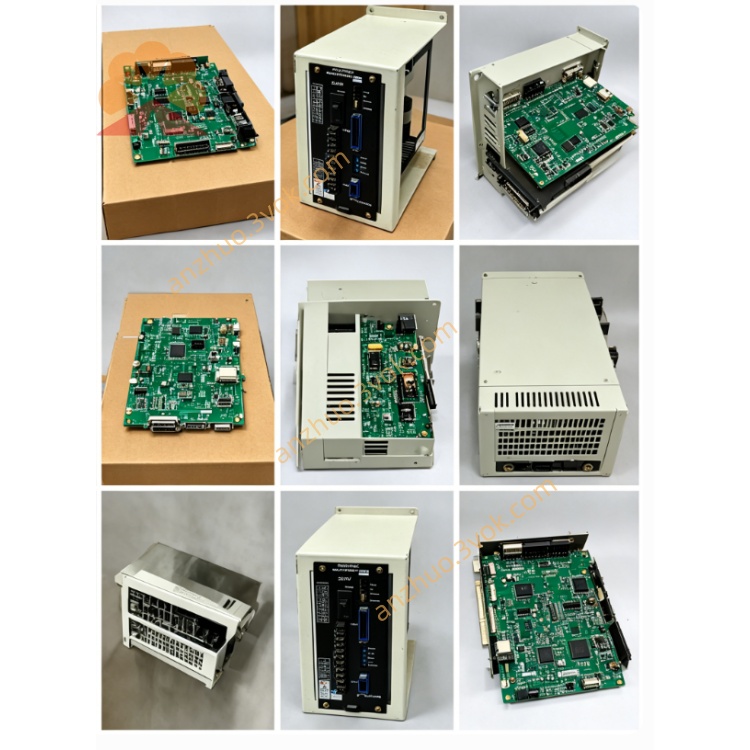
JANCD‑YCP21‑E DX200 Main CPU Board (Yaskawa Motoman
Description
1. General Information
Model: JANCD‑YCP21‑E (YCP21‑E)
Manufacturer: Yaskawa Electric (Japan)
Applicable Controller: Motoman DX200 (main CPU, not for DX100)
Function: Main CPU / motion controller – brain of the DX200 robot system
Role: Executes robot motion control, trajectory planning, logic, I/O, and all system communications
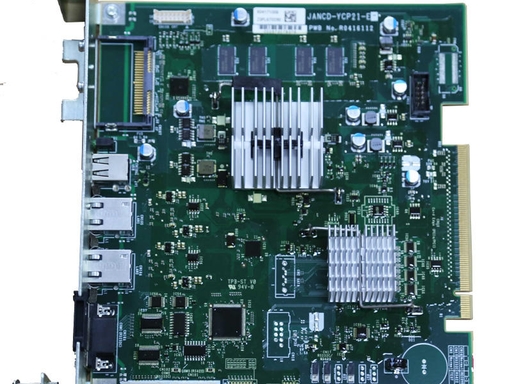

2. Key Specifications
Processor: High‑performance multi‑core CPU (real‑time OS)
Memory: Flash for system/programs; RAM for real‑time execution
Power Supply: DC 24 V ±10% (from YBB21 backplane)
Power Consumption: Approx. 25 W (max)
Operating Temperature: 0 °C to +55 °C
Dimensions (W×H×D): ~150 × 100 × 30 mm
Weight: ~0.7 kg
Compliance: CE, UL, cUL, CSA
3. On‑Board Connectors (DX200)
CN103: Serial (RS‑232C)
CN104: LAN (Ethernet, 10/100 Mbps)
CN105: Teach pendant (TP)
CN106: USB 2.0 (data/backup)
CN107: CF card (program/data storage)
PCIe Slots: ×2 (for option boards like YCP02)
4. System Compatibility & Required Boards
Compatible: DX200 + YBB21 backplane
Mandatory Pairing:
YCP21‑E: Main CPU
YIF01‑4E: Robot I/F board
YSF21‑E: Safety CPU board
Incompatible: DX100 (uses YCP01‑E series)
5. Core Functions
Motion Control: Multi‑axis interpolation, high‑speed trajectory planning
System Management: Real‑time OS, task scheduling, error handling
Communications: Ethernet (Modbus TCP/IP, OPC UA), RS‑232C, USB
I/O & Safety: Coordinates with YSF21‑E for safety logic; manages standard I/O
Program Execution: Runs robot jobs, PLC logic, and application programs
6. Status LEDs (Typical)
PWR: 24V power OK
RUN: System active (flashing = normal)
ERR: System fault (CPU/comm/config error)
LAN: Ethernet link/activity
7. Installation Notes
Power OFF & discharge (15 min) before handling.
Insert into CPU slot on YBB21 backplane; seat firmly.
Connect TP, LAN, USB/CF cables as needed.
Power ON; verify PWR ON + RUN flashing.
8. Troubleshooting
PWR OFF: Check 24V backplane supply; inspect YBB21.
RUN OFF / ERR ON: Reseat board; check YIF01/YSF21; verify firmware compatibility.
No TP Comm: Check CN105 cable/connector; verify TP hardware.
Ethernet Down: Check CN104 cable; verify IP settings; check LAN LED.
9. Differences: YCP01 vs YCP21 vs YCP02
YCP01‑E: DX100 main CPU
YCP21‑E: DX200 main CPU (this board)
YCP02‑E: DX200 option board (conveyor sync / ComArc tracking)
Get a Quote