
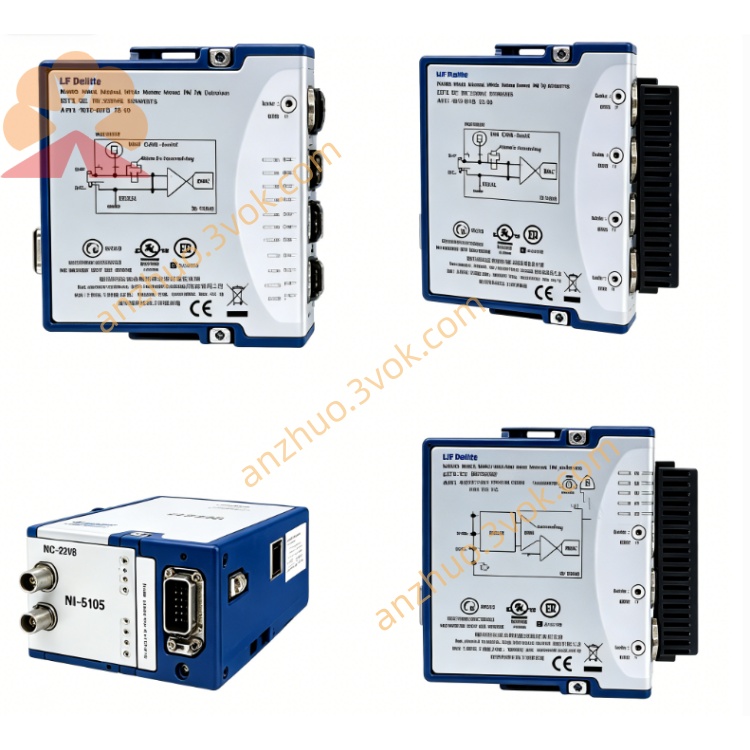
NI SCXI-1336 Terminal Block for SCXI Matrix Switch
Description
Product Introduction
The NI SCXI-1336 is a shielded matrix switch terminal block specifically designed for the SCXI-1129 high-density matrix switch module. It can be configured as a 16×16 two-wire matrix (or dual 8×16 matrices) for medium-scale signal routing and switching. It features a full metal shielding enclosure with strong anti-interference capabilities and standard part number 777687-36.
Model Interpretation
SCXI: Instrument Signal Conditioning Expansion Platform (NI Modular Signal Conditioning Series).
13xx: Front-end installation terminal block series for the SCXI system.
SCXI-1336: Dedicated terminal block for SCXI-1129, enabling a 16×16 two-wire matrix. Technical Specifications
Electrical parameters
Adapter module: SCXI-1129
Matrix configuration: 16×16 two-wire system (or dual 8×16)
Channel ground / channel-to-channel voltage: 150V (CAT I)
Single channel maximum current: 2A (AC/DC)
Trigger and scan: With advanced scan output, external input trigger terminals
Expansion interface: 2 128-pin DIN connectors (column expansion), row expansion connector
Adapter wire gauge: 26 AWG to 14 AWG
Cold end compensation: None
Mechanical and environmental parameters
Installation: SCXI standard front-end installation, 2 wing-shaped screws for fixation
Operating temperature: 0℃ to 50℃
Storage temperature: -20℃ to 70℃
Relative humidity: 10% to 90% (no condensation)
Pollution grade: 2, indoor with altitude below 2000m
Shielding: Full metal enclosure, suppressing EMI/RFI
Safety compliance: IEC 61010-1, UL 61010-1, CAN/CSA-C22.2 No.1010.1; EMC: EN 55011 Class A, EN 61326
Interface and communication configuration
Front: 16×16 matrix screw terminals, trigger terminals, expansion interface, with stress release structure
Back: Dedicated connectors directly connected to SCXI-1129, no additional wiring required
Expansion: Supports row/column expansion, can be combined to form larger matrices (such as 16×32, 32×16)
Software compatibility: Plug-and-play, compatible with NI-DAQmx driver, supports LabVIEW, C/C++, LabWindows/CVI, etc. development environments
Core functions
Realize the 16×16 high-density matrix configuration of SCXI-1129, providing medium-scale signal routing capability.
Support flexible row/column expansion to meet the channel expansion requirements of medium and large-scale test systems.
Full metal shielding structure, effectively suppressing electromagnetic interference, ensuring signal integrity in complex industrial environments.
Screw terminal connection is reliable and resistant to vibration, suitable for long-term online operation.
Integrated trigger and scan output terminals, facilitating synchronous control of multi-device systems. Applicable scenarios
Build a 16×16 matrix switching system in conjunction with SCXI-1129, for multi-channel signal routing and functional testing.
In medium-sized signal switching fields such as semiconductor testing, automotive electronics, and aerospace.
Industrial automation test platforms, laboratory multi-channel calibration and signal distribution equipment.
Large-scale test systems that need to balance channel density and flexibility.
User manual and maintenance instructions Instruction Manual
Before installation, cut off all power supplies. Align the terminal board with the front interface of the module and insert it smoothly. Tighten the fixing screws.
Complete the two-wire connection according to the terminal markings. Ensure reliable grounding of the shielding terminal to reduce interference.
If expansion is needed, use the dedicated expansion cable / plug to connect the row and column expansion interface to ensure a secure connection.
Configure the matrix mode, trigger parameters and scan sequence in the software. Once completed, data can be collected.
Maintenance instructions
Place the equipment in a dry and ventilated area. Maintain the temperature and humidity within the rated range. Keep away from strong electromagnetic sources, dust and corrosive gases.
Regularly check if the connection screws are loose, if the terminals are oxidized, and if the insulation layer of the cables is damaged. Address any issues promptly.
Cleaning should be done while the power is off. Use isopropyl alcohol to wipe the surface and terminals. Allow it to dry completely before reconnecting the power.
When the equipment is idle for a long time, remove the terminal board and place it in an anti-static bag. Store it in a cool and dry environment.
Get a Quote