
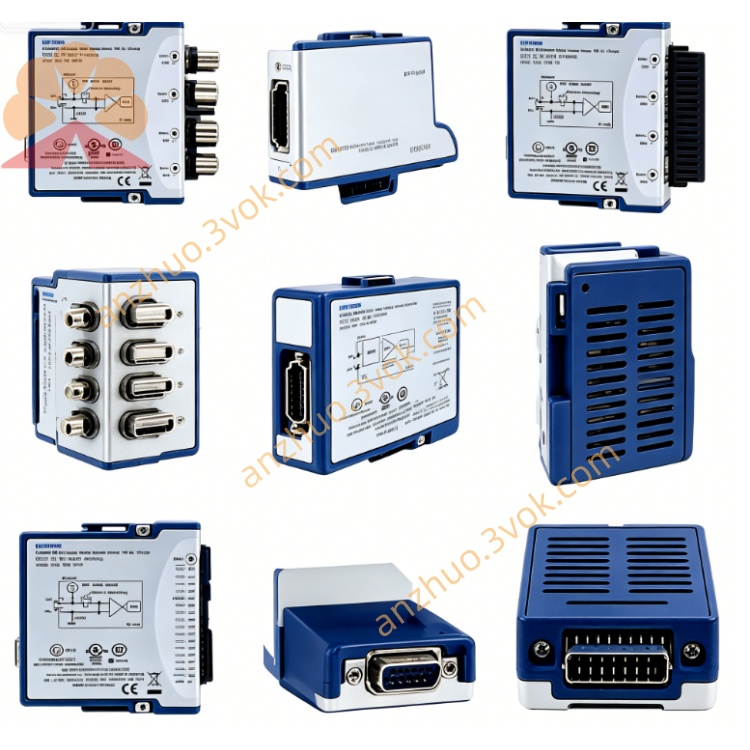
NI USB-485 Isolated USB to RS485 Serial Communication Interface
Description
Product Introduction
The NI USB-485 is a USB-to-RS-485 bus interface converter that operates on the USB bus and communicates through it, without the need for an external power supply. The device converts USB signals into standard RS-485 differential signals and integrates electrical isolation and surge protection circuits, offering strong anti-interference capabilities. It can be used for data communication between serial port devices and computers in industrial settings and laboratories, and is suitable for long-distance and multi-node bus transmission scenarios.
Model Interpretation
"USB" indicates that the device uses the USB bus as the interface for connecting to the host computer. "485" refers to the standard RS-485 industrial serial bus protocol. The core function of this product is to complete the conversion between these two interface protocols. Technical Specifications
The interface standard follows the USB 2.0 specification, and the serial port end conforms to the RS-485 electrical standard. The transmission baud rate range covers 600bps to 1Mbps, and it supports flexible speed adjustment. It has an electrical isolation design, with an isolation voltage of up to 500V, effectively blocking ground loop interference. It is equipped with surge and static protection circuits to enhance the stability of operation in industrial environments. The bus working mode supports half-duplex communication and can be equipped with multiple slave devices. It is powered directly by the USB bus, with overall low power consumption. The operating temperature range is 0 degrees Celsius to 55 degrees Celsius, and the storage temperature range is -20 degrees Celsius to 70 degrees Celsius. The relative humidity of the operating environment remains between 10% and 90%. There is no condensation during operation.
Interface and Communication Configuration
One end of the device is a USB interface, used for connecting to a computer, plug-and-play, and the system can automatically recognize the hardware. The other end is a wiring terminal or serial port connector, which leads out the differential signal lines of RS-485 and the ground line, used for connecting to external RS-485 bus devices. At the communication level, it completes the bidirectional conversion between USB data packets and RS-485 serial data streams, without the need for additional hardware jumpers. The device is equipped with a dedicated driver program, which can run normally in mainstream operating systems and supports various serial port debugging software and automation development software for data transmission and command control.
Core Function
Realize the bidirectional conversion between the USB interface and the RS-485 bus protocol, allowing ordinary computers to quickly access the RS-485 industrial bus system. The electrical isolation design can isolate the potential differences between different devices, avoiding abnormal signals and hardware damage caused by ground loops. The differential transmission architecture combined with protection circuits can resist industrial site electromagnetic interference, ensuring the quality of long-distance communication. It supports multi-node bus networking, and a single bus can be equipped with multiple serial port devices, simplifying the layout of centralized control for multiple devices. It is small in size, bus-powered, and flexible in installation and deployment, suitable for both portable devices and fixed control cabinets. Applicable scenarios
In the field of industrial automation, connect field devices such as PLCs, sensors, and instruments with RS-485 interfaces to complete data collection and command transmission. In building automation and security systems, connect various remote terminal devices to achieve long-distance data transmission. In laboratory equipment debugging, it is used for communication connection between old RS-485 instruments and new computers. Distributed monitoring systems, build long-distance serial bus networks to complete communication between multiple devices.
User and maintenance instructions Instruction Manual
Before use, insert the USB end into the computer interface and wait for the system to complete the driver installation and hardware identification. According to the signal definition, connect the RS-485 differential cable to the external device in the corresponding manner, distinguishing the positive and negative signal lines and avoiding reverse connection. According to the communication requirements of the device, set the corresponding serial port parameters such as baud rate, data bits, and parity bits in the software to ensure consistency of configuration at both ends. When wiring over long distances, select shielded cables. At the end of the bus, add a terminal resistor according to the specification to optimize signal integrity. During communication, avoid short-circuiting of the lines and do not connect high-voltage signals beyond the specification.
Maintenance Instructions
Place the device in a dry and ventilated area, away from dust, corrosive gases, and strong electromagnetic interference sources. Regularly check if the USB connector and RS-485 connection terminals are loose or oxidized, and if the insulation layer of the cable is damaged. Before cleaning the device, disconnect the USB connection. Use a dust-free soft cloth to wipe the casing and interface. Do not use liquid cleaners. When the device is idle for a long time, remove all connection lines and store the device in a cool and dry place to avoid heavy pressure and severe impacts. When there is communication anomaly, prioritize checking the wiring connection and serial port parameter configuration. Non-professionals should not disassemble the internal components of the device.
Get a Quote