
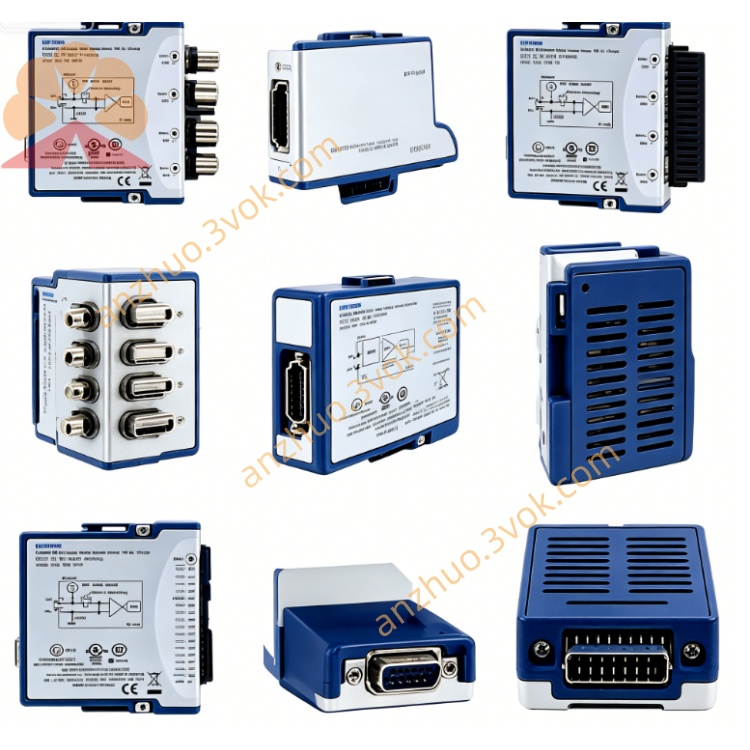
NI PXI-8461 Series2 Single-Port High-Speed CAN Interface Module
Description
Model Nomenclature
PXI: 3U PXI modular instrumentation bus
8461: NI high‑speed CAN interface series
Key variant: PXI‑8461/D (DeviceNet‑enabled, includes master/slave protocol support)
Technical Specifications
Form factor: 3U, single‑slot PXI
Ports: 2 × high‑speed CAN 2.0A/B (ISO 11898‑2)
Connectors: 2 × DB‑9 male (or Combicon screw terminals)
Baud rate: Up to 1 Mb/s; standard CAN rates supported
Isolation: 500 V optical isolation (port‑to‑chassis)
Controller: Intel 82527 CAN controller
Buffers: 8 kB transmit / 8 kB receive per port
Operating modes: CAN 2.0A, CAN 2.0B active, listen‑only, self‑reception (echo), advanced filtering
Physical layer power: Internal (from module) or external (from bus) via jumper per port
Power supply: +5 VDC from PXI backplane
Operating temperature: 0–55 °C; storage: –20–70 °C
Software: NI‑CAN driver, LabVIEW, Measurement Studio; Windows and LabVIEW Real‑Time compatible
Interface and Communication Configuration
Front‑panel DB‑9 connectors connect to standard CAN cables and devices
Plug‑and‑play PXI interface, compatible with 3.3 V/5 V PCI signaling
Each port independently configurable for baud rate, filtering, and operating mode
Supports RTSI/PXI trigger bus for multi‑module synchronization
NI‑MAX or device manager used for port configuration and diagnostics
Core Features
500 V optical isolation: Eliminates ground loops and protects against voltage transients
1 Mb/s high‑speed CAN: Meets automotive and industrial CAN throughput demands
Advanced filtering: Precise message filtering reduces CPU load
Listen‑only mode: Safe bus monitoring without interfering with live traffic
Real‑time synchronization: RTSI/PXI trigger support for coordinated multi‑module systems
Robust industrial design: Wide temperature range and EMI resistance for harsh environments
Application Scenarios
Automotive ECU development and testing (CAN bus communication)
Industrial automation: Connecting PXI systems to CAN‑based PLCs, sensors, and actuators
DeviceNet systems (PXI‑8461/D): Industrial networking with master/slave functionality
Aerospace and defense: CAN‑based vehicle and avionics system testing
Real‑time monitoring and control: Deterministic CAN communication for embedded systems
Usage and Maintenance Instructions
Installation and Configuration
Insert the module into a 3U PXI slot and secure the front panel.
Connect CAN cables to the DB‑9 ports and external CAN devices.
Power on the chassis; the system automatically detects the hardware.
Install the NI‑CAN driver and configure ports in NI‑MAX or device manager.
Develop and run CAN communication applications using LabVIEW or other supported software.
Daily Maintenance
Inspect DB‑9 cables and connectors regularly for damage or loose connections.
Operate within 0–55 °C; keep the chassis clean and dry.
Avoid hot‑swapping the module or cables during operation.
Store unused modules in anti‑static bags in a cool, dry environment.
Safety Notice
Do not exceed the 500 V isolation rating or specified environmental limits.
Follow local regulations for disposal at end‑of‑life.
Get a Quote