
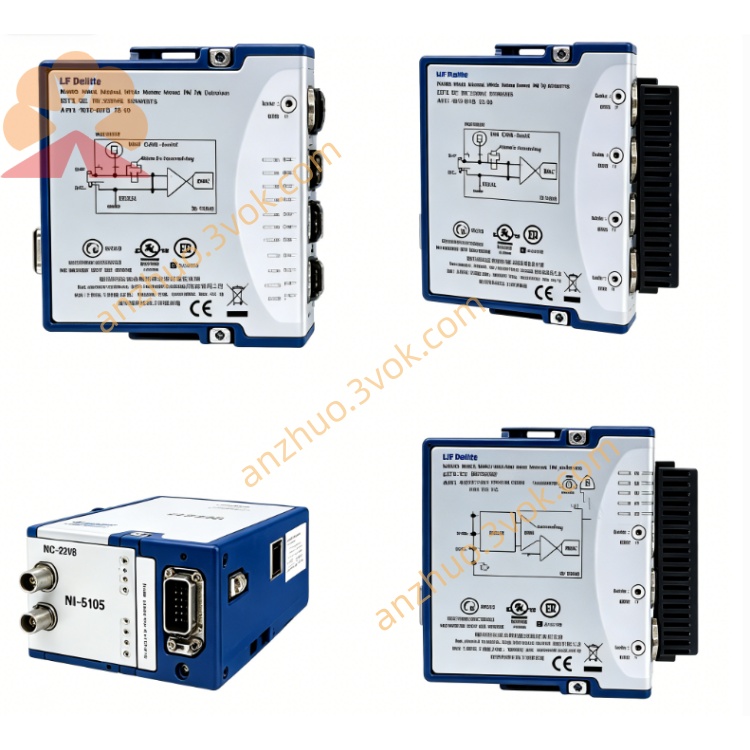
NI PXI-8432/2 2-Port Isolated RS232 Serial Interface Module
The PXI-8432/2 is a 3U single-slot isolated RS-232 serial module developed by National Instruments. It provides two electrically isolated RS-232 ports for PXI systems. With 2 kVrms channel-to-chassis isolation and 60 VDC continuous withstand voltage, this module effectively eliminates ground loops and resists voltage surges. It delivers stable high-speed serial communication and is well-suited for industrial sites and test environments with strong electromagnetic interference and potential potential differences.
Description
Model Nomenclature
PXI represents PCI eXtensions for Instrumentation, which follows the standard of 3U modular instrumentation bus. The number 8432 stands for NI high-performance isolated RS-232 serial module series. The suffix /2 indicates the module is equipped with two independent serial ports. Related product variants include PXI-8432/4 with four ports and non-isolated PXI-8430 for different deployment demands.
Technical Specifications
This module adopts standard 3U form factor and occupies one slot of a PXI chassis. It features two isolated RS-232 ports with two DB-9 male connectors on the front panel. The maximum baud rate reaches 1 megabit per second, supporting both standard and custom baud rates with high accuracy. Each port is equipped with 128-byte transmit FIFO and 128-byte receive FIFO to buffer data. It supports multiple flow control modes including RTS/CTS hardware handshake and XON/XOFF software flow control. Users can set data bits, parity bits and stop bits independently for each port. The module uses DMA data transmission to reduce CPU resource consumption. It is powered by 5 VDC from the PXI backplane with a typical operating current of 380 milliamps. The operating temperature ranges from 0 degrees Celsius to 55 degrees Celsius, and the storage temperature ranges from minus 20 degrees Celsius to 70 degrees Celsius. It is compatible with mainstream Windows operating systems, and supports NI-Serial, LabVIEW and Measurement Studio software.
Interface and Communication Configuration
Two DB-9 male connectors on the front panel are used to connect standard RS-232 cables and external serial devices. The module supports plug-and-play and is compatible with 3.3 V and 5 V PCI signaling standards. Each serial port can be configured separately on baud rate, data format and flow control mode according to practical requirements. It can be recognized as standard COM ports in Windows system, so it maintains good compatibility with legacy application software. All communication parameters can be adjusted through NI-MAX or system device manager.
Core Features
The built-in 2 kVrms electrical isolation can block ground loops and transient voltage spikes, protecting both the module and connected peripheral devices. It supports high-speed transmission up to 1 megabit per second to meet high-throughput data communication requirements. DMA transmission mode lowers CPU occupancy, making it reliable for real-time and multi-task running systems. The industrial-grade design provides strong electromagnetic interference resistance and wide temperature adaptability. It is fully compatible with traditional RS-232 devices and old serial communication programs without extra modification.
Application Scenarios
It is widely applied in industrial automation systems to connect PXI controllers with PLCs, human-machine interfaces and various serial peripheral devices. In automated test benches for aerospace, semiconductor and automotive industries, it is used to control RS-232 based testing instruments such as power supplies and digital multimeters. It serves for renovation and upgrade of legacy systems to continue using existing RS-232 equipment on new PXI platforms. It also works stably in harsh working conditions like power plants and rail transit workshops where electromagnetic interference is severe.
Usage and Maintenance Instructions
Installation and Configuration
Insert the module into any standard 3U PXI slot and fasten the front panel. Connect RS-232 cables between the DB-9 ports and external devices. Power on the chassis, and the operating system will automatically detect the new hardware. Install the matched NI-Serial drivers, then complete port parameter configuration in NI-MAX or system device manager. Develop and run serial communication programs via LabVIEW or other application software.
Daily Maintenance
Check cables and connectors regularly to ensure no damage or loose connection. Keep the chassis and module in a clean and dry environment and operate within the specified temperature range. Do not plug or unplug cables or the module when the system is powered on. When the module is not in use for a long time, place it into an anti-static bag for storage.
Safety Notice
Do not use the module beyond its rated isolation voltage and environmental parameters. Follow local regulations to recycle and dispose of the module when it reaches the end of service life.
Get a Quote