
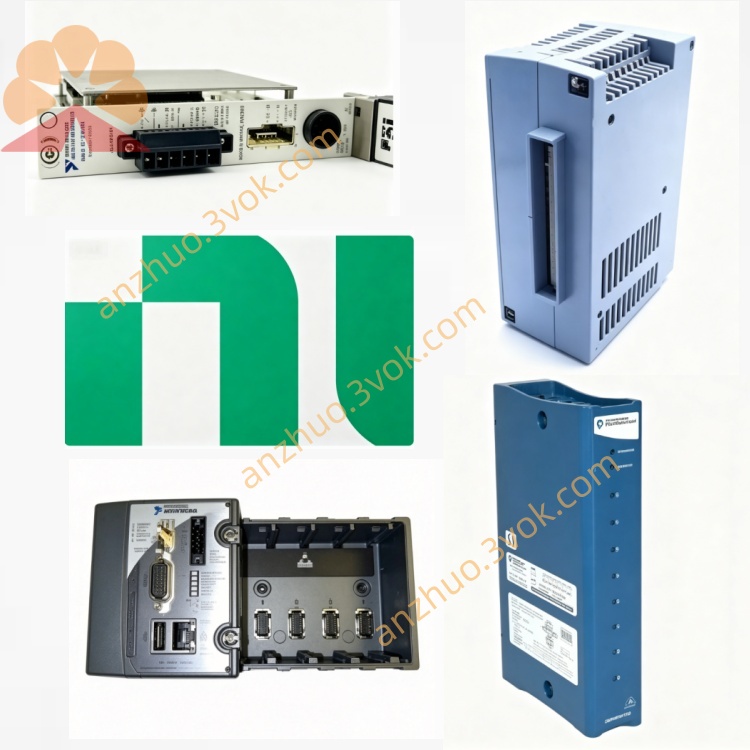
NI PXI-8175 866MHz Celeron 3U PXI Embedded System Controller
Description
Model Nomenclature
PXI: PCI eXtensions for Instrumentation, denoting compliance with the PXI modular instrumentation bus standard.
8175: Belongs to the 8171 series (8174/8175/8176) of PXI embedded controllers; 75 indicates a mid‑range Celeron‑based model in the series.
Full meaning: PXI bus, 8171 series, Celeron embedded controller.
Technical Specifications
Basic Specifications
Form factor: 3U, 4‑slot width (1 system + 3 expansion slots).
Processor: Intel Celeron 866 MHz, 100 MHz FSB.
Chipset: Intel 815.
Memory: 64 MB SDRAM (standard), max 512 MB via two 144‑pin SO‑DIMM sockets.
Storage: Internal 2.5‑inch Ultra ATA100 HDD (15 GB minimum), 3.5‑inch 1.44 MB floppy drive.
Video: Integrated Super VGA (2 MB SGRAM), supports CRT and TFT LCD.
PXI bandwidth: 132 MB/s (reserved for PXI modules).
Power consumption: ~30 W (from PXI backplane).
Operating temperature: 0 °C to 50 °C.
Storage temperature: −20 °C to 60 °C.
OS support: Windows 2000, Windows XP, DOS, LabVIEW Real‑Time.
MTBF: 180,000 hours (Belcore method).
Onboard I/O Interfaces
Video: 1×VGA (DB‑15).
Serial: 2×RS‑232 (DB‑9).
Parallel: 1×IEEE 1284 (DB‑25).
USB: 2×USB 1.1.
Ethernet: 1×10/100 Mbps (RJ‑45).
PS/2: Keyboard and mouse ports.
Front panel: Reset button, POWER OK/DRIVE LEDs, floppy drive bay.
Interface and Communication Configuration
Internal Bus
PXI/CompactPCI: System controller slot, supports PXI trigger bus and RTSI synchronization.
PCI: Direct connection without bridge chip, maintaining full 132 MB/s bandwidth for PXI modules.
ISA: Integrated for legacy I/O compatibility.
Software Communication
Drivers: NI‑PXI, NI‑DAQ, NI‑VISA, NI‑488.2M.
Programming environments: LabVIEW, LabWindows/CVI, C/C++, Visual Basic, .NET.
Protocols: TCP/IP, UDP, Serial, GPIB (via add‑on modules).
Core Features
- Balanced Celeron PerformanceThe 866 MHz Celeron delivers cost‑effective, reliable performance for mid‑range test and control applications, supporting multitasking and algorithm execution.
- Full PXI Bandwidth PreservationDirect PCI connection without a bridge chip reserves the full 132 MB/s PXI backplane bandwidth for peripherals, maximizing data throughput.
- Dual Serial Ports & Rich I/OTwo RS‑232 ports plus VGA, parallel, USB 1.1, Ethernet, and PS/2 enable broad compatibility with legacy and modern peripherals/instruments.
- Ultra ATA100 StorageHigh‑speed internal HDD interface supports fast data streaming and logging for dynamic signal acquisition applications.
- Rugged Industrial DesignCompact 3U form factor, industrial temperature range (0–50 °C), and backplane‑powered operation suit harsh industrial and field environments.
Applications
- Mid‑Range Automated Test Equipment (ATE)Functional test of electronic assemblies, semiconductor test systems, and production lines with moderate computing demands.
- Industrial Control & MonitoringFactory automation, process control, and machinery monitoring requiring stable, long‑term operation.
- Data Acquisition & LoggingMedium‑speed data logging, sensor monitoring, and dynamic signal analysis in industrial/research settings.
- Portable/Field Test SystemsCompact, rugged PXI systems for on‑site maintenance, vehicle diagnostics, and remote monitoring.
- Educational & Research LabsAcademic labs using legacy PXI systems for teaching, research, and small‑scale test applications.
Usage and Maintenance Instructions
Installation and Power‑On
Install in a standard 3U PXI chassis (e.g., PXI‑1020/1025), occupying 4 consecutive slots.
Power supplied via PXI backplane; ensure chassis provides ≥30 W per slot.
Connect peripherals (monitor, keyboard, mouse, instruments) to front‑panel I/O before power‑on.
Software Setup
Install supported OS (Windows 2000/XP) and NI drivers (NI‑PXI, NI‑DAQ, NI‑VISA).
Access BIOS via front‑panel reset during boot to adjust boot order, display settings, and hardware parameters.
Install application software (LabVIEW, LabWindows/CVI) for test/control development.
Environmental Requirements
Operating temperature: 0 °C to 50 °C. Maintain chassis airflow; avoid blocking fan vents.
Humidity: 20%–80% RH (non‑condensing). Keep in dry, dust‑free environment.
Daily Maintenance & Troubleshooting
Power off before maintenance; clean front‑panel connectors and chassis filters quarterly with a dry cloth.
Storage issues: Check HDD health via OS tools; replace faulty Ultra ATA100 HDD with compatible model.
Boot failures: Verify backplane power, reseat controller, or reset BIOS defaults.
Memory upgrade: Power off, install compatible 144‑pin SO‑DIMM SDRAM (max 512 MB).
Long‑term storage: Power off and store in dry area; power on for 1 hour monthly to prevent moisture damage.
Safety Notice
For indoor industrial use only, altitude ≤2000 m, pollution degree 2.
Dispose of electronic waste per local regulations; do not discard in general trash.
Get a Quote