
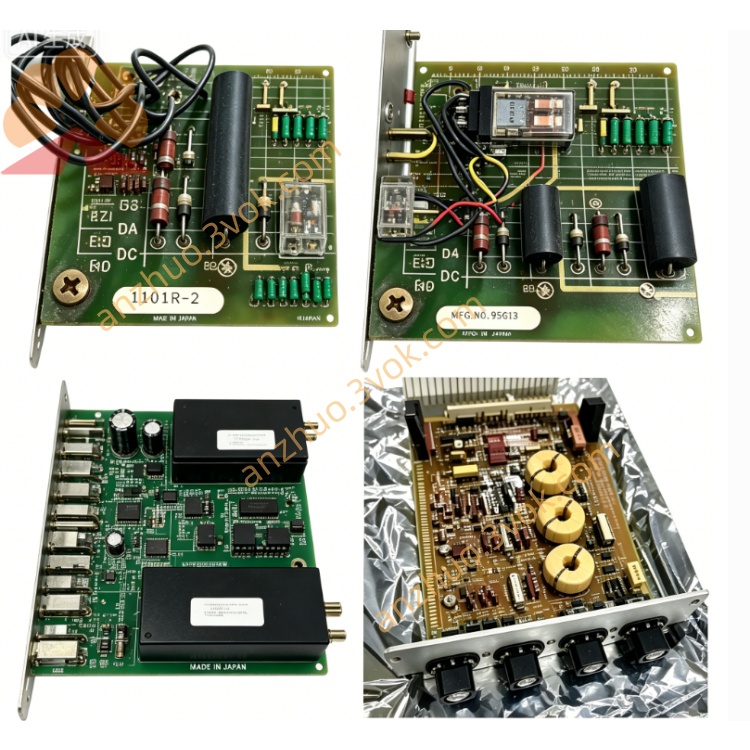
RELIANCE 57C330C upgraded remote I/O head module
The RELIANCE 57C330C is an upgraded remote I/O head module for AutoMax DCS and PLC systems. Optimized on the basis of standard 57C330, it adopts improved circuits and updated firmware to enhance communication stability, anti-interference ability and overall reliability. It acts as a bridge between the main control rack and distributed remote I/O nodes, supporting signal transmission via coaxial cables or fiber optic links for long-distance distributed industrial control.
Description
Product Overview
The RELIANCE 57C330C is an upgraded remote I/O head module for AutoMax DCS and PLC systems. Optimized on the basis of standard 57C330, it adopts improved circuits and updated firmware to enhance communication stability, anti-interference ability and overall reliability. It acts as a bridge between the main control rack and distributed remote I/O nodes, supporting signal transmission via coaxial cables or fiber optic links for long-distance distributed industrial control.
Model Definition
RELIANCE is the product brand. 57C stands for the series of AutoMax I/O and communication modules. 330 represents remote I/O head module category. The suffix C indicates an enhanced revised version with upgraded internal components and optimized firmware performance.
Technical Parameters
The module accepts 120/240 VAC power input with 50 and 60 hertz frequency, and the total power consumption is below 50 watts. A 2 ampere 250 volt fuse is equipped for overcurrent protection. It applies the proprietary AutoMax remote I/O protocol based on RS-485 physical layer. The operating temperature ranges from 0 degrees Celsius to 60 degrees Celsius. It features metal enclosure and single-slot structure for AutoMax rack installation. Multiple LED indicators are arranged to show power status, network running state and fault information.
Interface and Communication Configuration
The module connects to the AutoMax rack through the backplane interface to realize internal data exchange. It is equipped with BNC ports for coaxial cable connection and dual ports for fiber optic links to match different transmission media. All network addresses and operating parameters are configured by upper system software, and no manual hardware switches are required. It does not have independent external communication ports, and all remote data is transmitted through the dedicated network interfaces.
Core Functions
It builds stable communication channels between the main controller and remote I/O racks, and supports connection with up to 31 remote network nodes. It completes bidirectional transmission of digital and analog I/O data between field devices and central control system. It performs real-time network monitoring, error checking and fault isolation to guarantee data transmission quality. The fiber optic interface supports redundant links to further improve system operational safety. It realizes protocol adaptation and signal conversion for different transmission media.
Application Scenarios
This module is applicable to various distributed automation control systems using AutoMax platforms. It is widely used in steel manufacturing, pulp and paper production, power generation and chemical processing industries. It is ideal for working sites that need long-distance signal transmission and geographically dispersed I/O devices. It is also a preferred replacement unit for old remote I/O modules in system renovation and upgrade projects.
Operation and Maintenance Instructions
Cut off the system power before installation, insert the module into the assigned rack slot and ensure the backplane connection is secure. Select coaxial cables or fiber optic cables according to field conditions and finish wiring in compliance with specifications. Keep the installation space well ventilated during operation, and stay away from heavy electromagnetic interference, dust and corrosive materials. Inspect connecting cables and ports regularly for looseness or damage. If fault indicators are triggered, power off the system first to check lines and network nodes. Do not disassemble the module without authorization. Replace it with the same model when permanent faults occur to maintain normal system operation.
Get a Quote