
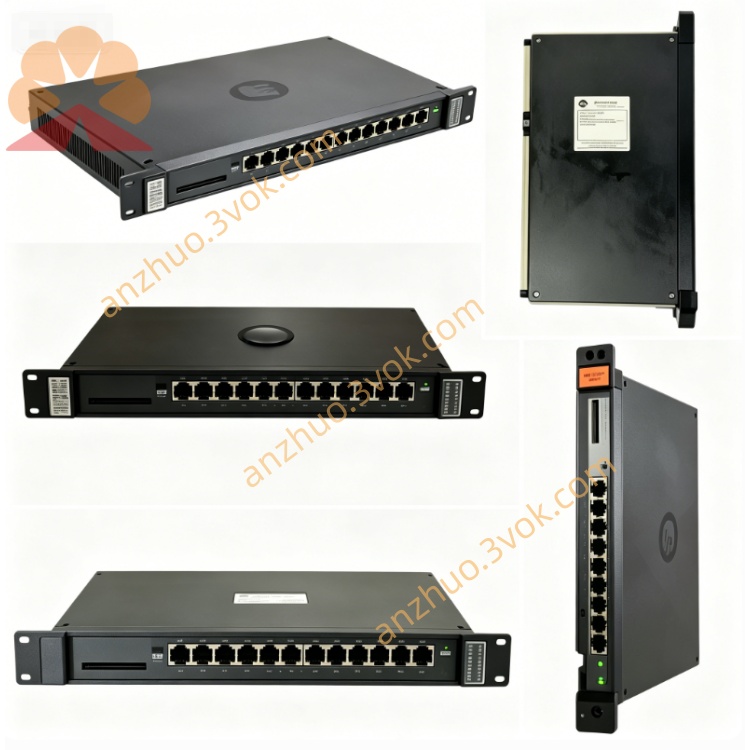
RELIANCE 57C416 Remote I/O Communications Module
The RELIANCE 57C416 is a Remote I/O Communications Module designed for AutoMax and DCS 5000 industrial control platforms. It adopts a single-slot rack-mount structure, serving as a dedicated communication bridge between the AutoMax processor master rack and distributed remote I/O racks. It ensures stable and high-speed data exchange between the host system and remote field devices, featuring a compact metal casing, convection cooling, and high resistance to industrial interference for long-term reliable operation in harsh environments.
Description
Product Overview
The RELIANCE 57C416 is a Remote I/O Communications Module designed for AutoMax and DCS 5000 industrial control platforms. It adopts a single-slot rack-mount structure, serving as a dedicated communication bridge between the AutoMax processor master rack and distributed remote I/O racks. It ensures stable and high-speed data exchange between the host system and remote field devices, featuring a compact metal casing, convection cooling, and high resistance to industrial interference for long-term reliable operation in harsh environments.
Model Definition
RELIANCE is the brand of industrial control products. 57C denotes the system and I/O module series of the AutoMax control platform. 416 is the specific model code for the Remote I/O Communications Module. The part number follows the standard naming convention of Reliance Electric, and the module is fully compatible with official AutoMax racks and system firmware.
Technical Parameters
Power is supplied via the rack backplane at 5VDC with a current rating of 2.5A. The operating temperature ranges from 0°C to 50°C, and the storage temperature is -20°C to 70°C. The applicable relative humidity is 5% to 90% non-condensing. It supports the proprietary AutoMax remote I/O communication protocol with RS-232 as the external interface. The front panel is equipped with a 7-segment LED for error code display, a green OK indicator for operational status, and two thumbwheel dials for setting the drop number. The module features overcurrent protection and a compact design with a metal enclosure, weighing approximately 500g.
Interface and Communication Configuration
The rear connector connects to the AutoMax rack backplane to obtain power and transmit internal data via the dedicated system bus. The front panel provides two RS-232 female connectors: a 9-pin NETWORK port for connecting to remote I/O racks and a 25-pin MONITOR port for system debugging and status monitoring. The module realizes bidirectional data transmission between the host processor and remote I/O nodes, supporting network configuration and fault diagnosis through the monitor port.
Core Functions
It establishes a stable communication link between the AutoMax main processor and distributed remote I/O racks. It processes and maps I/O data to enable real-time bidirectional exchange of control signals and status data. It supports remote I/O network configuration, drop number setting, and communication fault detection. It provides real-time status indication and error code reporting via onboard LEDs. It ensures data integrity and communication reliability in complex industrial environments.
Application Scenarios
This module is widely used in industrial automation projects based on AutoMax and DCS 5000 platforms, including steel metallurgy, papermaking, chemical processing, power generation, and machinery manufacturing. It is specifically applied to scenarios requiring distributed I/O control, such as large-scale production lines, remote monitoring systems, and multi-node industrial control networks, to connect the central control system with geographically dispersed field devices.
Operation and Maintenance Instructions
Disconnect the system power before installation or removal. Insert the module into the designated rack slot and ensure secure backplane connection. Set the drop number via the front thumbwheel dials according to the network plan. Keep the RS-232 ports clean and dry to avoid poor contact and signal interference. Regularly check the OK LED and 7-segment LED for normal operation and fault codes. Do not disassemble or modify the module without authorization. In case of failure, replace it with the same model promptly to restore remote I/O communication.
Get a Quote