
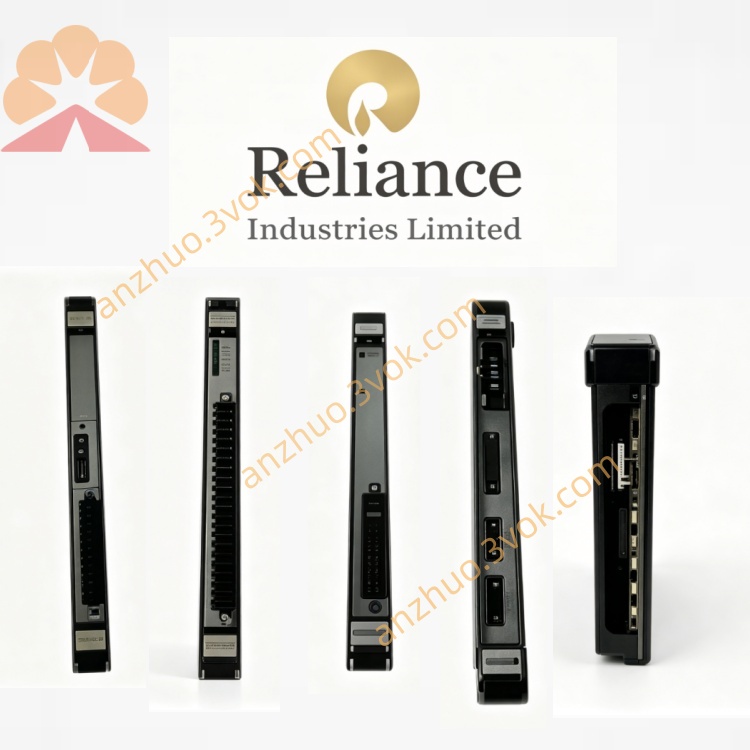
RELIANCE 57C-417A enhanced AutoMate interface module
The RELIANCE 57C-417A is an enhanced AutoMate interface module compatible with AutoMax and DCS 5000 industrial control systems. It features a standard single-slot rack mounting structure. This updated hardware version is improved with upgraded components, enhanced electrostatic protection and stronger anti-interference capability. Equipped with dual-port memory, it delivers steady data transmission between AutoMax controllers and AutoMate PLCs, and maintains long-term stable operation in complex industrial conditions.
Description
Product Overview
The RELIANCE 57C-417A is an enhanced AutoMate interface module compatible with AutoMax and DCS 5000 industrial control systems. It features a standard single-slot rack mounting structure. This updated hardware version is improved with upgraded components, enhanced electrostatic protection and stronger anti-interference capability. Equipped with dual-port memory, it delivers steady data transmission between AutoMax controllers and AutoMate PLCs, and maintains long-term stable operation in complex industrial conditions.
Model Definition
RELIANCE is the brand of industrial control products. 57C refers to the system and I/O module series of the AutoMax platform. 417 is the base model code for AutoMate interface modules. The hyphen is part of the standard part number format, and the suffix A represents the first hardware revision. This module is fully interchangeable with the standard 57C417, and works compatibly with all standard AutoMax racks and system firmware.
Technical Parameters
The module draws power from the rack backplane, with a current of 2.5 amperes at 5 volts DC and 0.053 amperes at 12 volts DC. It uses RS-232 physical interface and complies with AutoMate communication protocol while supporting 40E register mapping. The operating temperature ranges from 0 degrees Celsius to 60 degrees Celsius, and the relative humidity ranges from 5 percent to 90 percent without condensation. The front panel is fitted with a seven-segment display for fault code output and a green LED for operating status indication. Thumbwheel switches are also provided to set the network drop number.
Interface and Communication Configuration
The rear connector connects to the rack backplane to receive power and transmit internal data based on the dedicated AutoMax bus protocol. The front panel is equipped with an RS-232 serial port for connecting external AutoMate PLC units. The module performs bidirectional protocol conversion between the internal system bus and AutoMate protocol, and realizes data sharing and transmission via the built-in dual-port memory. No extra external communication ports are arranged on the module.
Core Functions
It establishes stable communication connections between AutoMax controllers and AutoMate PLC devices. It supports high-speed bidirectional data exchange and data mapping between interconnected devices. The dual-port memory design allows the module to connect with up to four processors at the same time. It feeds back real-time operating status and fault information through onboard indicators. Users can complete network node addressing easily by adjusting the drop number. The revised hardware offers better surge resistance and environmental adaptability.
Application Scenarios
This module is widely used in industrial sectors such as metallurgy, papermaking, chemical processing, power generation and machinery manufacturing. It is mainly applied to integrated control systems combining AutoMax and AutoMate equipment. It is also suitable for renovation and expansion projects of traditional Reliance devices, as well as distributed control networks that require interconnection of different types of PLC products.
Operation and Maintenance Instructions
Cut off the system power before installing or removing the module. Insert the module into the specified rack slot and confirm a solid connection with the backplane. Set the proper drop number with the front thumbwheel switches and configure serial communication parameters through system software. Keep the external serial port clean and dry to avoid poor contact and signal interference. Check status indicators and fault codes on a regular basis. Do not disassemble or modify the module without permission. Replace it with the identical model in a timely manner when faults occur to ensure normal communication of the control system.
Get a Quote