
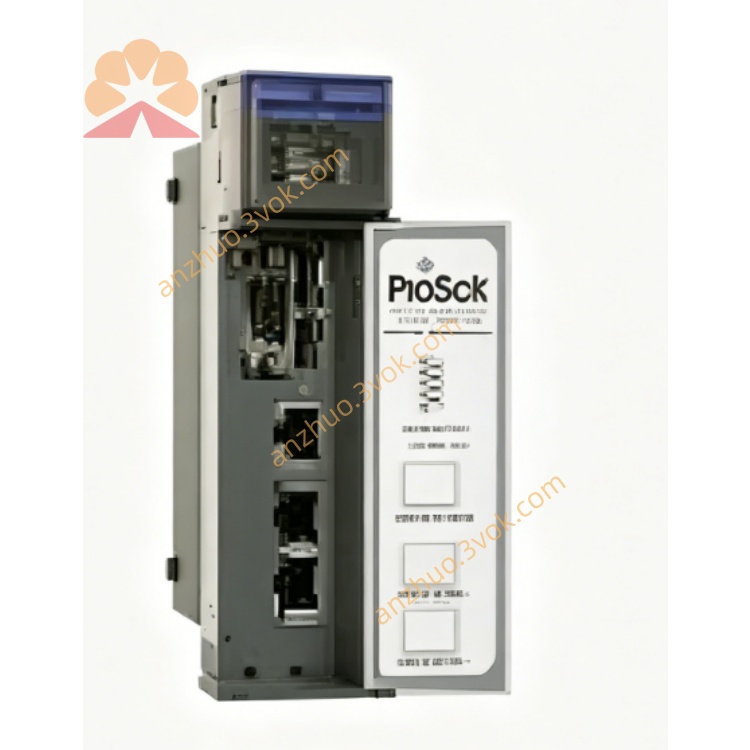
MVI46-PDPMV1
Description
1. Product Overview
Model: MVI46‑PDPMV1
Manufacturer: ProSoft Technology (inRAx series)
Platform: Allen‑Bradley SLC 500 (1746 backplane, single‑slot)
Protocol: PROFIBUS DP‑V1 Master (supports DP‑V0/DP‑V1 slaves)
Function: Enables SLC 500 PLCs to act as a PROFIBUS DP master, connecting to DP‑V0/DP‑V1 slave devices (drives, I/O, HMIs, sensors).
Data Exchange: M0/M1 files (SLC ↔ PROFIBUS), up to 1536 bytes cyclic input / 1536 bytes cyclic output.
2. Key Features
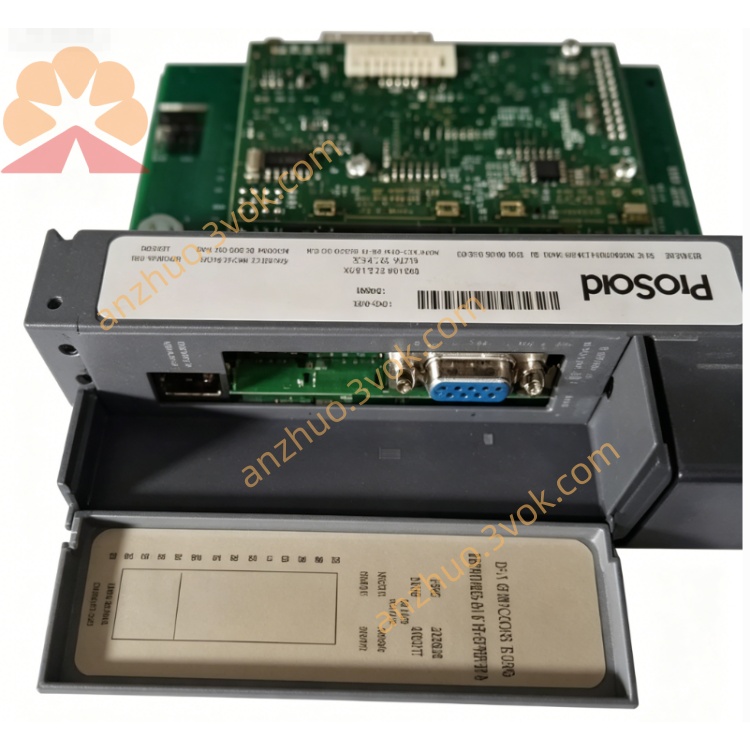
Single PROFIBUS DP‑V1 master port (DB9, RS‑485)
Full DP‑V1 support (acyclic services, alarm handling, data exchange)
DP‑V0 backward compatible (works with legacy DP slaves)
Max slaves: 125 (with repeaters)
Cyclic data: 1536 bytes IN / 1536 bytes OUT
Acyclic messaging: Parameterization, diagnostics, read/write
Dedicated processor: No SLC CPU load impact
Configuration: ProSoft Configuration Builder (PCB) softwareProSoft Technology Inc
Diagnostic LEDs: PWR, RUN, BP LINK, DP LINK, DP ACT
Battery‑backed RTC & CMOS (21‑day backup, non‑replaceable battery)ProSoft Technology Inc
3. Technical Specifications
General
Slot usage: 1 slot (1746 local/extended rack; remote not supported)
Backplane current: 800 mA @ 5 VDCProSoft Technology Inc
Data mapping: M0/M1 files (SLC memory access)
Firmware: Field‑upgradeable via PCB
PROFIBUS DP Interface
Standard: IEC 61158, PROFIBUS DP‑V1 (EN 50170)
Baud rate: 9.6 kbps – 12 Mbps (software selectable)
Slave address range: 1–125
Cyclic data: 1536 bytes IN / 1536 bytes OUT
Acyclic data: Supported (DP‑V1)
Connector: DB9 male (RS‑485)
Environmental
Operating temp: 0°C to +60°C (32°F to 140°F)ProSoft Technology Inc
Storage temp: ‑40°C to +85°C (‑40°F to 185°F)ProSoft Technology Inc
Humidity: 5%–95% non‑condensingProSoft Technology Inc
Vibration: 5 g (10–150 Hz)ProSoft Technology Inc
Shock: 30 g (operational), 50 g (non‑operational)ProSoft Technology Inc
Approvals
CE, UL/cUL, CSA, Class 1 Div 2, GOST‑R, KC
4. LED Indicators
PWR: On = backplane power OK
RUN: On = module operational; flashing = firmware activity
BP LINK: On = backplane communication active
DP LINK: On = PROFIBUS network connected
DP ACT: Flashing = PROFIBUS data traffic
5. Installation & Configuration
Power off SLC 500 chassis.
Insert MVI46‑PDPMV1 into empty 1746 slot.
Connect PROFIBUS cable to DB9 port.
Power on; verify module in RSLogix 500.
Install ProSoft Configuration Builder (PCB)ProSoft Technology Inc.
Configure DP master parameters, slave addresses, cyclic/acyclic data.
Map SLC M0/M1 data to PROFIBUS I/O via sample ladder logic.
Download configuration and test communication.
6. Applications
Connect SLC 500 to PROFIBUS DP‑V0/V1 slaves: drives, remote I/O, HMIs, encoders
Integrate Siemens/third‑party PROFIBUS devices into Rockwell SLC systems
Legacy SLC modernization for PROFIBUS networking
Factory‑wide DP network monitoring and control
Process automation with acyclic parameterization/alarm handling
7. Advantages
Seamless SLC ↔ PROFIBUS DP‑V1 integration
High‑speed deterministic DP communication (up to 12 Mbps)
Large cyclic data buffer (1536 bytes IN/OUT) for complex I/O
DP‑V1 acyclic services for advanced device handling
Robust industrial design for harsh environments
Proven compatibility with Rockwell SLC 500 systems
Get a Quote