
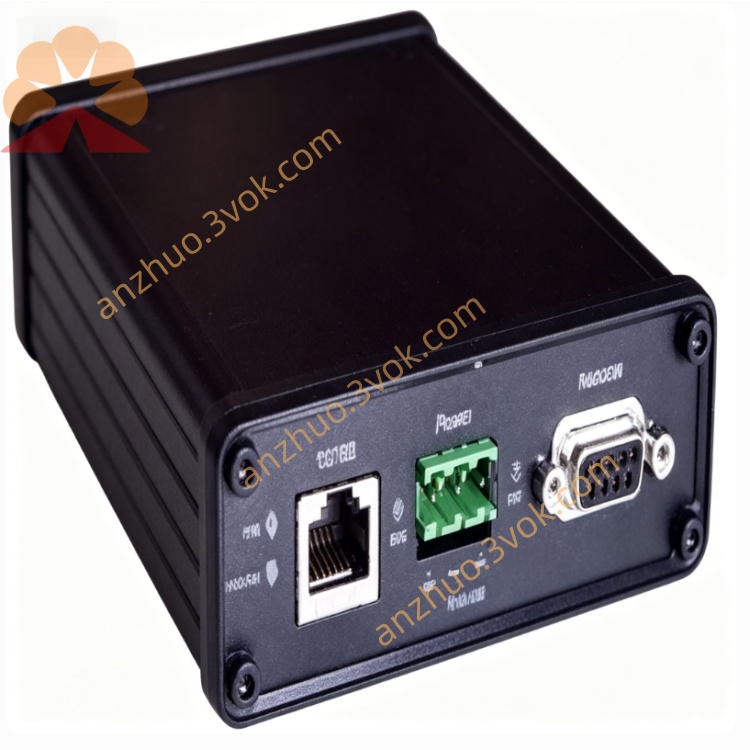
AN‑X‑TI Allen‑Bradley to TI PLC Gateway Module
Description
1. Product Overview
Model: AN‑X‑TI (ProSoft Technology)
Function: DIN‑rail, bidirectional gateway
EtherNet/IP ↔ TI500 / TI505 (Texas Instruments PLC family)
Purpose: Enables Allen‑Bradley EtherNet/IP PLCs (ControlLogix / CompactLogix)
to monitor and control legacy TI500/TI505 PLCs without replacing the existing TI system.
2. Key Features
EtherNet/IP Side
10/100 Mbps Ethernet (RJ45)
Up to 15 scheduled connections
RPI: 2–750 ms
Data mapped directly to RSLogix 5000 tags
Explicit messaging supported
TI500 / TI505 Side
TI Master protocol (connects to TI500/TI505 PLCs as master)
Supports TI500 and TI505 controllers (serial communication)
Baud rate: 300 – 19.2 kbps
Data size:
Input: up to 500 words
Output: up to 248 words
Interface: RS‑232 / RS‑422 / RS‑485 (terminal block)
General
Embedded web server (config via browser)
MicroSD slot: backup/restore config, firmware update
Operating modes: Master (MAS), Monitor (MON)
Industrial temp: 0°C to +50°C
Certifications: CE, UL, RoHS
3. Specifications
Power
12–24 VDC, 100 mA @ 24 VDC, ≤ 2.4 W
Physical
35 mm DIN rail, approx. 126 × 34 × 107 mm, IP30
Interfaces
Ethernet: 10/100 Mbps, RJ45
TI: RS‑232/422/485, terminal block (shielded cable recommended)
4. LED Indicators
PWR: solid = power OK
NET: flashing = EtherNet/IP active
TI: flashing = TI500/TI505 bus active
STS: system status
ERR: on = fault (comm / config)
5. Installation & Wiring
Mount on DIN rail in cabinet.
Connect 12–24 VDC (observe polarity).
Connect Ethernet to EtherNet/IP controller network.
Wire TI communication port to TI500/TI505 PLC:
Use shielded twisted pair
Match RS‑232/422/485 wiring to TI PLC port
Set gateway IP via web (default: 192.168.1.100).
Configure TI baud rate & station address, map TI data to EtherNet/IP tags.
Save config and reboot.
6. Operating Modes
Master (MAS): polls TI500/TI505 PLCs, reads/writes data
Monitor (MON): listen‑only, diagnose TI communication traffic
7. Application
Integrate TI500/TI505 systems into EtherNet/IP (Rockwell) platforms
Migrate legacy TI PLCs to ControlLogix/CompactLogix without field I/O replacement
Industrial automation: manufacturing, process, automotive, water/wastewater
8. Safety Notes
Wiring only when powered off
Use shielded cable for TI communication; proper grounding
Match baud rate and serial mode between gateway and TI PLC
Avoid high humidity, dust, strong EMI
Installation/configuration by qualified personnel
Get a Quote