
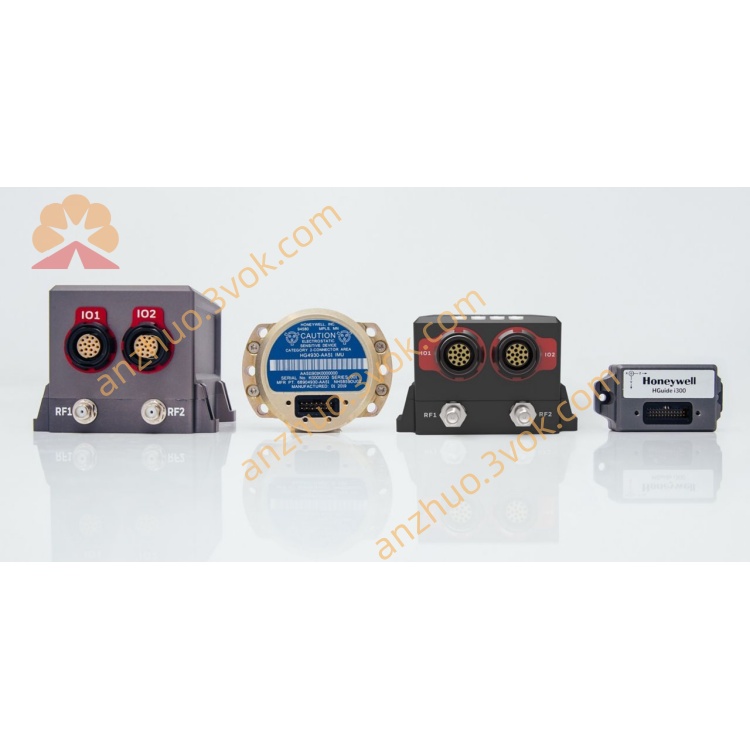
HONEYWELL 51308014100
Description
Product Description
Model Definition
Technical Specifications
System Compatibility: Honeywell TDC 3000, Experion PKS DCS platforms
Module Type: I/O control and communication interface card
Power Supply: 24 VDC ±10%, typical current consumption 0.4 A
Operating Temperature: 0 °C to +55 °C
Storage Temperature: −40 °C to +85 °C
Relative Humidity: 5%–95% RH, non‑condensing
Dimensions: Standard DCS card size, 340 mm × 220 mm × 30 mm
Net Weight: Approximately 0.7 kg
Certifications: CE, UL, CSA, ATEX (for non‑hazardous areas)
Mounting: Standard DCS card slot installation
Interface and Communication Configuration
Core Functions
I/O Data Processing: Collects and processes analog and digital signals from field devices, converting them into digital data for the control system.
System Communication: Acts as a bridge between field devices and the DCS, enabling reliable two‑way data exchange and control command transmission.
Signal Conditioning: Built‑in signal conditioning circuits filter noise, amplify weak signals, and ensure data accuracy in industrial environments with electromagnetic interference.
Fault Diagnosis and Protection: Monitors operating status in real time, detects faults such as signal loss and overvoltage, and triggers alarm signals to protect the system and field devices.
Hot‑Swap Support: Allows online replacement without shutting down the entire system, minimizing downtime and improving maintenance efficiency.
Application Scenarios
Usage and Maintenance Instructions
Usage
Installation: Insert the module into a standard DCS card slot, ensuring secure connection with the backplane bus. Fasten the module with screws to prevent loosening due to vibration.
Power‑on Check: Connect the 24 VDC power supply, and verify that the power indicator light is on and no fault alarms are present.
Wiring: Connect field devices to the module’s front‑panel connectors according to the system wiring diagram, ensuring correct polarity and reliable grounding of all cables.
Configuration: Use the Honeywell DCS engineer station to configure module parameters, including I/O channel types, signal ranges, and communication settings. Download the configuration to the module and verify normal data communication.
Hot‑Swap: When replacement is needed, pull out the faulty module after confirming the new module is of the same model and version; insert the new module and wait for automatic recognition and configuration by the system.
Maintenance
Environmental Maintenance: Keep the control room clean and dry, maintaining the temperature and humidity within the specified range. Avoid exposure to direct sunlight, dust, and corrosive gases.
Regular Inspection: Periodically check the module’s indicator lights for normal operation. Inspect wiring connections for looseness, damage, or corrosion, and tighten or replace cables as needed.
Cleaning: Remove dust from the module surface and connectors with a dry, soft brush or cloth. Do not use liquid cleaners or compressed air to avoid damage to electronic components.
Spare Parts Storage: Store spare modules in a cool, dry place with temperature ranging from −40 °C to +85 °C. Keep them in anti‑static packaging to prevent electrostatic damage.
Safety Precautions: Do not disassemble the module without authorization, as this will void the warranty and may cause system failure. Only qualified technical personnel are allowed to perform installation, maintenance, and replacement operations.
Get a Quote