
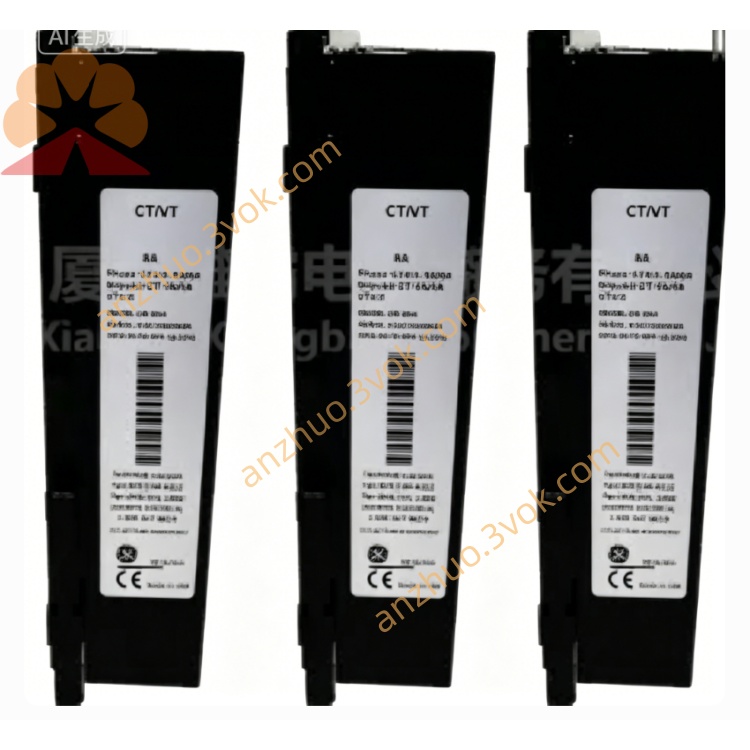
Emerson 12P0681X072 DeltaV Analog Output Card
Description
1. Product Overview
2. Main Features
Integrated hybrid I/O: analog input, analog output, digital input and digital output combined in one module.
Support standard industrial signals: 4~20mA current and 0~10V voltage.
16-bit high resolution ADC/DAC, high acquisition accuracy and low temperature drift.
Full software configurable: signal type, engineering range, digital filter and operation mode.
Built-in 1500VDC isolation, overvoltage, overcurrent, short circuit and over temperature protection.
Standard RS485 interface, support Modbus RTU communication protocol.
Optional baud rate: 9600bps, 19200bps, 38400bps.
Wide working temperature: -25℃ ~ +60℃.
Digital channels support NPN/PNP logic and 0~500ms adjustable debounce time.
Analog channels support digital filtering and fail-safe mode when communication is lost.
Flame-retardant plastic housing, compact structure, standard 35mm DIN rail installation.
3. Technical Specifications
3.1 General Parameters
3.2 Channel Resource
3.3 Analog Performance
3.4 Communication Parameters
4. Safety Precautions
Installation, wiring and maintenance must be completed by qualified professional technicians.
Cut off power supply before wiring, disassembly or maintenance to avoid electric shock and module damage.
Do not install the module in flammable, explosive or strong corrosive gas environment.
Keep good ventilation around the module, do not block heat dissipation openings.
Power cables and signal cables shall be laid separately to reduce electromagnetic interference.
Connect the protective grounding terminal to reliable earth ground.
Do not input voltage or current beyond rated range to avoid permanent module damage.
Do not disassemble or modify the internal circuit structure without official authorization.
5. Installation and Terminal Definition
5.1 DIN Rail Installation
Fix the 35mm standard DIN rail firmly on the installation panel.
Hang the upper buckle of the module on the DIN rail edge.
Press the module downward until the bottom lock snaps tightly.
Shake the module slightly to confirm firm installation without looseness.
5.2 Terminal Pin Definition
5.3 Wiring Instructions
Strip about 6mm insulation layer at wire ends.
Loosen terminal screws, insert wires into corresponding terminals.
Tighten screws moderately to ensure good contact, avoid over-tightening.
Analog signal wires adopt shielded twisted-pair cable with single-end grounding.
Power and digital signal use stranded copper wire with suitable wire gauge.
Use cable ties to fix wiring and prevent pulling force on terminals.
6. Parameter Configuration
6.1 Connection Method
6.2 Configurable Items
6.3 Save and Activation
7. Working Principle and Operation Description
7.1 Power-on Self-test
7.2 Function Description
7.3 Indicator Description
8. Daily Maintenance
Regularly check terminal wiring tightness to avoid oxidation and loose contact.
Clean module surface dust with dry soft cloth, do not use liquid or chemical solvent.
Keep working temperature and humidity within specified range.
Regularly check cable aging condition and replace damaged wires in time.
Recalibrate channel parameters if sampling data is abnormal.
9. Troubleshooting
- No power indicatorCause: No 24VDC input, power reverse polarity or broken wireSolution: Check power wiring and correct polarity
- Communication failureCause: Baud rate or address mismatch, RS485 A/B reverse, lack of terminal resistanceSolution: Unify communication parameters, adjust A/B wiring, add 120Ω terminal resistor
- Analog input data unstableCause: Loose wiring, wrong signal type or strong electromagnetic interferenceSolution: Fasten terminals, confirm signal range, use shielded cable and reliable grounding
- Analog output inaccurateCause: Range setting error or load resistance mismatchSolution: Recalibrate output range and match load parameters
- Digital input no responseCause: Loose wiring or logic setting errorSolution: Check wiring and adjust NPN/PNP logic
- Digital output no actionCause: Overload current or wrong logic modeSolution: Reduce load within rated value and reconfigure parameters
Get a Quote