
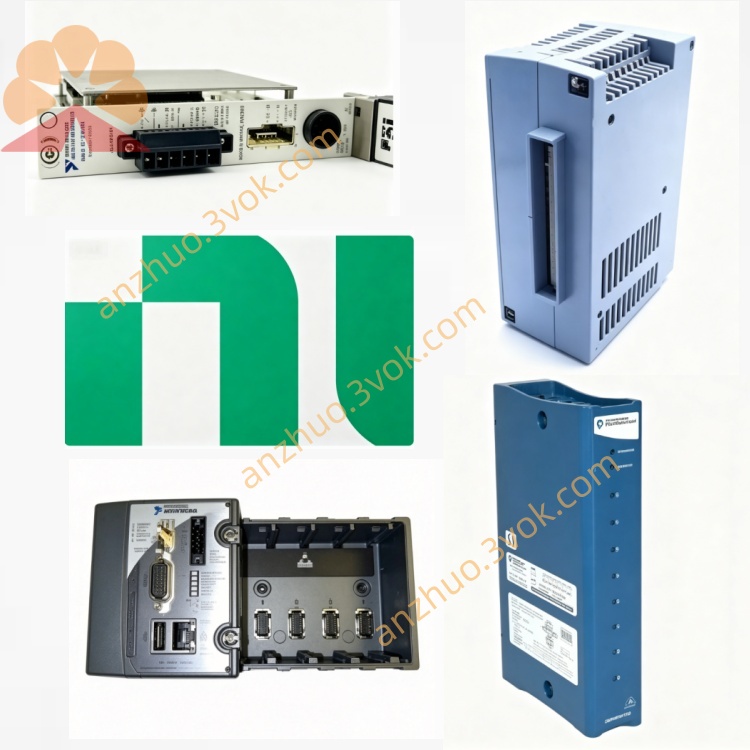
NI PXI-PCI8360 PCI to PXI Remote Controller Interface Card
Description
I. Product Overview
The NI PXI-PCI8360 is an MXI-Express x1 copper cable interconnect kit introduced by National Instruments, consisting of the PCI-8361 (PC side) and the PXI-8360 (PXI side). It enables transparent high-speed bridging between a PCI bus PC and a PXI/CompactPCI system. As a 3U plug-and-play module, it allows direct PC control over PXI chassis and modules without additional programming. Designed for low-latency, high-stability remote control and multi-chassis expansion, this solution replaces earlier MXI-4 (8331) configurations.
II. Model Description
NI: Brand identifier for National Instruments.
PXI-PCI: Indicates cross-connectivity between PXI and PCI buses, enabling bidirectional transparent communication.
8360: Series number for the MXI-Express x1 family; "0" denotes the copper cable version (fiber optic is 8366), distinguishing it from the MXI-4 series (833x).
Kit Composition: PXI-PCI8360 = PCI-8361 (PC-side, PCI slot) + PXI-8360 (PXI-side, Slot 1) + MXI-Express copper cable.
III. Technical Specifications
Bus Compatibility: PCI 2.2, PXI Rev 2.2; supports 3.3V/5V PCI voltages; not compatible with PXIe chassis.
Data Bandwidth: Peak 132 MB/s (x1 PCIe), sustained 100 MB/s, latency < 50 μs.
Transmission Medium/Distance: Dedicated MXI-Express copper cable, up to 7 meters.
Power Consumption (PXI-8360): +3.3V/2.5A (typical), +5V/μA-level, +12V/mA-level.
Physical Dimensions: 3U size (10.7 × 17.5 cm); PXI-8360 weighs 0.25 kg, PCI-8361 weighs 0.05 kg.
Environmental Parameters: Operating temperature 0–55°C, storage -40–70°C; humidity 10%–90% (non-condensing); maximum altitude 2000 m; vibration resistance 5–500 Hz / 0.3 grms (NI).
Topology Support: Single-link point-to-point only; no daisy-chaining supported; one PC can control multiple chassis via multiple PCI-8361 modules (NI).
IV. Interfaces and Communication Configuration
PC Side (PCI-8361): Standard 32-bit PCI slot, low-profile or standard dual bracket, plug-and-play.
PXI Side (PXI-8360): Dedicated to Slot 1 in PXI chassis; J1/J2 backplane interface provides power and timing signals.
External Communication Port: 38-pin InfiniBand-style MXI-Express copper cable interface, x1 PCIe link, hardware-level CRC checksum and retransmission.
Software Transparency: PXI modules appear as PCI devices on the PC, fully compatible with NI-VISA and LabVIEW; no additional communication code required.
V. Core Features
Transparent PCI-PXI Bridging: Direct PC access to all PXI modules with full driver and software compatibility—no development changes needed.
High-Speed, Low-Latency Transfer: x1 PCIe bandwidth, sustained 100 MB/s, ideal for high-speed data acquisition, waveform generation, and real-time control. Single PC, Multiple Chassis Control: A single PC with multiple PCI slots can host several PCI-8361 cards, each connected to a separate PXI chassis, enabling scalable test system expansion from National Instruments (NI).
Industrial-Grade Stability: Features hardware error checking and anti-interference design, suitable for long-term operation in harsh environments.
Plug-and-Play, No Programming Required: The system automatically detects devices; configuration via NI MAX enables rapid deployment of testing systems.
VI. Application Scenarios
Automated Testing: Semiconductor, automotive electronics, and consumer electronics production lines—PC controls multiple PXI instruments (oscilloscopes, multimeters, switch matrices).
Aerospace/Defense: Radar, communication, and navigation system testing requiring high stability and low-latency remote control.
Industrial Monitoring/Control: Production line data acquisition and equipment status monitoring, connecting PCs with distributed PXI I/O.
Research Laboratories: Precision measurement and physics experiments in universities and research institutions, supporting flexible multi-module system configurations.
VII. Usage and Maintenance Instructions User Instructions
Installation Steps: Power off both the PC and PXI system; insert the PCI-8361 into an available PCI slot on the PC and secure it; insert the PXI-8360 into the first PXI slot; connect the two modules using a dedicated copper cable; after powering on, the system will automatically detect the devices. Install the MXI-Express software and NI-VISA drivers.
Configuration Notes: Use NI MAX to identify the devices and confirm proper link status; keep the copper cable length ≤7 meters and avoid excessive bending; the first slot is reserved exclusively for this module—do not insert any other modules.
Software Operation: Develop applications using LabVIEW, C, or C++ to directly read from and write to the PXI modules without requiring additional communication logic.
Maintenance Instructions
Routine Maintenance: Keep modules and interfaces clean; wipe with a dry cloth to prevent dust accumulation. Periodically inspect cable connectors for looseness or oxidation, and tighten or replace as needed. Maintain operating environment temperature between 0–55°C, and protect against moisture, dust, and strong electromagnetic interference.
Troubleshooting: If device not recognized → check slot contact, cable connections, and driver installation; if transmission issues occur → inspect for cable damage, interface contamination, or power supply problems; if overheating occurs → improve chassis cooling and reduce load.
Precautions: Do not hot-swap modules or cables to prevent interface damage. When not in use for extended periods, power off and store in a dry, well-ventilated area. This product is incompatible with PXIe chassis—confirm chassis type before selection.
Get a Quote