
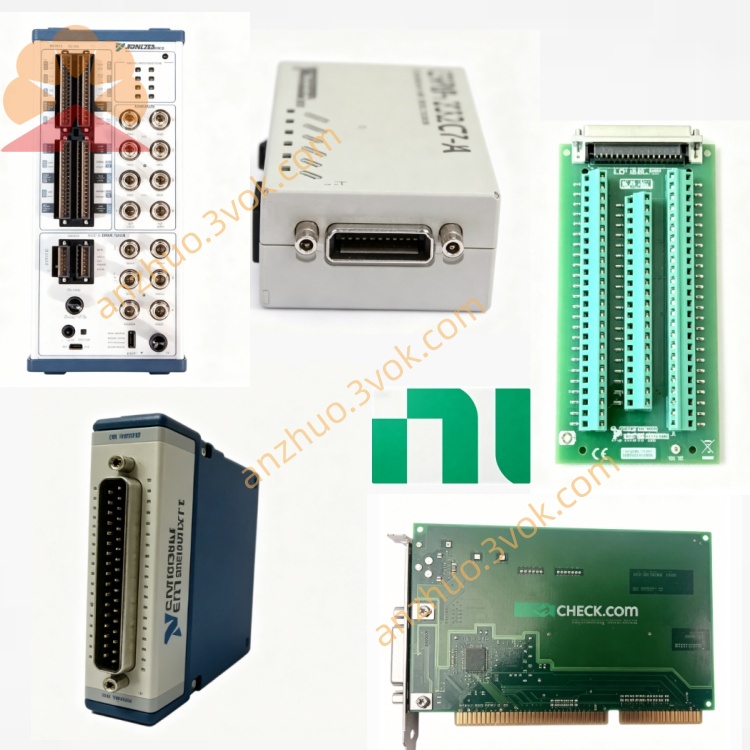
NI PXI-PCI8331 PCI to PXI MXI-3 Interface Card
Description
I. Product Overview
The NI PXI-PCI8331 is a copper cable interface module from National Instruments (NI) in the MXI-4 series, designed to enable high-speed, transparent connectivity between PCI bus computers and PXI/CompactPCI systems. This 3U-sized plug-and-play board allows direct PC control of PXI chassis and modules without additional programming. It is widely used for remote control and multi-chassis expansion in automated test and measurement systems.
II. Model Description
NI: Brand identifier for National Instruments.
PXI-PCI: Indicates the module bridges the PXI and PCI buses, enabling interconnection between them.
8331: Product series number; the final digit "1" denotes the copper cable version (the fiber-optic counterpart is 8336). This model is a core component of the MXI-4 technology platform.
III. Technical Specifications
Bus Compatibility: Complies with PCI 2.2 standard, supports 3.3V/5V PCI bus voltages.
Data Bandwidth: Peak 132 MB/s (1.5 Gbit/s), sustained 78 MB/s.
Transmission Medium and Distance: Dedicated copper cable, maximum length 10 meters.
Power Consumption: +3.3V/0.25A, +5V/1.5A.
Physical Dimensions: 3U size (10.7 × 17.5 cm), weight 0.19 kg.
Environmental Parameters: Operating temperature 0–55°C, storage temperature -20–70°C, humidity 10%–90% (non-condensing), maximum altitude 2000 m.
Topology Support: Up to 255 bus segments, supports daisy-chain or star configurations.
IV. Interfaces and Communication Configuration
Host Interface: Standard PCI slot (32-bit / 64-bit), plug-and-play, compatible with mainstream Windows systems.
PXI End Interface: Dedicated interface on slot 1 of the PXI chassis, connected directly to the PCI-8331 card via copper cable.
Communication Protocol: Based on MXI-4 technology, enabling PCI-to-PCI bridging with fully transparent software operation; PXI modules appear as PCI devices within the system.
Data Link Features: Hardware-level error checking and retransmission mechanisms ensure reliable transmission; supports multi-chassis synchronization with trigger and clock synchronization.
V. Core Functions
PC Direct Control of PXI: After installation into a PCI slot, the PC can directly access all modules in the PXI chassis without requiring additional drivers or programming, compatible with NI-VISA and MXI-4 software.
Multi-Chassis Expansion: Supports daisy-chain or star connections across multiple PXI chassis, overcoming single-chassis slot limitations to build large-scale test systems.
Transparent Hardware and Software Interconnection: PXI modules are completely transparent to the host, allowing direct use of PCI device drivers and software, reducing development complexity.
High-Speed and Stable Transmission: MXI-4 technology ensures high bandwidth and low latency, ideal for high-speed data acquisition, waveform generation, and similar applications.
Flexible Topology and Synchronization: Supports up to 255 bus segments, integrated trigger and clock synchronization, meeting requirements for coordinated multi-module testing.
VI. Application Scenarios
Automated Testing: Used in electronic manufacturing, semiconductor testing, automotive electronics, etc., enabling PC control of multiple PXI modules such as oscilloscopes, multimeters, and switch matrices.
Aerospace and Defense: Suitable for complex signal testing, radar and communication system validation, where multi-chassis expansion and high reliability are required.
Industrial Control and Monitoring: Applied in production line data acquisition and equipment status monitoring, enabling connection between PCs and distributed PXI I/O systems. Research and Laboratory: Precision measurement and physics experiments in universities and research institutes, featuring flexible configuration of multi-module test systems.
VII. Operation and Maintenance Instructions User Instructions
Installation Steps: Power off both the PC and the PXI chassis. Insert the PCI-8331 into an available PCI slot on the PC and secure it in place. Install the PXI-8331 into Slot 1 of the PXI chassis. Connect the two modules using a dedicated copper cable. After powering on, the system will automatically detect the devices; install the MXI-4 software and NI-VISA drivers.
Configuration Guidelines: Use NI MAX (Measurement & Automation Explorer) to identify the devices and configure the bus topology (daisy chain or star). Set trigger and clock synchronization parameters to ensure coordinated operation across multiple modules. Avoid excessive bending of the copper cable—maximum length should not exceed 10 meters.
Software Operation: Develop applications using LabVIEW, C/C++, etc. The PXI module can be accessed directly as a PCI device, eliminating the need for additional communication code.
Maintenance Instructions
Routine Maintenance: Keep the modules and interfaces clean; wipe regularly with a dry soft cloth to prevent dust accumulation. Check for loose or oxidized cable connectors, and tighten or replace them periodically. Ensure the operating environment is free from moisture, dust, and strong electromagnetic interference.
Troubleshooting: If the device is not recognized, check slot contact, cable connections, and driver installation. For transmission anomalies, inspect for damaged cables, contaminated interfaces, or insufficient power supply. In high-temperature environments, ensure proper chassis cooling to prevent overheating and performance throttling.
Precautions: Do not hot-swap modules or cables to avoid damaging the interfaces. Maintain operating temperature between 0–55°C to prevent overheating. When not in use for extended periods, power off and store in a dry, well-ventilated area.
Get a Quote