
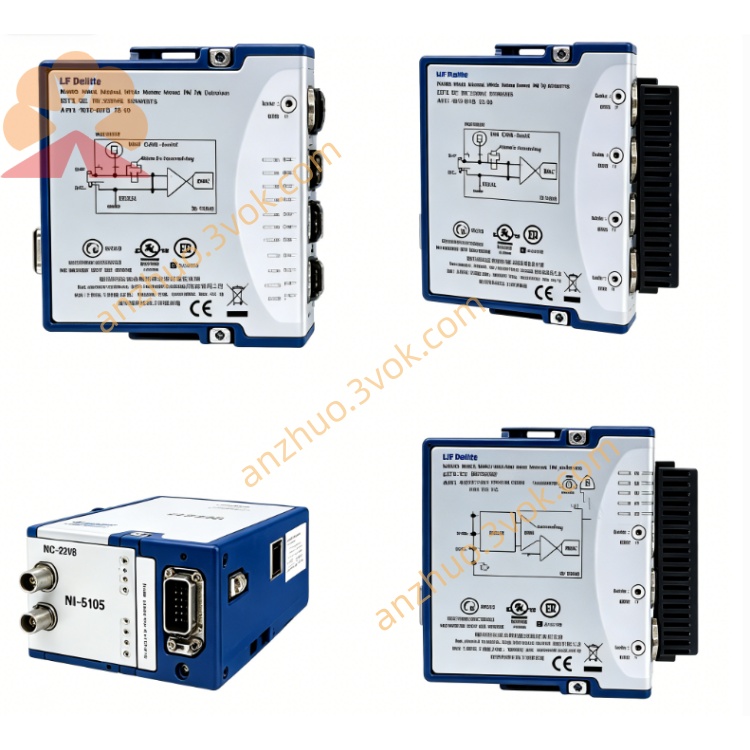
NI PXIe-5644R 6GHz Reconfigurable RF Vector Signal Transceiver
Description
Model Nomenclature
PXIe: PXI Express high-speed modular instrumentation bus.
56: NI PXI RF/IF test and measurement series.
44: 6 GHz frequency range, 80 MHz bandwidth, integrated VSA/VSG.
R: Reconfigurable (user-programmable FPGA via LabVIEW FPGA).
Technical Specifications
Form Factor: 3U single-slot PXIe module.
Frequency Range: 65 MHz to 6 GHz; <1 Hz tuning resolution.
Instantaneous Bandwidth: 80 MHz (up to 200 MHz optional).
RF Input (VSA): SMA female, 50 Ω; noise floor -148 dBm/Hz (typical); IIP3 ≥19 dBmNI.
RF Output (VSG): SMA female, 50 Ω; output power up to +6 dBm (average); ACPR ≤-45 dBc.
FPGA: Xilinx Virtex-7 (user-programmable via LabVIEW FPGA).
Onboard Memory: 2×256 MB DRAM (2.1 GB/s per bank), 2 MB SRAMNI.
Digital I/O: 24 channels, up to 250 Mbit/s.
Reference Clock: External 10 MHz (SMA), internal oscillator.
Trigger: PXI trigger bus, external TRIG (SMA, 3.3 V TTL).
Operating Temperature: 0 °C to 55 °C; Storage: -40 °C to 70 °C.
Interface and Communication Configuration
Bus: PXIe Gen2 x4, supports peer-to-peer streaming and high-speed DMANI.
Drivers: NI-5644R, IVI-COM; compatible with LabVIEW, C/C++, Python, .NET.
Software: NI-MAX (configuration), LabVIEW FPGA (custom signal processing), NI-RFmx (standard-specific measurements).
Synchronization: PXI trigger bus, NI-TClk for multi-module phase alignment.
I/O Connectors: 1×RF IN (SMA), 1×RF OUT (SMA), 1×10 MHz Ref In/Out (SMA), 1×TRIG (SMA), 24×Digital I/ONI.
Core Features
Integrated VSA/VSG: Simultaneous generation and analysis of complex RF signals in one module.
User-Programmable FPGA: Enables real-time custom processing (filtering, modulation, demodulation, protocol decoding).
Wideband RF Performance: 80 MHz bandwidth and 6 GHz frequency coverage support 5G, LTE, Wi-Fi 6/7, and radar testing.
High Dynamic Range: Low noise floor and high linearity ensure accurate measurement of weak and strong signals.
Real-Time Streaming: Peer-to-peer data transfer enables low-latency SDR and spectrum monitoring.
Application Scenarios
Wireless Communication Test: R&D and production test of 5G/6G, LTE-Advanced, Wi-Fi 6/7, and Bluetooth devices.
Aerospace & Defense: Radar signal generation/analysis, electronic warfare (EW) simulation, and SIGINT systems.
Semiconductor Test: RF characterization of transceivers, power amplifiers, and filters.
Software-Defined Radio (SDR): Prototyping of custom communication waveforms and MIMO systems.
High-Speed Digital Test: Signal integrity analysis and protocol validation for high-speed I/O interfaces.
Get a Quote