
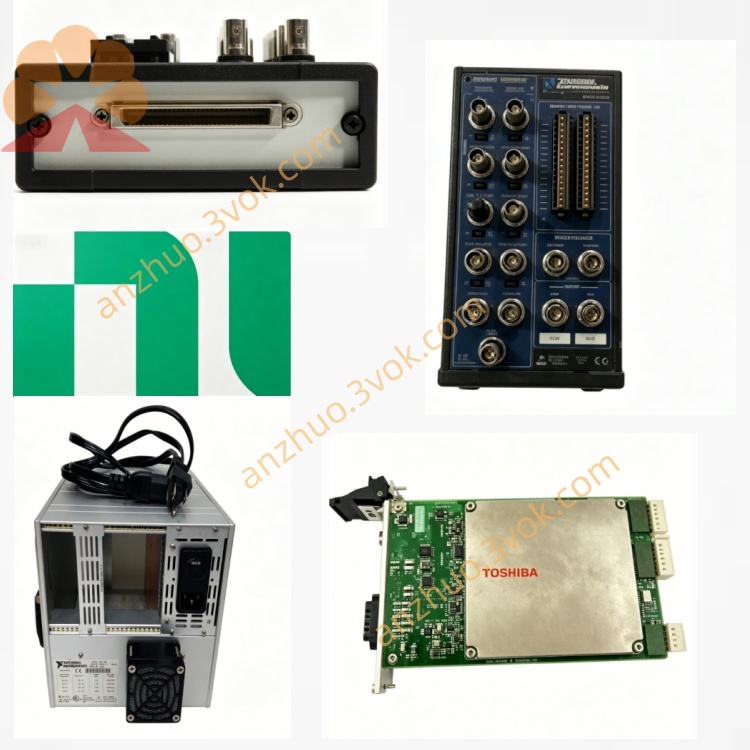
NI PXI-8187 2.5GHz Pentium4-M PXI Embedded System Controller
Description
Model Nomenclature
PXI: PCI eXtensions for Instrumentation, denoting compliance with the PXI modular instrumentation bus standard.
8187: Belongs to the 8180 series (8186/8187); 87 indicates the high‑end Pentium 4‑M based model with integrated GPIB.
Full meaning: PXI bus, 8180 series, high‑end Pentium 4‑M embedded controller with GPIB.
Technical Specifications
Basic Specifications
Form factor: 3U, 4‑slot width (1 system + 3 expansion slots)。
Processor: Intel Pentium 4‑M 2.5 GHz, 400 MHz FSB。
Chipset: Intel 845G。
Memory: 256 MB DDR‑SDRAM (standard), max 1 GB via two 184‑pin SO‑DIMM sockets。
Storage: Internal 2.5‑inch Ultra ATA100 HDD (30 GB standard, optional 20–160 GB); solid‑state drive (SSD) option available for rugged environments。
Video: Integrated Intel Extreme Graphics 2 (up to 64 MB shared memory), supports VGA resolutions up to 1600×1200。
PXI bandwidth: 132 MB/s (reserved for PXI modules)。
Power consumption: ~48 W (from PXI backplane)。
Operating temperature: 0 °C to 55 °C (extended industrial range)。
Storage temperature: −40 °C to 85 °C。
OS support: Windows XP, Windows XP Embedded, LabVIEW Real‑Time (RT version available for deterministic applications)。
MTBF: 170,248 hours (Belcore method)。
Onboard I/O Interfaces
Video: 1×VGA (DB‑15)。
Serial: 2×RS‑232 (DB‑9, 16550 UART)。
Parallel: 1×IEEE 1284 (DB‑25, ECP/EPP compatible)。
USB: 2×USB 2.0 (high‑speed)。
Ethernet: 1×10/100 Mbps (RJ‑45)。
GPIB: Integrated PCI‑based GPIB controller (IEEE 488.2)。
PS/2: Keyboard and mouse ports。
Front panel: Reset button, POWER OK/DRIVE LEDs, hard drive activity indicator, SMB trigger I/O connector。
Interface and Communication Configuration
Internal Bus
PXI/CompactPCI: System controller slot, supports PXI trigger bus and RTSI synchronization; SMB front‑panel connector enables external trigger routing。
PCI: Direct connection without bridge chip, maintaining full 132 MB/s bandwidth for PXI modules。
ISA: Integrated for legacy I/O compatibility。
Software Communication
Drivers: NI‑PXI, NI‑DAQ, NI‑VISA, NI‑488.2M (GPIB)。
Programming environments: LabVIEW, LabWindows/CVI, C/C++, Visual Basic, .NET。
Protocols: TCP/IP, UDP, Serial, GPIB (native support); LabVIEW Real‑Time enables deterministic communication for real‑time applications。
Core Features
- Top‑Tier Pentium 4‑M 2.5 GHz PerformanceThe 2.5 GHz Pentium 4‑M delivers maximum processing power in the 8180 series, supporting complex test algorithms, high‑speed data processing, and multitasking for demanding applications。
- Integrated GPIB & Comprehensive I/O ConnectivityNative PCI‑GPIB eliminates add‑on modules for instrument control; dual USB 2.0, serial, Ethernet, parallel, and PS/2 ports enable seamless integration with legacy and modern devices。
- DDR Memory & Extended Temperature RuggednessDDR‑SDRAM provides high memory bandwidth for fast data access; the 0–55 °C extended temperature range suits harsh industrial, field, and high‑reliability environments。
- Full PXI Bandwidth & Trigger SynchronizationDirect PCI connection reserves the full 132 MB/s PXI backplane bandwidth for peripherals; the SMB front‑panel connector enables precise trigger routing for synchronized data acquisition。
- Real‑Time OS Option & SSD CompatibilityLabVIEW Real‑Time support delivers deterministic performance for time‑critical applications; the SSD option enhances reliability in high‑vibration environments。
Applications
- High‑Performance Automated Test Equipment (ATE)Complex functional test of electronic assemblies, semiconductor test systems, and production lines requiring maximum computing power and GPIB instrument connectivity。
- Real‑Time Industrial Control & MonitoringHigh‑speed factory automation, process control, and machinery monitoring demanding deterministic performance and long‑term stable operation。
- High‑Speed Data Acquisition & LoggingDynamic signal analysis, high‑rate sensor monitoring, and large‑scale data logging in industrial/research settings with high bandwidth and temperature resilience requirements。
- Aerospace & Defense TestMilitary/aerospace test systems requiring high reliability, GPIB instrument integration, extended temperature tolerance, and real‑time processing。
- Portable/Field Test SystemsCompact, rugged PXI systems for on‑site maintenance, vehicle diagnostics, and remote monitoring with high performance and environmental resilience needs。
Usage and Maintenance Instructions
Installation and Power‑On
Install in a standard 3U PXI chassis (e.g., PXI‑1042/1045), occupying 4 consecutive slots。
Power supplied via PXI backplane; ensure chassis provides ≥48 W per slot。
Connect peripherals (monitor, keyboard, mouse, GPIB/serial instruments) to front‑panel I/O before power‑on。
Software Setup
Install supported OS (Windows XP/XP Embedded or LabVIEW Real‑Time) and NI drivers (NI‑PXI, NI‑DAQ, NI‑VISA, NI‑488.2M)。
Access BIOS via front‑panel reset during boot to adjust boot order, display settings, and hardware parameters。
Install application software (LabVIEW, LabWindows/CVI) for test/control development。
Environmental Requirements
Operating temperature: 0 °C to 55 °C; maintain chassis airflow; avoid blocking fan vents。
Humidity: 20%–80% RH (non‑condensing). Keep in dry, dust‑free environment。
Daily Maintenance & Troubleshooting
Power off before maintenance; clean front‑panel connectors and chassis filters quarterly with a dry cloth。
Storage issues: Check HDD/SSD health via OS tools; replace faulty Ultra ATA100 HDD or compatible SSD。
Boot failures: Verify backplane power, reseat controller, or reset BIOS defaults。
Memory upgrade: Power off, install compatible 184‑pin SO‑DIMM DDR‑SDRAM (max 1 GB)。
Long‑term storage: Power off and store in dry area; power on for 1 hour monthly to prevent moisture damage。
Safety Notice
For indoor industrial use only, altitude ≤2000 m, pollution degree 2。
Dispose of electronic waste per local regulations; do not discard in general trash。
Get a Quote