
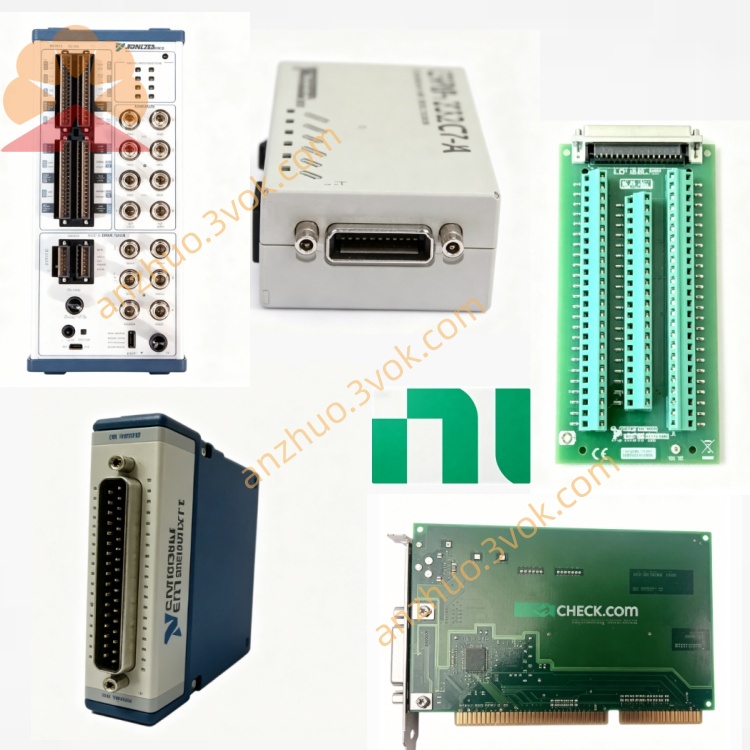
NI PXI-8115 3U Dual-Core Intel Core i5 PXI Embedded Controller
Description
Model Explanation
PXIe: PXI Express, compatible with PXIe high-speed bus
8115: Controller serial number; 81xx represents the PXI embedded controller, and 15 indicates the high-performance i5 dual-core model
Full name meaning: PXIe bus, 81xx series, i5 dual-core high-performance embedded controller Technical Specifications
Basic Specifications
Form: 3U, 4-slot wide (occupying 1 system slot + 3 expansion slots)
Part Number: 781729-04 (standard), 781729-33 (real-time RT version)
Processor: Intel Core i5-2510E, 2.5 GHz dual-core, Turbo Boost up to 3.1 GHz, 3 MB cache
Memory: Standard 2 GB DDR3 1333 MHz, maximum 8 GB (SO-DIMM)
Storage: 250 GB SATA hard drive (standard); RT version equipped with flash memory
PXIe Bandwidth: 1 GB/s dedicated bandwidth per slot, system bandwidth 7 GB/s
Power Consumption: Approximately 30 W (power supply from backplane)
Operating Temperature: 0 °C ~ 55 °C
Storage Temperature: -40 °C ~ 71 °C
System Support: Windows 7/10 (32/64-bit), NI Real-Time OS
I/O Interfaces
Video: 2×DisplayPort (for multiple displays)
Serial Port: 1×RS-232
Parallel Port: 1×IEEE 1284 ECP/EPP
USB: 6×USB 2.0 (high-speed)
Ethernet: 2× Gigabit Ethernet (10/100/1000 BASE-TX)
Instrument Control: Integrated **GPIB (IEEE 488)** controller
Expansion: ExpressCard/34 slot
Front Panel: Reset button, PXI trigger SMB, watchdog
Interface and Communication Configuration
Internal Bus
PXIe/PCIe: System controller slot, supports PXIe trigger, RTSI synchronization
DMA: Bus master control, high-speed data transfer (module ↔ memory)
Software Communication
Drivers: NI-PXIe, NI-DAQmx, NI-VISA, NI-GPIB
Development Environment: LabVIEW, LabWindows/CVI, C/C++, .NET
Protocols: TCP/IP, UDP, Modbus, CAN, GPIB, serial port Core function
High-performance dual-core processing
i5‑2510E (2.5 GHz, Turbo 3.1 GHz), suitable for multi-core parallel computing, signal processing, and image analysis.
Rich integrated I/O
Dual DisplayPort, 6×USB, dual gigabit, GPIB, serial / parallel ports, no need for additional I/O modules, saving slots.
PXIe high-speed bandwidth
1 GB/s per slot, suitable for high-speed data acquisition, multi-module synchronization, and large data stream processing.
Windows / Real-Time Dual System
Supports dual startup of Windows and LabVIEW Real-Time, balancing general and deterministic real-time control.
Integrated diagnosis and high reliability
ROM and hard drive self-diagnosis, watchdog, industrial temperature range, reducing downtime. Applicable scenarios
High-speed Automated Test Equipment (ATE)
Semiconductor testing, complex circuit board functionality testing, high-capacity production line terminal testing.
Real-time data acquisition and processing
Dynamic signal analysis, multi-sensor fusion, vibration/acoustic testing, image processing.
Industrial control and embedded systems
High-speed equipment control, process monitoring, real-time mechanical automation, online monitoring.
Aerospace and defense
Avionics integrated testing, radar signal processing, field-hardened testing system.
Portable / Field testing
Integrated PXIe system, suitable for vehicle-mounted, field, and on-site maintenance in data centers.
Installation and Power On
Installed in a standard 3U PXIe chassis, occupying 4 consecutive slots (1 system + 3 expansions).
Powered only by the PXIe backplane; ensure each slot ≥ 30 W.
Before powering on, connect the monitor, keyboard, network, and instruments. Software settings
Windows: Install NI-PXIe, DAQmx, GPIB, LabVIEW, etc.
Real-time RT: Deploy the RT system to the flash memory using NI MAX, configure the network and start-up items.
BIOS: Enter by pressing the front panel reset button upon startup. Set the boot sequence and hardware parameters.
Heat dissipation and environment
Operating temperature: 0 °C ~ 55 °C; Keep the air duct of the chassis unobstructed and do not block the fans.
Humidity: 10%–90% RH (no condensation); Keep dry and dust-free.
Maintenance and fault troubleshooting
Clean the front panel interfaces and chassis filters (with dry cloth) every quarter when the power is off.
Storage failure: Use system tools to check the health of the hard drive; if the RT flash memory is damaged, reinstall the system.
Startup failure: Check the power supply of the back panel, reinsert and reconfigure the controller, and restore the BIOS default settings.
Long-term storage: Save in a dry and dehumidified state with power off; power on for 1 hour monthly to prevent moisture. Safety and Compliance
Only applicable in indoor industrial environments, with an altitude of ≤ 2000 m and a pollution level of 2.
Handle electronic waste in accordance with local regulations. Do not discard it in regular garbage.
Get a Quote