
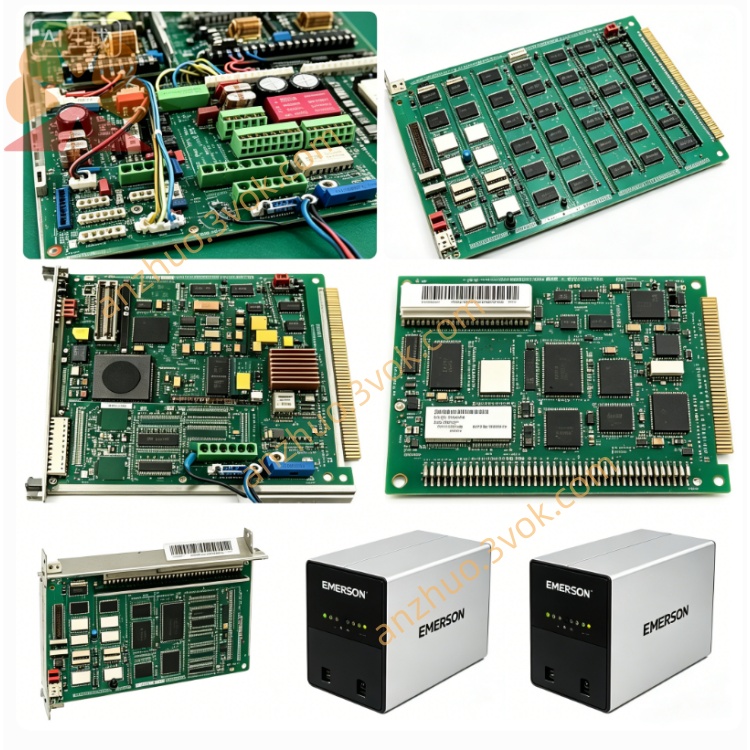
Emerson Ovation 5X00034G01 DCS I/O
June 11, 2026

Emerson Ovation 5X00034G01 DCS I/O

The 5X00034G01 is a standard pluggable I/O module customized for the Emerson Ovation distributed control system. It serves as the key signal transmission bridge connecting field sensors, on-site actuators and central controllers in thermal power, petrochemical, metallurgy and other process industries. Adopting integrated hardware design and matched dedicated terminal base, this module can stably collect analog and digital field signals and reliably execute downlink control instructions from the upper controller. Built-in multi-layer self-diagnosis functions monitor power supply state, bus communication link and channel loop faults in real time, while front-panel LED indicators intuitively display operating conditions to speed up on-site troubleshooting.

Description

The module passes strict anti-electromagnetic interference, vibration resistance and high-low temperature aging tests and complies with CE and UL industrial safety standards, supporting long-term continuous operation in harsh industrial environments. It features hot-swap capability, allowing individual module replacement without shutting down the entire control cabinet to reduce unplanned equipment downtime. Each channel supports flexible parameter configuration through the Ovation engineering workstation, which is compatible with new construction and equipment renovation projects and boasts excellent versatility and scalability.

User Manual

Model No.: 5X00034G01
Series: Emerson Ovation DCS I/O Module

Table of Contents

  1. Safety Precautions

  2. Product Overview & Technical Specifications

  3. Mechanical Installation Guide

  4. Wiring and Termination Instructions

  5. Software Configuration Steps

  6. LED Indicator Status Explanation

  7. Fault Diagnosis and Troubleshooting

  8. Maintenance, Storage and Warranty Provisions

1. Safety Precautions

Only professional automation engineers with systematic Ovation DCS training qualification are permitted to install, wire, debug and maintain this module.
Completely cut off the power supply of the corresponding cabinet slot before plugging, removing the module or modifying field wiring, so as to prevent electric shock injury, hardware burnout or overall system outage.
Do not operate the module beyond the rated voltage, signal load and ambient temperature range specified in technical indicators. Overload operation will cause permanent hardware damage and void the product warranty.
The module must be installed inside a sealed control cabinet and kept away from flammable and explosive gas, corrosive liquid, accumulated heavy dust, splashing water and strong electromagnetic interference sources such as high-power frequency converters.
It is prohibited to disassemble the module shell, alter internal circuits or replace non-original spare parts without official authorization from Emerson; unauthorized modification will invalidate relevant safety certifications.
In case of abnormal temperature rise, peculiar odor, smoke or persistent fault alarms during operation, cut off the power supply immediately, isolate the faulty module and contact the supplier’s technical support team for subsequent disposal.

2. Product Overview & Technical Specifications

2.1 Product Overview

As a standard I/O card of the Ovation DCS system, the 5X00034G01 converts field analog and digital signals into bus data and uploads them to the controller, and converts control commands issued by the upper computer into driving signals to control field actuators, forming an indispensable link for closed-loop automatic production control.

2.2 Key Technical Specifications

The module is powered by the cabinet backplane bus. Its operating temperature ranges from 0℃ to +60℃, and the storage temperature ranges from -25℃ to +70℃. The applicable relative humidity is 5%~95% without condensation. It is equipped with channel isolation, surge suppression and loop short-circuit fuse protection structures, adopts standard rack plug-in installation and supports hot swapping. Its designed service life under rated working conditions exceeds 10 years, meeting CE EMC and LVD international safety requirements, and can be perfectly matched with all standard Ovation racks and backplanes.

3. Mechanical Installation Guide

Check in advance whether the target slot of the DCS cabinet rack is vacant and intact, and confirm that the golden fingers of the backplane bus are free from bending, oxidation, corrosion and attached foreign objects.
Align the guide rails on both sides of the module with the chute of the rack slot, push the module horizontally and steadily inward until the rear connector is fully locked and closely connected to the backplane bus interface.
Tighten the fixing screws at the top and bottom of the module front panel in sequence to avoid poor contact caused by module loosening due to long-term equipment vibration.
Reserve sufficient ventilation space around the module for natural heat dissipation; do not stack cables, wire harnesses or other electronic components to block the heat dissipation gaps of the module housing.

4. Wiring and Termination Instructions

Strictly distinguish power terminals, signal input channels, signal output channels and bus communication terminals according to the silk-screen marks on the matched terminal base of the module.
Select shielded twisted-pair cables with appropriate wire cross-section according to the rated loop current for field wiring, and crimp cable terminals firmly to avoid poor contact, signal drift and unstable data collection caused by loose wiring.
Separate high-current power cables and weak-current signal cables during wiring layout to eliminate mutual crosstalk interference. Bind scattered wire harnesses neatly with cable ties and fix them reliably to prevent pulling and abrasion during long-term equipment operation.
After wiring is completed, conduct full-circuit continuity test and insulation resistance inspection channel by channel. Confirm there is no short circuit, reversed polarity or misconnection in any channel before carrying out power-on trial operation.

5. Software Configuration Steps

Log in to the Ovation system engineering workstation with an authorized engineer account and launch the dedicated configuration software.
Create a new I/O point list, select the module model 5X00034G01 from the hardware library, and bind the physical rack number and slot address corresponding to the actual installation position.
Set independent parameters for each channel one by one, including signal type definition, measuring range calibration, alarm threshold setting and logic attribute assignment according to the access requirements of field instruments.
Compile the edited configuration file completely and download it to the corresponding DCS controller, execute online data synchronization, and verify the real-time signal uploading accuracy of each channel.
Perform no-load power-on test first, then access the actual load for joint debugging, and confirm that the output actions of the module can respond accurately and timely to the control instructions issued by the upper system.

6. LED Indicator Status Explanation

The POWER indicator keeps solid green under normal power supply state; if the light goes out or turns red, it indicates abnormal power supply of the slot or internal power circuit failure of the module itself.
The COMM indicator flashes green periodically during normal communication with the controller; constant red lighting means bus communication interruption, address mismatch or backplane bus failure.
Each channel is equipped with an independent channel indicator light, which flashes green normally during signal transmission; constant red lighting represents open circuit, short circuit of the channel loop or failure of field connected equipment.

7. Fault Diagnosis and Troubleshooting

If the POWER indicator remains off after installation, check whether the corresponding rack slot is powered normally and whether the slot fuse is blown. Pull out the module slightly and reinsert it firmly, and clean the oxidized positions of the backplane bus golden fingers if necessary.
If the COMM indicator stays red continuously, recheck whether the rack and slot address set in the configuration software is consistent with the actual physical installation position, and meanwhile inspect the operating status of the rack main bus module.
If a single channel continuously triggers fault alarms, disconnect the field wiring and measure the loop resistance to judge whether there is open circuit or short circuit on the field side, and replace damaged field sensors or actuators in a timely manner.
If the collected signal value fluctuates violently and cannot stabilize for a long time, check whether unshielded cables are used for wiring and whether strong electromagnetic interference sources are arranged nearby. Replace standard shielded twisted-pair cables and install signal isolation components to suppress interference.

8. Maintenance, Storage and Warranty Provisions

8.1 Routine Maintenance

Carry out routine maintenance every three months; shorten the maintenance cycle to one month for sites with serious dust and metal debris accumulation. Cut off the cabinet power supply in advance, and use dry compressed air to blow away dust and debris on the module surface and terminal base.
Check the tightness of module fixing screws and wiring terminals every quarter, and re-tighten loose parts to avoid poor contact caused by long-term vibration.
Export historical system fault logs regularly, record the long-term operating state and abnormal alarm records of each channel, and conduct trend analysis to discover potential hidden faults in advance.

8.2 Storage Requirements

Unused spare modules shall be stored in the original anti-static packaging bag and placed in a dry, ventilated and constant-temperature warehouse to avoid extrusion, collision and static damage caused by direct human contact.
Modules stored for a long time need to be taken out for power-on activation and full-channel function test every six months before being installed and applied on site again.

8.3 Warranty Provisions

The product enjoys a standard limited warranty calculated from the delivery date, and the specific warranty period is subject to the formally signed purchase contract.
Hardware damage caused by unauthorized disassembly, wrong wiring, overvoltage impact, artificial collision, water immersion and improper storage is not covered by free warranty service.
For hardware quality faults occurring within the warranty scope, the supplier provides free repair or replacement services; users need to bear the round-trip logistics costs generated by after-sales treatment of non-quality faults.
When applying for technical support, repair and replacement services, provide the complete module part number, serial number and purchase contract number to the official after-sales department for verification and processing.


Get a Quote