
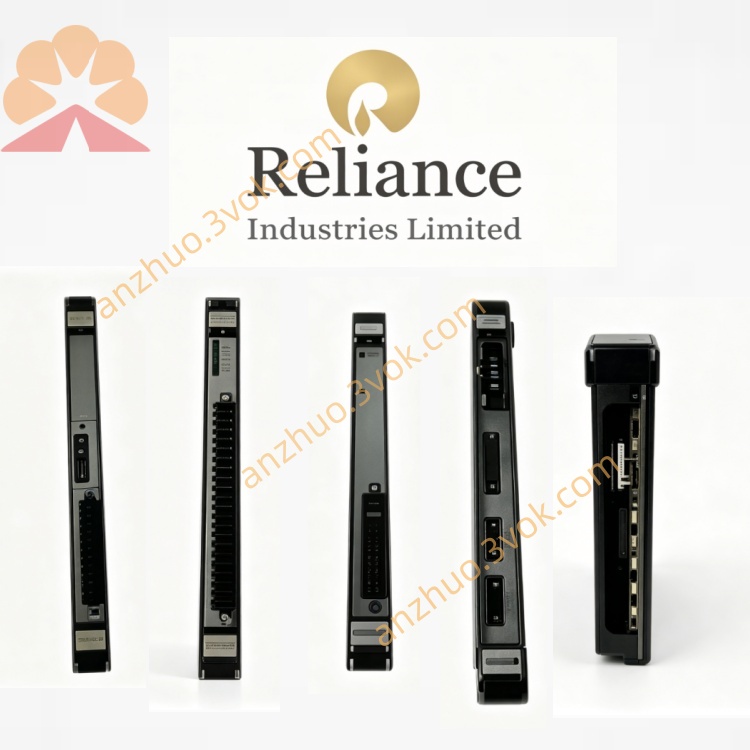
Reliance Electric 0-54339-10 (54339-10) legacy memory/control board
Description
Product Introduction
Model Interpretation
Technical Parameters
Function: Non-volatile parameter storage, firmware execution, drive control logic processing.
Compatibility: Designed for Reliance FlexPak series, Min‑Pak, Super‑Pak, and legacy DC drive systems.
Power: Operates from drive internal ±15 VDC and +5 VDC control power rails.
Memory: Integrates EEPROM/non‑volatile memory for parameter retention without power.
Components: Surface‑mount and through‑hole ICs, including microcontrollers, memory chips, and logic devices.
Protection: Onboard voltage regulation, surge suppression, and ESD protection.
Environment: Industrial grade; operating temperature -20°C to +60°C, non‑condensing humidity 5%–95%.
Construction: Standard rack‑mount PCB with edge connectors; front edge with extractor clips.
Dimensions: Approximately 457 mm × 305 mm × 25 mm; weight approx. 0.7 kg.
Interface and Communication Configuration
Power Interface: Connects to internal DC power via dedicated edge connector pins.
Signal Interface: Multi‑pin edge connectors link to main drive control board for data exchange, including parameter read/write, status signals, and fault codes.
Communication: Hardware‑specific parallel/serial bus (proprietary Reliance protocol) with no standard network ports; all communication is hardwired within the drive cabinet.
Core Functions
Stores and retains drive configuration parameters (speed, current, voltage limits, acceleration/deceleration rates) in non‑volatile memory.
Executes embedded firmware for closed‑loop motor control (speed, torque, voltage regulation).
Logs fault codes and operational history for diagnostics and troubleshooting.
Coordinates with other drive boards (driver, power supply, relay) to ensure synchronized operation.
Enables field calibration and tuning of drive performance via stored adjustable parameters.
Application Scenarios
Legacy Drive Maintenance: Replacement memory/control board for aging Reliance FlexPak and DC drives in industrial facilities.
Industrial Motor Control: Used in systems requiring parameterizable, stable DC motor control, such as extruders, winders, paper machines, conveyors, and cranes.
Retrofit & Repair Projects: Cost‑effective replacement for failed memory boards in older production lines where full drive replacement is uneconomical.
Operation and Maintenance Instructions
Safety: Disconnect all power and discharge capacitors fully before handling the board.
Installation: Align with chassis slots, seat edge connectors firmly, and secure mounting screws; use extractor clips for handling.
Configuration: After installation, upload motor and application‑specific parameters via the drive’s keypad or programming tool.
Maintenance: Keep the board clean and dry; inspect connectors for corrosion or loose contacts quarterly.
Troubleshooting: If drive fails to retain parameters or shows communication faults, check for damaged components or corrupted firmware; replace the board if issues persist.
Get a Quote