
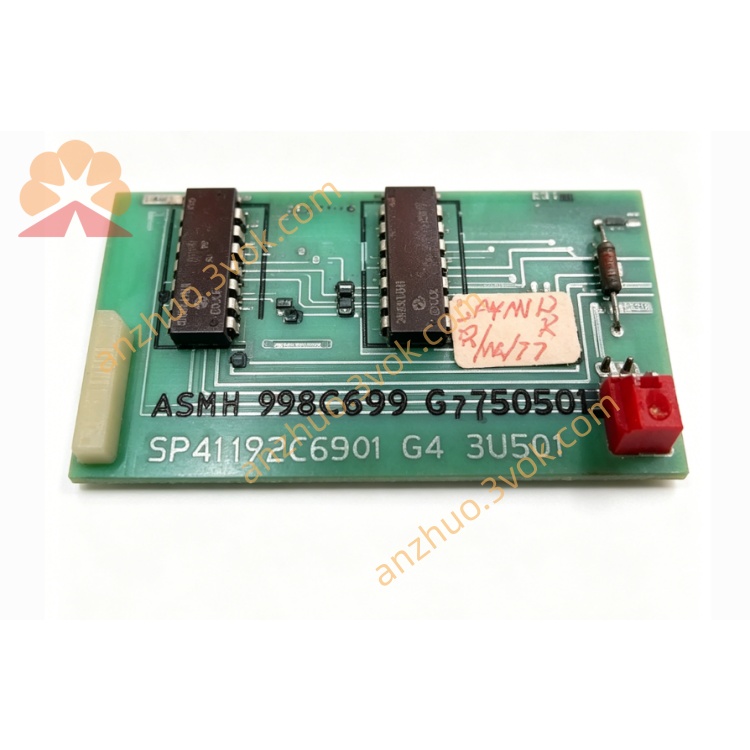
1172C54
May 12, 2026

1172C54

The 1172C54 is an industrial high-performance hybrid input and output module designed for industrial automation and process control systems. It integrates multi-channel analog input, analog output, digital input and digital output in one compact unit. Adopting industrial isolation circuit design and comprehensive protection functions, the module features high precision signal acquisition and output, strong anti-interference performance and wide temperature adaptability. It supports standard industrial 4–20mA and 0–10V signals, and adopts RS485 Modbus RTU communication. It is widely used in mechanical automation, water treatment, HVAC, energy equipment and factory automatic control occasions. Standard DIN rail mounting ensures simple installation, convenient wiring and easy daily maintenance.

Description

1. Product Overview

The 1172C54 is an industrial high-performance hybrid input and output module designed for industrial automation and process control systems. It integrates multi-channel analog input, analog output, digital input and digital output in one compact unit.
Adopting industrial isolation circuit design and comprehensive protection functions, the module features high precision signal acquisition and output, strong anti-interference performance and wide temperature adaptability. It supports standard industrial 4–20mA and 0–10V signals, and adopts RS485 Modbus RTU communication. It is widely used in mechanical automation, water treatment, HVAC, energy equipment and factory automatic control occasions. Standard DIN rail mounting ensures simple installation, convenient wiring and easy daily maintenance.

2. Main Features

  • Integrated hybrid I/O design, compatible with mainstream industrial analog and digital signals

  • 16-bit high resolution for all analog input and output channels

  • Full software configurable signal type, range and working mode parameters

  • Built-in isolation, overvoltage, overcurrent, short-circuit and over-temperature protection

  • RS485 communication interface, supports Modbus RTU standard communication protocol

  • Wide operating temperature range, suitable for harsh industrial on-site environment

  • Digital channels support NPN/PNP logic selection and adjustable debounce time

  • Analog channels support digital filtering and communication loss fail-safe configuration

  • Industrial flame-retardant plastic housing, compact structure and low power consumption

  • High stability, suitable for long-term continuous industrial operation

3. Technical Specifications

3.1 General Parameters

Model: 1172C54
Rated Power Supply: 24VDC ±10%
Maximum Working Current: 290mA
Isolation Voltage: 1500VDC isolation between field side and internal circuit
Operating Temperature: -25℃ ~ +60℃
Storage Temperature: -40℃ ~ +85℃
Relative Humidity: 5% ~ 95% RH, non-condensing
Mounting Method: Standard 35mm DIN rail
Housing Material: Industrial flame-retardant engineering plastic

3.2 Channel Configuration

Analog Input: 4 channels, 4~20mA / 0~10V software selectable
Analog Output: 2 channels, 4~20mA / 0~10V software selectable
Digital Input: 8 channels, 24VDC level compatible
Digital Output: 4 channels, single channel rated load 0.5A

3.3 Analog Performance

Resolution: 16-bit
Basic Accuracy: ±0.1% Full Scale at room temperature
Temperature Drift: ±0.2% Full Scale within full temperature range
Analog Input Load: Current type ≤250Ω; Voltage type ≥100kΩ
Analog Output Load: Current type ≤500Ω; Voltage type ≥1kΩ

3.4 Communication Parameters

Communication Interface: RS485
Communication Protocol: Modbus RTU
Default Baud Rate: 9600bps
Data Format: 8 data bits, 1 stop bit, no parity
Device Address: 1 ~ 247 configurable

4. Safety Precautions

  • Installation, wiring and maintenance must be operated by qualified professional technical personnel.

  • Cut off all power supply before wiring, disassembly or maintenance work to avoid electric shock and equipment damage.

  • Do not install the module in environments with flammable gas, explosive dust, corrosive vapor or conductive particles.

  • Keep enough ventilation space around the module and do not block heat dissipation gaps.

  • Signal cables and power cables shall be laid separately to reduce electromagnetic interference.

  • The protective grounding terminal must be connected to reliable earth ground to ensure safety and anti-interference performance.

  • Do not exceed the rated load of each input and output channel to avoid permanent module damage.

  • Do not disassemble, modify or refit the internal structure of the module without authorization.

5. Installation and Terminal Definition

5.1 DIN Rail Installation Steps

  1. Fix the standard 35mm DIN rail firmly on the mounting base.

  2. Align the upper buckle of the module with the edge of the DIN rail.

  3. Press the module downward until the bottom lock snaps into place.

  4. Slightly shake the module to confirm it is fixed firmly without sliding or loosening.

5.2 Terminal Pin Assignment

1     24VDC Power Positive
2     24VDC Power Negative
3     Analog Input 1+
4     Analog Input 1−
5     Analog Input 2+
6     Analog Input 2−
7     Analog Input 3+
8     Analog Input 3−
9     Analog Input 4+
10    Analog Input 4−
11    Analog Output 1+
12    Analog Output 1−
13    Analog Output 2+
14    Analog Output 2−
15    Digital Input Common
16    Digital Input Channel 1
17    Digital Input Channel 2
18    Digital Input Channel 3
19    Digital Input Channel 4
20    Digital Input Channel 5
21    Digital Input Channel 6
22    Digital Input Channel 7
23    Digital Input Channel 8
24    Digital Output Channel 1
25    Digital Output Channel 2
26    Digital Output Channel 3
27    Digital Output Channel 4
28    Digital Output Common
29    Protective Ground

5.3 Wiring Instructions

  1. Strip about 6mm insulation layer from the wire end.

  2. Loosen terminal screws with a standard screwdriver.

  3. Insert wires into corresponding terminals strictly according to terminal definition.

  4. Tighten screws moderately to ensure reliable contact; avoid over-tightening.

  5. Fix cables with cable ties to prevent pulling stress on terminals.

  6. Analog signal adopts shielded twisted-pair cable with single-end shielding grounding.

  7. Digital signal uses stranded copper wire with appropriate wire gauge.

6. Parameter Configuration

6.1 Connection Method

Connect the RS485 interface of 1172C54 to PC via USB-to-RS485 adapter, use dedicated configuration software to scan and connect the device automatically.

6.2 Configurable Parameters

Analog Input

Signal type selection: 4~20mA / 0~10V
Custom engineering range setup
Digital filter enable and frequency adjustment

Analog Output

Signal type selection: 4~20mA / 0~10V
Output range calibration
Fail-safe mode: fixed value or hold last value when communication fails

Digital Input

Input logic mode configuration
Debounce time: 0~500ms adjustable

Digital Output

Output logic mode selection
Fail-safe state: ON / OFF when communication lost
Pulse output mode and pulse width setting

Communication Settings

Optional baud rate: 9600 / 19200 / 38400bps
Modbus station address modification
Support restore factory default parameters

6.3 Save and Activation

After parameter setting is completed, save the configuration to the module. Power cycle the module to make all new parameters take effect.

7. Operation Description

7.1 Power-on Self-test

After 24VDC power supply is applied, the power indicator lights up. The module completes internal self-diagnosis within 2 seconds and enters normal operation if no fault is detected.

7.2 Working Mode

  • Analog Input: Collect field sensor analog signals, convert into digital data and upload to the control system in real time.

  • Analog Output: Receive control commands and convert into standard analog signals to regulate valves, actuators and other execution equipment.

  • Digital Input: Detect switch and sensor status, upload level change signals in real time.

  • Digital Output: Control external relays, solenoid valves and indicator lamps to switch on and off according to system commands.

  • Communication: Realize data exchange and parameter configuration with upper controller via Modbus RTU protocol.

7.3 Indicator Description

Power LED Steady Green: Power supply normal
Power LED Off: No power or power supply fault
Status LED Green Flashing: Normal operation, no fault
Status LED Red Flashing: Overload, short circuit or communication abnormality
Status LED Steady Red: Serious hardware fault, replace module

8. Daily Maintenance

  • Regularly check indicator status and terminal tightness, inspect for looseness and oxidation.

  • Clean module surface only with dry soft cloth; do not use liquid or chemical solvents.

  • Keep working temperature and humidity within the specified range.

  • Periodically check cable aging and replace damaged wires in time.

  • Replace faulty module with the same model and reconfigure parameters.

9. Troubleshooting

  1. Power indicator off
    Cause: No 24VDC input, reverse polarity or broken wire
    Solution: Check power line and wiring polarity, restore normal power supply
  2. Status indicator red flashing
    Cause: Output overload, short circuit, self-test failure or communication interruption
    Solution: Disconnect field load, eliminate short circuit and overload, restart module
  3. Analog input data abnormal
    Cause: Wrong signal type, loose terminal or unmatched load resistance
    Solution: Reconfigure channel type, fasten terminals and match load parameters
  4. Analog output inaccurate
    Cause: Wrong range setting, excessive load resistance or poor contact
    Solution: Reset engineering range, keep load within rated specification
  5. Digital input no response
    Cause: Incorrect logic setting, loose wiring or sensor failure
    Solution: Adjust input logic, check and fasten wiring
  6. Digital output no switching
    Cause: Overload current, wrong logic mode or loose terminal
    Solution: Reduce load current, reconfigure logic and tighten terminals
  7. RS485 communication failure
    Cause: Mismatched baud rate or address, A/B line reversed, missing terminal resistor
    Solution: Unify communication parameters, correct wiring, add matching terminal resistor

10. Warranty Terms

This module enjoys limited warranty for manufacturing and material defects. The warranty does not cover damage caused by improper installation, overload operation, unauthorized disassembly, and use beyond specified environmental conditions.


Get a Quote