
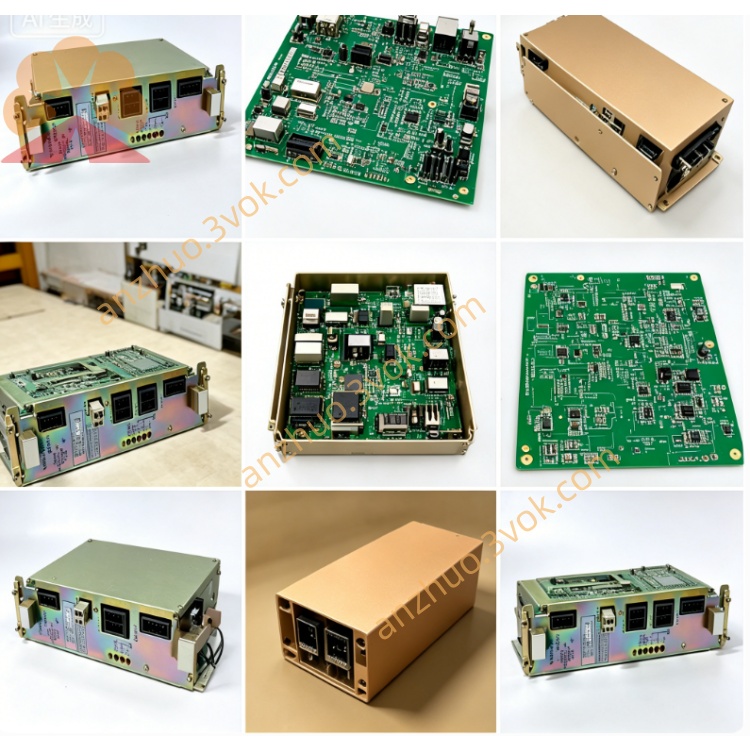
Yaskawa JANCD-G1001 Control Board
Description
Technical Specifications
Power Supply: Backplane bus 24V ±10%, power consumption approximately 25W.
Processor: High-performance CNC CPU, supporting multi-axis linkage and interpolation operations.
Memory: System program storage and data cache, compatible with machine tool processing data.
Interfaces: Onboard system bus, I/O bus, display / panel interface, some versions with expansion slots.
Environment: Operating temperature 0–55℃, storage temperature -20–70℃, humidity 10%–90% (no condensation), tolerance to industrial vibration.
Structure: 3U standard board card, metal shielding enclosure, weight approximately 0.4–1.0kg.
Installation and Wiring
The board card is vertically installed in the 3U standard slot of the control cabinet, with reserved space for heat dissipation above and below, and fixed screws are tightened for vibration prevention. The metal enclosure is reliably connected to the cabinet ground, with a grounding resistance of ≤4Ω, to suppress electromagnetic interference.
Internal communication and power supply are completed by the backplane bus, without external strong current wiring. Only the operation panel, display, handwheel, etc. are connected with low-voltage signals, and the interfaces are connected according to the silk-screen definition, using shielded lines with single-ended grounding, with strong and weak current routed in separate slots, with a spacing of ≥10cm to avoid interference.
Maintenance and Care
Daily inspection and observation of power supply, operation indicator light status, no bulging, burning, or peculiar smell on the board surface. Every quarter, use low-voltage dry compressed air to blow dust from the board card and slots to prevent dust accumulation from causing short circuits or poor contact.
Regularly tighten plugs and terminals, check capacitors, solder joints for aging, leakage, or short circuits. Every year, retest the continuity of grounding to ensure reliable grounding. For long-term shutdown and power-off storage, take measures to prevent moisture and dust; before restarting, run the board card without load for 30 minutes to confirm normal operation before putting it into operation.
Fault Diagnosis
No power indicator: Backplane bus power supply abnormal, board card fuse blown, power chip damaged; measure total bus voltage, check fuse, replace and test.
Operation light does not flash / system does not start: Poor bus contact, firmware abnormal, mismatch between board card and system; reinsert and lock, check model, reburn firmware.
Display abnormality / panel no response: Loose display interface, faulty driver chip, incorrect panel wiring; check plug, measure interface signals, and troubleshoot lines.
Random freeze / alarm: Poor grounding, excessive interference, memory / CPU failure; optimize grounding, straighten wiring, replace board card for testing.
Board Card Replacement: Replace the same model directly by plugging and unplugging, no parameters required; after replacement, run the board card without load for 2 hours to confirm stability before processing.
Get a Quote