
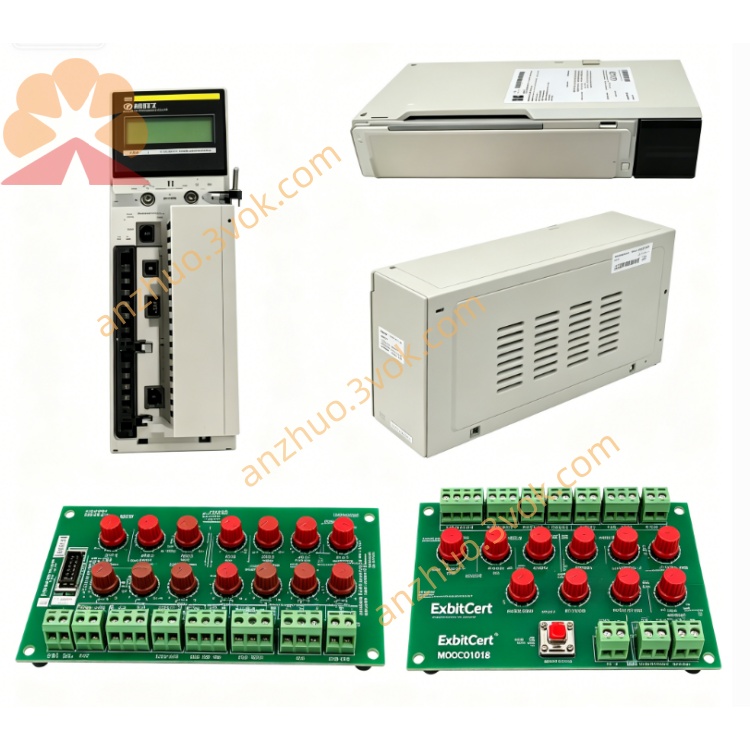
Schneider Electric 172PNN21022 Profibus DP Interface Adapter
The 172PNN21022 is an Ethernet communication expansion adapter designed for Modicon Momentum PLC system. It adds Modbus TCP network access to Momentum main processors, enabling remote programming, data exchange, HMI connection and inter-controller communication over standard Ethernet network.
Description
1. General Description
The 172PNN21022 is an Ethernet communication expansion adapter designed for Modicon Momentum PLC system. It adds Modbus TCP network access to Momentum main processors, enabling remote programming, data exchange, HMI connection and inter-controller communication over standard Ethernet network.
2. Product Identification
Model: 172PNN21022Manufacturer: Schneider ElectricSeries: Modicon MomentumType: Ethernet network option adapterCompatibility: All Modicon Momentum CPU modules and 170XTS I/O basesStatus: Discontinued, only spare part supply availableCountry of Origin: FranceCertifications: CE, UL, cUL, RoHS
3. Technical Specifications
Communication Parameters
Ethernet interface: 10 Mbps half/full duplex auto detectionConnector: Standard RJ45 portSupported protocol: Modbus TCP/IPFunction mode: Client and server access availableNetwork topology: Star, daisy chain standard industrial Ethernet wiring
Electrical Specification
Operating supply: 5 V DC ±5%, powered from local I/O basePower consumption: Maximum 4 W
Environmental Specification
Operating temperature range: 0 °C to +60 °CStorage temperature range: -40 °C to +85 °CRelative humidity: 5% to 95%, non-condensingVibration and shock resistance meets industrial IEC standardMaximum working altitude: 2000 meters without performance reduction
Physical Data
Overall dimensions: 25 mm × 125 mm × 183 mmUnit weight: 0.2 kgShell material: Flame retardant industrial polycarbonateProtection grade: IP20 when fully installed
Status Indicators
LINK LED: Shows physical Ethernet connection statusACT LED: Flashes when network data transmits and receives
4. Key Features
Compact expansion design, easy plug-in installation without extra wiringStandard 10Mbps Modbus TCP communication for universal network compatibilitySupports remote program download, upload and online diagnosisStable anti-interference performance suitable for factory industrial environmentCompatible with all mainstream Momentum series processor modules
5. Application Scope
Network connection between Momentum PLC and touch screen, monitoring hostRemote program maintenance and fault diagnosis on field controllersData sharing among multiple Momentum PLC stationsTransformation upgrade of old Momentum control system with Ethernet function
6. Installation Steps
Cut off all power supply of the whole Momentum system before operation.Wear anti-static protective equipment to avoid static damage to circuit board.Align the adapter with expansion slot of CPU module, insert firmly and lock fixing screws.Connect standard network cable to RJ45 port of the adapter and switch or terminal device.Restore system power supply, observe LINK and ACT indicator working state.Complete IP address setting and network parameter configuration via supporting programming software.Download program and verify normal network communication function.
7. Compatibility
Matching CPU: All 171CCC and 171CCS series Momentum processorsMatching I/O base: Full range 170XTS series discrete and analog I/O basesApplicable software: Concept, ProWORX 32, Modsoft programming software
8. Safety and Handling Requirements
Installation and maintenance work must be operated by qualified electrical staff.Always disconnect power before disassembling, assembling or wiring.Keep module away from liquid, corrosive gas and conductive dust.Do not disassemble internal structure, no user maintainable parts inside.
9. Maintenance and Troubleshooting
Regularly check module surface, connector and fixing condition every quarter.Clean dust with dry soft cloth strictly, do not use chemical solvent.No LINK light: Check network cable integrity, port connection and power supply status.ACT light no flicker: Confirm IP address setting, network segment matching and station communication configuration.Intermittent communication failure: Inspect wiring fixation and eliminate nearby strong electromagnetic interference source.
10. Replacement Instruction
This model is discontinued. Replace with 171CCC96030 or 171CCC98030 integrated Ethernet processor module for system upgrading.
Get a Quote