
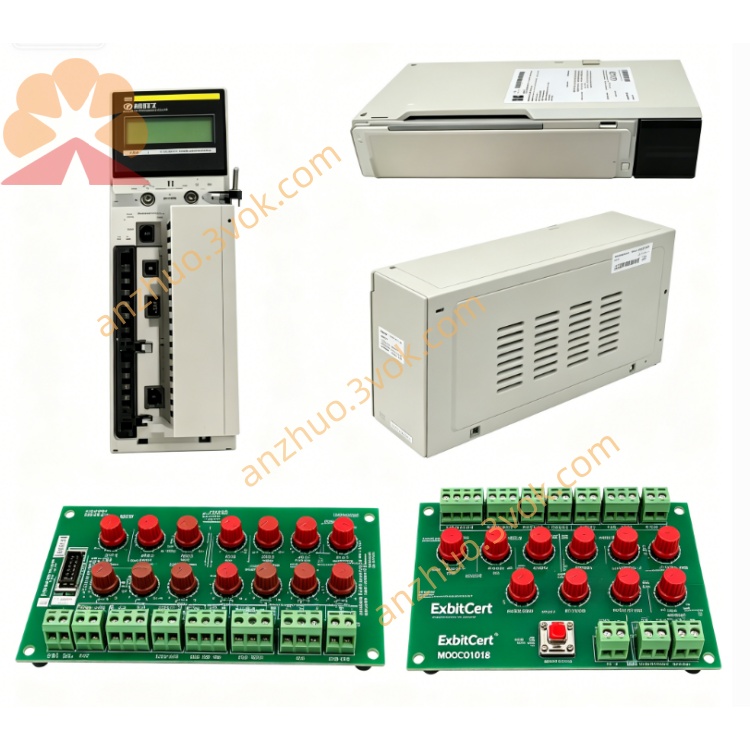
Schneider Electric 172JNN21032 Momentum Serial Link Communication Adapter
Description
1. General Description
2. Product Identification
Model: 172JNN21032
Manufacturer: Schneider Electric
Series: Modicon Momentum
Type: Serial Link Option Adapter (Single‑Port RS‑232/RS‑485, RTC, DB9)
Compatibility: All Modicon Momentum processors (171CCC/CCS series) and I/O bases (170XTS)
Status: Discontinued (spare parts only; no direct replacement)
Country of Origin: France
Certifications: CE, UL, cUL, FM Class 1 Div 2, NEMA 250
3. Technical Specifications
Communication Interface
Port: 1 × DB9 (female), software‑selectable RS‑232 or RS‑485
Protocol: Modbus RTU/ASCII (master/slave)
Baud Rate: Up to 19.2 kbps
Data Bits: 7/8; Parity: None/Even/Odd; Stop Bits: 1/2
Isolation: RS‑485 isolated; RS‑232 non‑isolated
Termination: RS‑485 software‑selectable 120 Ω
Real‑Time Clock (RTC)
Precision: ±20 ppm
Backup: 2/3AA lithium battery (5‑year life)
Retention: RTC + memory during power loss
Electrical
Supply: 5 V DC ±5% (from I/O base)
Current: 700 mA @ 12 V DC
Power Consumption: ≤ 3.5 W
Environmental
Operating Temp: 0 °C to +60 °C (non‑condensing)
Storage Temp: −40 °C to +85 °C
Humidity: 5–95% RH (non‑condensing)
Vibration: 0.75 mm, 1 g
Shock: 15 g, 11 ms
Altitude: Up to 2000 m (no derating)
Protection: IP20 (IEC 529)
Physical
Dimensions (H × W × D): 25 mm × 125 mm × 183 mm
Weight: 0.45 kg (1.0 lb)
Material: Lexan (polycarbonate), conformal coating
Mounting: Directly to Momentum I/O base
Indicators
COMM (yellow): Blinks on serial activity; steady on fault
4. Key Features
Dual‑Mode Serial Port: Software‑selectable RS‑232 (short‑range) / RS‑485 (long‑range, isolated)
Modbus Master/Slave: RTU/ASCII support for flexible networking
Integrated RTC: Battery‑backed clock for time‑stamping & scheduling
Drop‑In Compatibility: Works with all Momentum processors/I/O bases
Industrial Grade: Wide temp range, conformal coating, IP20
5. Applications
Connect Momentum PLCs to HMIs, SCADA, modems, or serial devices
Modbus RTU networks (RS‑485 for long distances; RS‑232 for local HMI)
Legacy system integration (replace older serial adapters)
Applications requiring time‑stamped data (via RTC)
Small‑to‑medium industrial control panels
6. Installation Instructions
Power Off: Disconnect power to the Momentum I/O base.
ESD Protection: Use anti‑static wristband.
Mounting: Align adapter with I/O base option slot; press firmly and tighten screws.
DB9 Wiring:
RS‑232: Connect TX/RX/GND to HMI/device.
RS‑485: Connect ±/GND to Modbus network; enable termination if last device.
Configuration:
Use Concept, Modsoft, or ProWORX 32 to select RS‑232/RS‑485, baud rate, parity, address.
Set RTC time via software.
Power Up: Verify COMM LED blinks on activity.
7. Compatibility
Processors: 171CCC96030, 171CCS76000, 171CCS78000, etc.
I/O Bases: All 170XTS series (discrete/analog)
Software: Concept (IEC 61131‑3), Modsoft/ProWORX (LL984)
Networks: Modbus RTU/ASCII (RS‑232/RS‑485)
8. Safety & Handling
Installation by qualified personnel per local codes.
Disconnect power before wiring/service.
Avoid moisture, corrosive substances, direct sunlight.
Use ESD protection to prevent static damage.
Do not open casing; no user‑serviceable parts.
9. Maintenance & Troubleshooting
Inspection: Quarterly check for loose screws, damaged DB9, LED status.
Cleaning: Dry, lint‑free cloth only.
Common Issues:
COMM Off: Check 5 V DC supply, seating, and configuration.
COMM Steady On: Serial fault; verify wiring, baud rate, parity.
No RTC Retention: Replace 2/3AA lithium battery.
RS‑485 Errors: Check termination, biasing resistors, and network grounding.
Get a Quote