
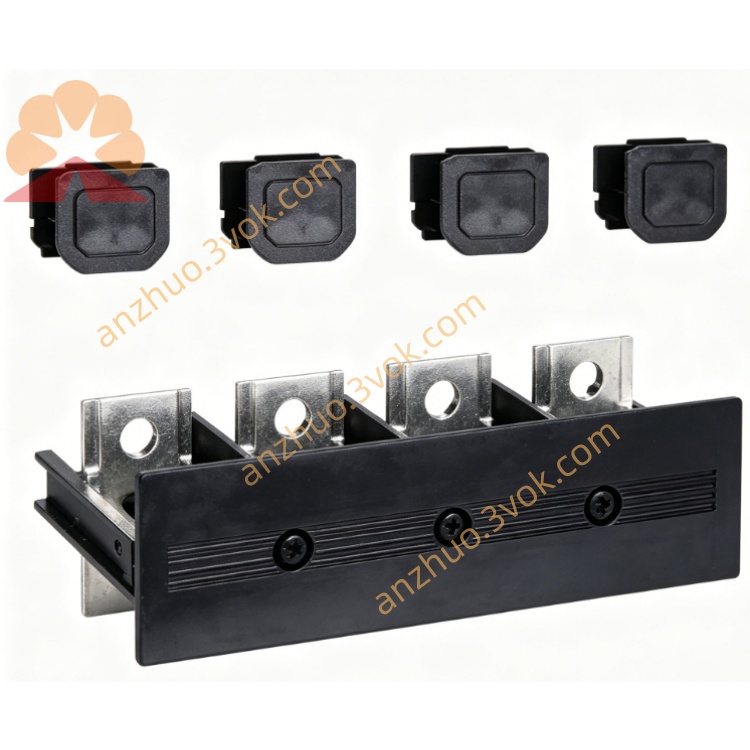
Schneider Electric 171CCC96030 M1/M1E Ethernet Processor Adapter
Description
1. General Description
2. Product Identification
Model: 171CCC96030
Manufacturer: Schneider Electric
Series: Modicon Momentum
Type: M1/M1E Processor Adapter (Ethernet + I/O Bus, 50 MHz)
Compatibility: Modicon Momentum I/O bases (170XTS series)
Status: Active (replaces 171CCC96020)
Country of Origin: France
Certifications: CE, UL, cUL, FM Class 1 Div 2, NEMA 250
3. Technical Specifications
Processor & Memory
Processor: x86‑based, 50 MHz
Flash Memory: 1 MB (vs. 512 kB on 96020)
RAM: 544 kB
Program Memory: 18 kB (LL984) / 200 kB (IEC)
Data Memory: 24 kB
Scan Time: 0.3 ms per kB
Word Length: 16‑bit
I/O Capacity
Discrete I/O: 8192 inputs / 8192 outputs
Register I/O: 26,048 words in / 26,048 words out
Communication
Ports:
1 × Ethernet 10/100 Mbps (Modbus TCP/IP, auto‑sensing)
1 × I/O Bus (Interbus Master, local I/O)
Protocols: Modbus TCP/IP, I/O Bus (local I/O)
Diagnostics: LAN activity, link status, IP conflict, MAC validity
Electrical
Supply Voltage: 5 V DC ±5% (from Momentum I/O base)
Power Consumption: ≤ 15 W
Environmental
Operating Temperature: 0 °C to +60 °C
Storage Temperature: −40 °C to +85 °C
Humidity: 5–95% RH (non‑condensing)
Vibration: 0.75 mm displacement, 1 g acceleration
Shock: 15 g peak, 11 ms duration
Altitude: Up to 2000 m
Physical
Dimensions (H × W × D): 25 mm × 125 mm × 183 mm
Weight: 0.22 kg
Material: Lexan (industrial polycarbonate)
4. Key Features
Dual Programming Support: LL984 (legacy) + IEC 61131‑3 (LD/FBD/ST/SFC/IL)
1 MB Flash Memory: Double the storage of 96020 for larger IEC programs
Integrated Ethernet: 10/100 Mbps Modbus TCP for networking, remote access, and HMI
High‑Speed CPU: 50 MHz core, 0.3 ms/kB scan for fast logic execution
Large I/O Support: 8192 discrete + 26k register I/Os for complex systems
Diagnostic LEDs: PWR (green), RUN (green), FLT (red), LAN (yellow)
5. Applications
Standalone PLC control with Momentum I/O bases
Distributed automation via Modbus TCP networks
High‑speed machine control (material handling, packaging, textiles)
Retrofit projects migrating from LL984 to IEC programming
OEM equipment requiring compact Ethernet‑enabled PLCs
6. Installation Instructions
Power Off: Disconnect power to the Momentum I/O base.
ESD Protection: Use anti‑static wristband when handling the adapter.
Adapter Mounting: Align 171CCC96030 with the I/O base connector; press firmly until seated. Tighten mounting screws.
Ethernet Wiring: Connect CAT5e/CAT6 cable to the Ethernet port (10/100 Mbps auto‑sensing).
Power Up: Apply 5 V DC from the I/O base. Check LEDs: PWR ON, RUN blinking (program execution), LAN blinking (network activity).
IP Configuration: Use BootP Lite or EcoStruxure Control Expert to assign IP address, subnet mask, gateway.
Programming: Download LL984 or IEC program via Concept, ProWORX 32, or EcoStruxure Control Expert.
7. Compatibility
I/O Bases: All Modicon Momentum discrete/analog I/O bases (170XTS series)
Software: Concept ≥ V2.5 SR1, ProWORX 32/NxT, EcoStruxure Control Expert (Unity Pro) (IEC support)
Network: Modbus TCP/IP compatible with standard Ethernet devices
8. Safety & Handling
Installation/maintenance only by qualified personnel per local electrical codes.
Disconnect power before wiring or maintenance to avoid electric shock.
Avoid water, moisture, corrosive substances, and direct sunlight.
Use ESD protection to prevent static damage to electronic components.
Do not open the adapter casing; no user‑serviceable parts inside.
9. Maintenance & Troubleshooting
Visual Inspection: Quarterly check for cracks, loose screws, or damaged connectors.
Cleaning: Use dry, lint‑free cloth only; no solvents.
Common Issues:
PWR Off: Check 5 V DC supply from I/O base.
FLT On: CPU fault; re‑seat adapter, reload program, check I/O base.
Ethernet Link Down: Verify cable, switch port, IP settings, and BootP configuration.
No Program Execution: Ensure LL984/IEC program is downloaded and RUN mode is active.
Get a Quote