
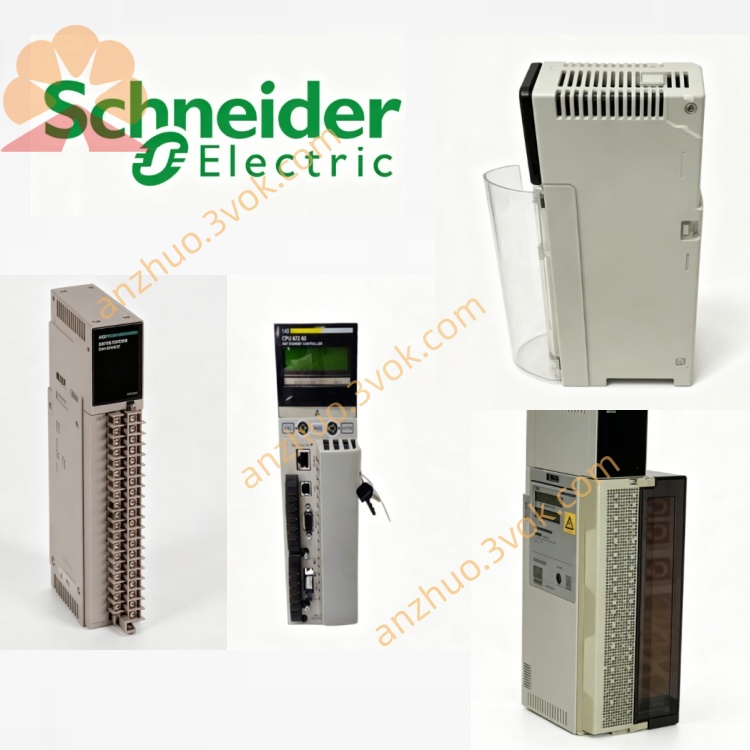
Schneider Electric 170XTS00801 Two-Row Spring Terminal Busbar
Description
1. General Description

2. Product Identification
Model: 170XTS00801
Manufacturer: Schneider Electric (Modicon)
Series: Modicon Momentum (170 Series)
Type: 2‑row spring terminal busbar (push‑in)
Termination: Spring clamp (tool‑free)
Rows: 2 horizontal rows (high density)
Compatibility: Momentum discrete/analog I/O bases
Color: Gray
Weight: ≈ 0.14 kg (0.30 lbs)
Protection: IP20 (installed)
Status: Discontinued (Oct 9, 2023) – no direct replacement
Certifications: CE, UL, CSA, RoHS, CA Prop 65
3. Technical Specifications
3.1 Electrical
Rated Voltage: 300 VAC
Rated Current: 15 A per row
Wire Range: 1 × 2.5 mm² / 2 × 1.5 mm² (solid/stranded copper)
Wire Gauge: AWG 14–18
Termination: Tool‑free spring pressure
3.2 Environmental
Operating Temp: −25 °C to +70 °C
Storage Temp: −40 °C to +85 °C
Humidity: 5%–80% RH, non‑condensing
Vibration: IEC 60068‑2‑6 (5–200 Hz, 1 g)
Altitude: Up to 1,000 m without derating
Material: Flame retardant thermoplastic (UL 94 V‑0), tin‑plated brass contacts
4. Key Features
2‑Row High‑Density Design: Doubles connection count vs. 1‑row models; ideal for high‑density I/O.
Tool‑Free Spring Clamp: Fast push‑in wiring; no screwdriver needed.
Vibration Resistant: Spring force maintains contact under shock/vibration.
Common Distribution: Centralizes power/ground for Momentum I/O.
Snap‑On Mounting: Tool‑free attachment to I/O bases.
Clear Markings: Numbered terminals for error‑free wiring.
5. Applications
Common power/ground for Momentum distributed I/O (high‑density racks)
Analog/digital field device connections (multi‑sensor setups)
Space‑constrained control panels with many I/O points
Process automation, material handling, packaging machinery
High‑vibration environments (conveyors, textile machines)
Retrofit of older Momentum systems requiring more terminals
6. Installation Instructions
Power Off: Disconnect all power to the I/O base.
Align Busbar: Match 170XTS00801 to base slots.
Snap On: Press firmly until fully seated and locked.
Prepare Wires: Strip 6–7 mm insulation; solid/stranded copper.
Insert Wire: Push wire straight into terminal until fully seated.
Verify: Gently tug wire to confirm secure clamping.
Label: Mark terminals per wiring diagram.
7. Compatibility List
Discrete I/O Bases: 170ADI34000, 170ADI35000, 170ADO34000, etc.
Analog I/O Bases: 170ANR12000, 170ANR22000, etc.
Software: Unity Pro, Concept
8. Maintenance
Quarterly Inspection: Check wire seating, discoloration, or cracks.
Cleaning: Use dry cloth only; avoid solvents.
Annual Check: In high‑vibration areas, verify wire tightness.
Replacement: Replace if damaged, corroded, or aged.
9. Safety Instructions
Install/service only by qualified electrical personnel.
De‑energize I/O base before wiring or replacement.
Use copper wire only; do not mix wire sizes in one clamp.
Do not exceed rated voltage/current.
Keep terminals dry and free of conductive debris.
CA Prop 65 Warning: Contains lead; may cause cancer/reproductive harm。
10. Troubleshooting
Intermittent Signal / Loose Connection
Re‑seat wire; ensure full insertion into spring clamp.
Check wire strip length (6–7 mm) and no stray strands.
Verify busbar is fully snapped onto I/O base.
Cannot Insert Wire
Check for debris/damage in terminal opening.
Confirm wire gauge is AWG14–18 (1.5–2.5 mm²).
For stranded wire, ensure no frayed strands.
Busbar Will Not Snap On
Align with base slots correctly.
Remove debris from base connectors or busbar.
Get a Quote