
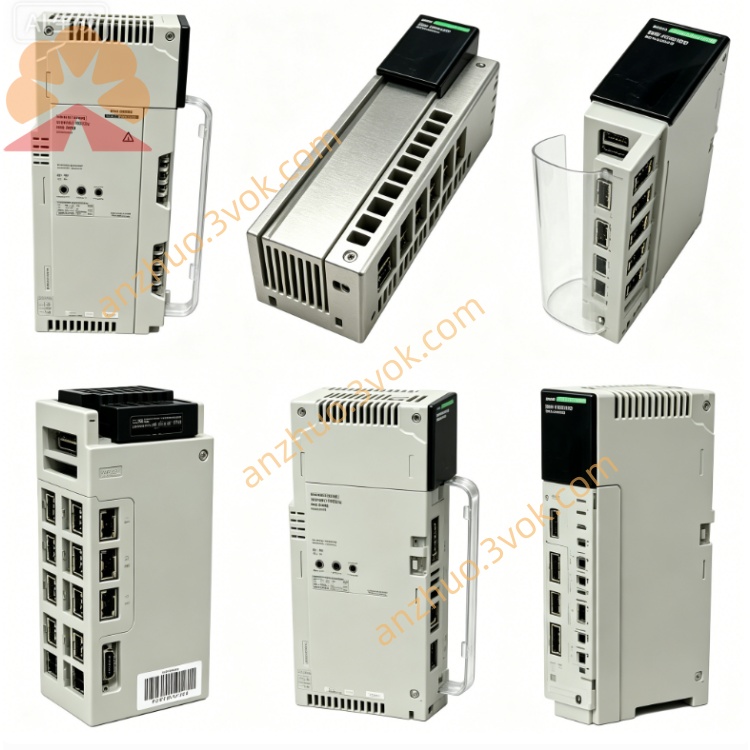
Schneider 170ENT11000 PLC Communication Module
Description
1. General Description
2. Product Identification
Model Number: 170ENT11000
Series: Modicon Momentum
Type: Ethernet TCP/IP Communication Adapter
Protocol: Modbus TCP/IP
Interface: 1 × RJ45 port
Transmission Rate: 10 / 100 Mbps auto-negotiation
Cable Type: CAT5 shielded twisted pair
LED Indicators: Link, Activity, Fault status LEDs
Dimensions: 125 × 45 × 100 mm
Weight: 0.08 kg
Protection Class: IP20
Certifications: CE, UL, cUL, CSA, RoHS
3. Communication Specifications
Network Standard: IEEE 802.3
Communication Mode: Client / Server
Supported Protocol: Modbus TCP/IP
Max Connection: Multiple concurrent TCP connections
Data Processing: Real-time cyclic data transmission
Galvanic isolation between backplane and Ethernet port
Automatic speed and duplex matching
4. Electrical Specifications
Power Supply: Powered by Momentum backplane, 24 VDC nominal
Operating Voltage Range: 19.2 VDC ~ 28.8 VDC
Typical Current Consumption: 110 mA
Surge and ESD protection for Ethernet interface
Overcurrent protection circuit built-in
5. Environmental Ratings
Operating Temperature: 0 °C to +60 °C, non-condensing
Storage Temperature: -40 °C to +85 °C
Relative Humidity: 5% ~ 95%, no condensation
Vibration Resistance: IEC 60068-2-6
Shock Resistance: IEC 60068-2-27
Max Working Altitude: 5000 m, performance derating above 2000 m
EMC: Industrial level electromagnetic immunity
6. Key Features
10/100 Mbps high-speed Ethernet automatic adaptation
Standard Modbus TCP/IP industrial communication protocol
Client and Server dual working mode
Simple IP address configuration via software
Real-time LED diagnosis for network running status
Compact structure, plug-and-play on Momentum rack
Strong anti-interference, stable long-distance transmission
No external power required
7. Compatibility
Compatible with all Modicon Momentum I/O bases
Applicable Controllers: Quantum, Premium, M340, Momentum CPU
Configuration Software: Unity Pro, SoMachine
Network Cable: CAT5e industrial Ethernet cable
Network Topology: Star, cascade network structure
8. Application
Factory assembly line automatic control system
Remote I/O data collection and monitoring
Building and HVAC automatic control
Water treatment, energy and power monitoring
Packaging, logistics and mechanical automation equipment
9. Installation & Operation
Cut off system power before installation
Insert adapter into communication slot of Momentum base and lock firmly
Connect Ethernet cable to RJ45 interface
Set IP address and communication parameters via configuration software
Power on the system and check link and activity LED status
Establish network connection and verify data transmission normally
10. Maintenance
Check network connection and LED status every six months
Keep module surface clean, dry and dust-free
Regular inspection of cable aging and shielding connection
Avoid strong vibration, corrosive gas and humid environment
11. Safety Notes
Installation and maintenance only performed by qualified electricians
Do not apply overvoltage to Ethernet port
Keep internal isolation structure intact without modification
Separate network cable from high-power cable to reduce interference
Dispose discarded module following local electronic waste regulations
12. Troubleshooting
No link signal: Check cable connection, port damage and network switch status
Communication interruption: Verify IP address conflict and parameter matching
Slow data response: Inspect network load and cable quality
Fault LED alarm: Restart module and check backplane power supply
Get a Quote