
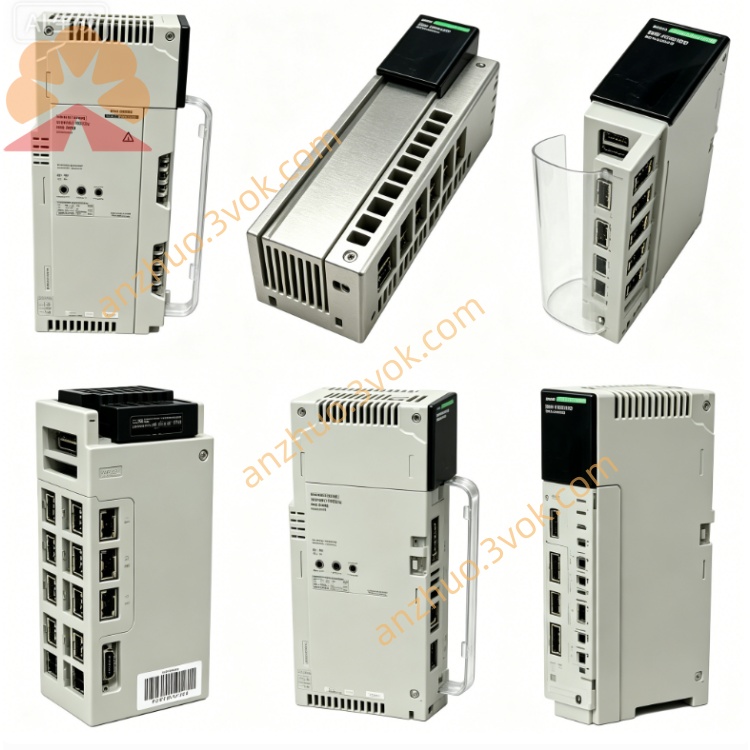
Schneider 140XBP01000 10 Slot Quantum Backplane
Description
1. Product Overview
2. Key Features
10 module slots: accepts all standard Quantum CPU, I/O, communication, and bus modules.
High‑speed 32‑bit parallel backplane: 100 Mbps bandwidth, low latency.
Integrated power distribution: +5 V (logic) and ±12 V (I/O) to each slot.
Robust metal chassis + FR4 PCB: industrial vibration and noise immunity.
Hot‑swap capable: insert/remove modules while powered.
Multi‑rack expansion: compatible with 140XBE10000 / 140XBE10000C.
Green Premium: RoHS and REACH compliant.
Certifications: CE, UL, cUL approved.
3. Technical Specifications
General
Model: 140XBP01000
Type: 10‑slot standard backplane (non‑coated)
Slots: 10 (standard Quantum form factor)
Bus architecture: 32‑bit high‑speed extension bus
Bus current draw: approx. 2600 mA (from rack PSU)
Power rails: +5 V (logic), ±12 V (I/O)
Weight: approx. 0.9 kg (2.0 lbs)
Mounting: Quantum rack rails or panel‑mount kit
Environmental
Operating temperature: 0 °C to +60 °C
Storage temperature: −40 °C to +85 °C
Humidity: 10–95 % RH, non‑condensing
Altitude: ≤1,000 m (no derating)
Protection class: IP20 (front)
Vibration: 10–150 Hz, 0.15 mm amplitude (IEC 60068‑2‑6)
Shock: 15 g, 11 ms half‑sine (IEC 60068‑2‑27)
Mechanical
Dimensions (W×H×D): 432 × 305 × 51 mm (17.0 × 12.0 × 2.0 in)
Material: metal chassis, FR4 PCB (non‑coated)
Connector: high‑density edge connector (module interface)
4. LED Indicators (on Modules, not Backplane)
PWR (Green): module power OK.
RUN (Green): module active, backplane communication normal.
FAULT (Red): module or backplane fault detected.
LINK (Yellow): backplane data activity.
5. Installation & Wiring
Rack Installation
Align 140XBP01000 with Quantum rack rails.
Slide into place and secure with mounting screws (torque to spec).
Insert modules into slots 1–10 until latched.
For multi‑rack systems, connect backplane cables between 140XBP and 140XBE expanders.
Power & Grounding
Power: supplied by rack PSU; no direct user wiring to backplane required.
Ground: connect chassis to system earth ground.
Cable routing: separate signal and power cables; use shielded cables in high‑noise areas.
6. Configuration (Unity Pro)
Open Unity Pro V7.0 or later.
In hardware configuration, add a 10‑slot rack and assign 140XBP01000.
Insert I/O modules into slots 1–10.
Configure I/O addresses, diagnostics, and fault handling parameters.
Download configuration to CPU; backplane initializes automatically.
7. Operation & Diagnostics
Normal Operation
All module PWR/RUN LEDs ON, FAULT LEDs OFF.
Stable power and communication provided to all 10 slots.
Fault Conditions
Module FAULT ON: check seating, connector integrity, or module failure.
No PWR: verify rack PSU operation and backplane voltage rails.
Communication errors: inspect cables, expanders, and system grounding.
Diagnostic Data
Backplane voltage status (+5 V, ±12 V).
Module presence/absence flags.
Bus communication quality metrics.
8. Maintenance
Monthly: inspect module seating, LED status, and cable connections.
Quarterly: check screw torque; clean connectors with compressed air only.
Semi‑annually: verify ground continuity and shield integrity.
Replacement: replace backplane if connectors damaged or corrosion present.
9. Safety & Compliance
Qualified personnel only may perform installation, wiring, and maintenance.
Disconnect all power before servicing the system.
For industrial control systems use only; not for direct life‑safety applications without additional safety layers.
Follow local electrical codes and EMC guidelines.
10. Compatibility
Quantum CPUs: 140CPU65150, 140CPU67160, 140CPU68060, 140CPU69060 and newer.
Expanders: 140XBE10000, 140XBE10000C.
I/O modules: all standard Quantum digital, analog, safety, and specialty modules.
Racks: compatible with Quantum 12/14/16‑slot systems。
Get a Quote