
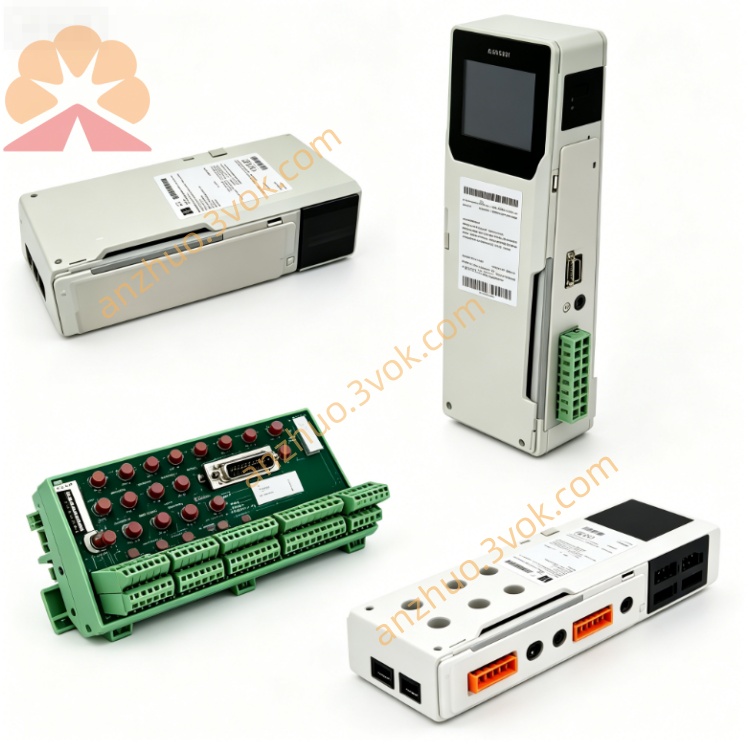
Schneider 140XBP00400 4 Slot Quantum Backplane
Description
1. Product Overview

2. Key Features
4 module slots: accepts all standard Quantum I/O, CPU, comms, and bus modules
High‑speed 32‑bit parallel backplane: 100 Mbps bandwidth, low latency
Integrated power distribution: +5 V logic, ±12 V I/O rails to each slot
Robust metal chassis + fiberglass PCB: industrial vibration and noise immunity
Hot‑swap capable: insert/remove modules under power
Multi‑rack expansion: works with 140XBE10000 / 140XBE10000C
Green Premium: RoHS/REACH compliant
Certifications: CE, UL, cUL
3. Technical Specifications
General
Model: 140XBP00400
Type: 4‑slot standard backplane (non‑coated)
Slots: 4 (standard Quantum module form factor)
Bus architecture: 32‑bit high‑speed extension bus
Bus current draw: ~1400 mA (from rack PSU)
Power rails: +5 V (logic), ±12 V (I/O)
Weight: approx. 0.50 kg
Mounting: Quantum rack rails or panel‑mount kit
Environmental
Operating temperature: 0 °C to +60 °C
Storage temperature: −40 °C to +85 °C
Humidity: 10–95 % RH, non‑condensing
Altitude: ≤1,000 m (no derating)
Protection class: IP20 (front)
Vibration: 10–150 Hz, 0.15 mm amplitude (IEC 60068‑2‑6)
Shock: 15 g, 11 ms half‑sine (IEC 60068‑2‑27)
Mechanical
Dimensions (W×H×D): 163 × 290 × 104 mm
Material: metal chassis, fiberglass‑reinforced PCB
Connector: high‑density edge connector (module interface)
4. LED Indicators (on Modules, not Backplane)
PWR (Green): module power OK
RUN (Green): module active, backplane communication normal
FAULT (Red): module/backplane fault
LINK (Yellow): backplane data activity
5. Installation & Wiring
Rack Installation
Align 140XBP00400 with Quantum rack rails.
Slide in and secure with mounting screws (torque per specs).
Insert modules into slots 1–4 until latched.
For multi‑rack: connect backplane cables between 140XBP and 140XBE expanders.
Power & Grounding
Power: supplied by rack PSU; no direct user wiring to backplane
Ground: connect chassis to system earth ground
Cable routing: separate signal/power cables; shielded cables in high‑noise areas
6. Configuration (Unity Pro)
Open Unity Pro V7.0+.
In hardware config, add a 4‑slot rack and assign 140XBP00400.
Insert I/O modules into slots 1–4.
Configure I/O addresses, diagnostics, fault handling.
Download to CPU; backplane initializes automatically.
7. Operation & Diagnostics
Normal Operation
All module PWR/RUN ON, FAULT OFF
Backplane provides stable power and communication to 4 slots
Fault Conditions
Module FAULT ON: check seating, connector, or module failure
No PWR: verify rack PSU and backplane voltage rails
Comm errors: inspect cables, expanders, grounding
Diagnostic Data
Backplane voltage status (+5 V, ±12 V)
Module presence/absence flags
Bus communication quality metrics
8. Maintenance
Monthly: inspect seating, LEDs, cables
Quarterly: check screw torque; clean connectors (compressed air only)
Semi‑annually: verify ground continuity and shield integrity
Replacement: if connectors damaged or corrosion present
9. Safety & Compliance
Qualified personnel only for installation/wiring/maintenance
Disconnect all power before servicing
For industrial control systems only; not for direct life‑safety apps without safety layers
Follow local codes and EMC guidelines
10. Compatibility
Quantum CPUs: 140CPU65150, 140CPU67160, 140CPU68060, 140CPU69060+
Expanders: 140XBE10000, 140XBE10000C
I/O modules: all standard Quantum digital/analog, safety, specialty modules
Racks: compatible with Quantum 12/14/16‑slot systems
Get a Quote