
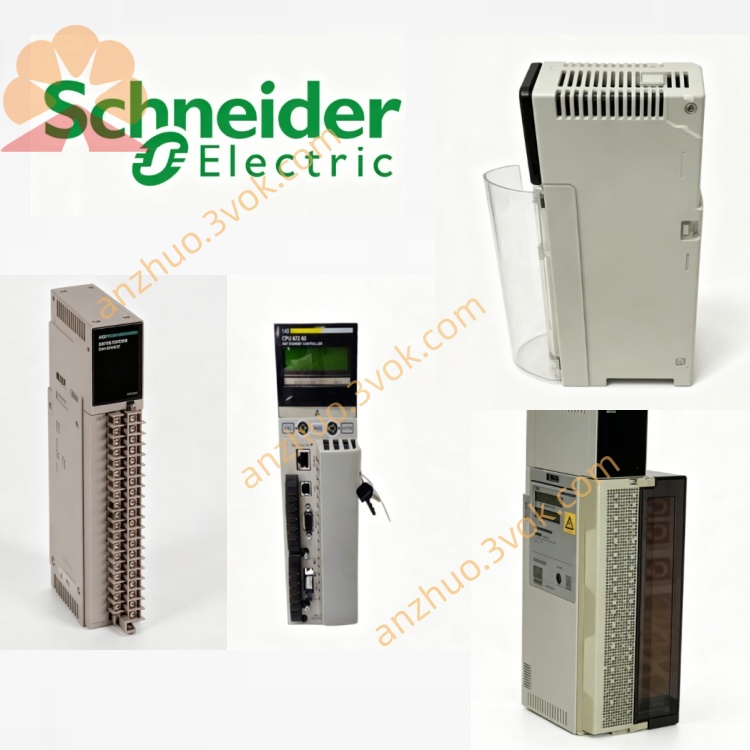
Schneider 140NRP95400 Multimode Fiber Repeater
Description
1. Product Overview
The 140NRP95400 is a dual-channel fiber optic repeater module designed for RIO S908 remote I/O networks. It extends communication distances via multimode fiber, provides electrical isolation, and supports redundant links for high system availability.
Key Features
Long-Distance Transmission: Up to 3000 m (62.5/125 µm fiber) at 1 Mbps
Dual Redundant Channels: 2×ST fiber ports + 1×coaxial port
Noise Immunity: Optical isolation eliminates electrical interference
Hot-Swappable: Replace module without system shutdown
Diagnostic LEDs: Real-time status and fault indication
Certifications: CE, UL 508, CSA C22.2 No.142, FM Class 1 Div 2
2. Technical Specifications
Electrical Characteristics
Bus Current: 700 mA (5 V DC)
Power Consumption: 5 W
Inrush Current: 1 A (5 V DC)
Optical Parameters (Multimode, 820 nm Wavelength)
表格
| Fiber Type | Max Distance | Optical Power | Attenuation Range |
|---|---|---|---|
| 50/125 µm | 2000 m | 3.5 dBm | -20 ~ -13 dB |
| 62.5/125 µm | 3000 m | 3.5 dBm | -16 ~ -10 dB |
| 100/140 µm | 3000 m | 5 dBm | -10.5 ~ -4 dB |
Environmental & Mechanical
Operating Temperature: 0°C to +60°C
Storage Temperature: -40°C to +85°C
Humidity: 5–95% (non-condensing)
Altitude: Up to 2000 m
Dimensions (W×H×D): 40.34 × 250 × 103.85 mm
Weight: 0.554 kg
Housing Material: Polycarbonate (PC)
3. LED Indicators & Diagnostic Relay
LED Status Definitions
表格
| LED | Color | State | Indication |
|---|---|---|---|
| READY | Green | Off | No power / Internal fault |
| On | Powered & operational | ||
| COM ACT | Green | Off | No coaxial communication |
| Flashing | Coaxial data activity | ||
| OPT FAULT | Red | Off | Optical link normal |
| On | Optical link failure | ||
| ERR | Red | Off | Module healthy |
| On | Internal fault / Config error |
Diagnostic Relay
Normal State: Relay energized (contacts closed)
Fault State: Relay de-energized (contacts open) – triggers on power loss, module failure, or optical link fault
4. Installation Instructions
4.1 Rack Mounting
Ensure Quantum rack power is OFF.
Align module with rack slots, insert firmly until seated.
Secure module with rack latch (hot-swap supported in powered racks).
4.2 Cable Connections
Fiber Optic Ports (ST Connectors)
Tx (Transmit): Connect to Rx of remote module
Rx (Receive): Connect to Tx of remote module
Cable: Multimode fiber (50/125, 62.5/125, or 100/140 µm)
Min Bend Radius: 10× cable diameter (no sharp bends)
Coaxial Port
Connector: BNC (for RIO S908 copper segment)
Cable: 75 Ω coaxial (RG-6 or equivalent)
Max Length: 100 m (copper segment)
4.3 Wiring Precautions
Route fiber cables separately from power cables to avoid interference.
Do not exceed cable tensile strength (max pull: 50 N).
Keep connectors clean – use dust caps when not in use.
5. Configuration
Software Setup (Unity Pro)
Open Unity Pro V7.0+.
Add 140NRP95400 to Quantum rack I/O list.
No parameter configuration required – module auto-detects RIO network.
Download project to PLC; module initializes automatically.
Network Topology
Point-to-Point: Connect two RIO nodes via fiber.
Dual Redundant: Two fiber links for fault-tolerant communication.
Multidrop: Extend RIO networks up to 31 remote drops.
6. Operation & Maintenance
Normal Operation
READY: Green ON (module active)
COM ACT: Green flashing (coaxial data flow)
OPT FAULT: Red OFF (optical links good)
ERR: Red OFF (no faults)
Fault Troubleshooting
OPT FAULT Red ON:
Check fiber connections (Tx/Rx reversed).
Inspect cable for damage or tight bends.
Verify fiber type matches module specs.
ERR Red ON:
Re-seat module in rack.
Check rack power supply (5 V DC).
Replace module if fault persists.
READY Green OFF:
Confirm rack power is ON.
Check for short circuits in backplane.
Maintenance
Inspect fiber connectors quarterly (clean with isopropyl alcohol if dirty).
Verify diagnostic relay operation semi-annually.
Firmware updates: Use Unity Pro to flash latest firmware (check Schneider Electric website).
7. Safety Guidelines
Qualified Personnel Only: Installation/service by trained technicians.
Electrical Hazard: Disconnect power before rack maintenance.
Laser Safety: Module uses 820 nm LED (Class 1) – no eye hazard under normal use.
Environmental: Operate in clean, dry, well-ventilated areas (avoid dust, moisture, extreme temperatures).
8. Ordering Information
Model: 140NRP95400 (Multimode, ST)
Replacement: 140NRP95400C (coated version for harsh environments)
Single-Mode Alternative: 140NRP95401C (LC duplex connectors)
9. Contact & Support
Manufacturer: Schneider Electric
Technical Support: techcomm@schneider-electric.com
Documentation Updates: www.schneider-electric.com
Get a Quote