
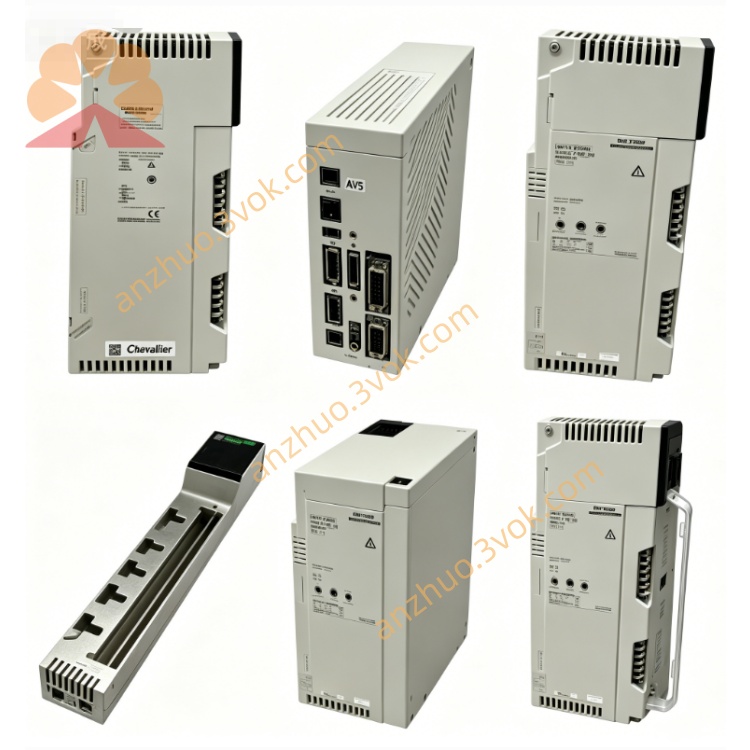
Schneider 140NOE55100 Ethernet Communication Module
140NOE55100 is an industrial Ethernet communication module applied to Modicon Quantum PLC system. It adopts twisted pair access mode and supports mainstream industrial Ethernet protocols to realize stable data interaction between local controllers and remote field devices, monitoring terminals and other automation equipment.
Description
1. General Introduction
140NOE55100 is an industrial Ethernet communication module applied to Modicon Quantum PLC system. It adopts twisted pair access mode and supports mainstream industrial Ethernet protocols to realize stable data interaction between local controllers and remote field devices, monitoring terminals and other automation equipment.
2. Main Features
It is equipped with auto adaptive 10/100Mbps Ethernet communication interface. It supports Modbus TCP and MMS communication protocols to meet different network interaction demands. Built in network diagnosis function can monitor running state in real time. The module has anti-corrosion coating to adapt complex industrial working conditions. It passes multiple safety certification and has stable long term running performance. Standard rack installation structure brings convenient assembly and replacement.
3. Technical Parameters
Electrical Parameter
Working backplane voltage keeps 5 volt direct current with small fluctuation range. Maximum backplane working current is 700 milliampere. Typical power consumption is below 4 watt.
Environmental Parameter
Normal working temperature ranges from zero degree Celsius to sixty degree Celsius without condensation phenomenon. Storage temperature scope is minus forty degree Celsius to eighty five degree Celsius. Applicable relative humidity is within ninety five percent without condensation. The module can work normally at altitude below two thousand meters, and cannot be placed in corrosive gas environment.
Physical Parameter
The module follows unified Quantum series external size standard. Overall weight is light and suitable for internal cabinet installation. It adopts standard slot installation mode matched with Quantum control rack.
4. Panel Indicator Description
Green run indicator keeps steady light when the module works normally, and flickers during self checking process. Green ready light lights up steadily after internal diagnosis finished completely. Red fault light constant on means serious hardware or configuration error, flickering state represents minor abnormal problem. Green link light is on when network connection builds successfully. Green activity light flickers along with data sending and receiving action. Red collision light flickers when network data collision occurs.
5. Installation Steps
Prepare anti static protective tools before operation to avoid static damage to internal circuit. Check module surface to confirm no breakage and pin deformation. Cut off total power supply of control rack and all connected equipment. Align the module with idle slot of control rack and push it into position firmly. Fasten fixing screw on side position to fix the module steadily. Use standard network cable to connect module Ethernet port with switch or terminal equipment, arrange cable layout reasonably to avoid pulling extrusion.
6. System Configuration
Match applicable programming configuration software to build PLC engineering project. Enter hardware configuration interface and select corresponding model 140NOE55100 module in device list. Set basic network parameters including fixed IP address, subnet mask and gateway address according to field network plan. Activate required communication protocol and set communication port and response time parameter. Complete parameter setting and download configuration data to controller. Observe panel indicators to confirm module enters normal standby communication state.
7. Running Instruction
After power reset, the module automatically starts self inspection procedure within several seconds. All indicators act correspondingly and ready light lights up after inspection passes. Network link indicator lights on once cable connection completes. Data transmission and receiving will drive activity indicator to flicker continuously. The module can carry out peer to peer data transmission and client server data access according to preset protocol mode.
8. Maintenance and Fault Handling
Regularly check surface condition of module, connecting cable and interface position every month. Clean surface dust with dry soft cloth and check loose wiring phenomenon. Upgrade internal firmware version regularly by professional configuration software. When run indicator does not light, check rack power supply and backplane contact condition, reinstall the module again. If fault alarm appears, inspect configuration parameter validity and restart the module. No network connection corresponds to damaged cable or abnormal remote equipment power supply, replace cable and check peripheral equipment status. Failed data communication needs recheck network address and protocol parameter setting.
9. Safety Specification
Only professional trained staff can carry out installation debugging and daily maintenance work. Must cut off power supply before plugging and pulling module. Static protection operation is mandatory in whole handling process. Do not use the module beyond specified temperature and humidity working scope.
The product conforms to electromagnetic compatibility, low voltage safety and hazardous substance restriction related standards, and obtains formal industry certification qualification.
10. Product Information
Product model is 140NOE55100, belonging to Quantum Ethernet communication module with 10/100Mbps bandwidth and multiple protocol support. Matching accessories contain standard network cable and fixed installation parts.
11. Technical Support
Relevant product details can be inquired through official enterprise website. Technical problem consultation can contact official customer service channel. Refer to matched hardware reference manual and protocol operation document for further use guidance.
Get a Quote