
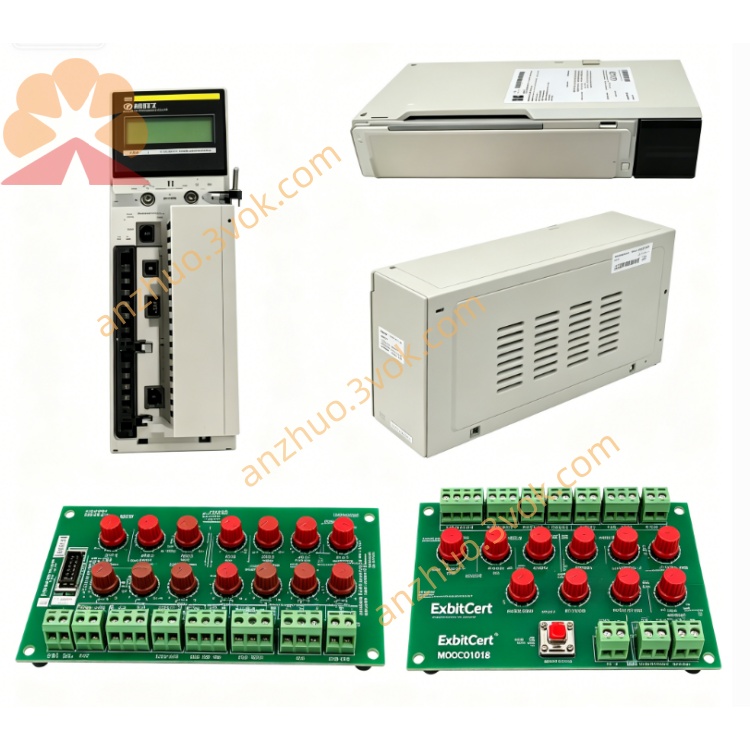
Schneider 140NOE51100 Ethernet Interface Module
Description
1. General Description
The 140NOE51100 is a high-performance Ethernet communication module for the Modicon Quantum PLC platform, designed for twisted-pair cabling systems. It provides MMS (Manufacturing Message Specification) and Modbus TCP/IP connectivity for industrial automation, supporting peer-to-peer and client/server communication over standard Ethernet networks.This module is shipped without preloaded firmware image. Firmware loading and LiveData operation are covered in the separate LiveData Quantum MMS Ethernet User Guide.
2. Key Features
Single 10/100 Mbps Ethernet port with RJ45 connector for twisted-pair networks.
Supports MMS (Manufacturing Message Specification) and Modbus TCP/IP protocols.
Auto-sensing 10/100 Mbps operation for flexible network integration.
Global address labeling for unique network identification.
Removable front door for easy maintenance and access to internal components.
Conformal coating for protection in harsh industrial environments.
CE, UL, c-UL, and CSA certified; RoHS compliant.
3. Specifications
Electrical
Backplane voltage: 5 V DC ±5%.
Backplane current: 600 mA maximum.
Power consumption: 3 W typical, 5 W maximum.
Environmental
Operating temperature: 0°C to 60°C, non-condensing.
Storage temperature: -40°C to +85°C.
Humidity: 0% to 95% RH, non-condensing.
Altitude: Up to 2,000 m above sea level.
Designed for environments without corrosive gases.
Physical
Dimensions: 160 mm × 40 mm × 110 mm (H × W × D).
Weight: 0.54 kg (1.19 lbs).
Mounting: Standard Quantum rack slot.
4. Front Panel and LED Indicators
Front Panel Layout
One RJ45 Ethernet port for 10/100 Mbps communication.
Removable door covering internal configuration switches and indicators.
LED indicators for module status and network activity.
Global address label with unique IEEE identifier.
LED Status Definitions
RUN (green): Steady when module is powered and operational; flashing during self-test or normal activity.
READY (green): Steady when internal diagnostics pass and module is ready for communication.
FAULT (red): Steady for critical hardware or configuration errors; flashing for minor faults or diagnostic failures.
LINK (green): Steady when Ethernet link is established.
ACT (green): Flashing when data is transmitted or received.
COLLISION (red): Flashing when network collisions are detected.
5. Installation
Pre-Installation
Use proper ESD protection, including an anti-static wristband, when handling the module.
Inspect the module for physical damage such as cracks or bent connectors.
Verify compatibility with the Quantum rack and PLC CPU.
Rack Mounting
Power off the PLC rack and all connected devices before installation.
Align the module with an empty slot in the Quantum rack.
Slide the module firmly into the slot until it seats securely.
Tighten the side locking screw to secure the module in place.
Ethernet Cable Connection
Use a standard Category 5 or higher twisted-pair Ethernet cable with RJ45 connectors.
Connect one end of the cable to the module’s RJ45 port.
Connect the other end to an Ethernet switch, hub, or directly to another compatible device.
Ensure the cable is properly secured to avoid strain on the connector.
6. Configuration
Software Requirements
Modsoft software (v2.5 or later) for MMS configuration.
EcoStruxure Control Expert (v15.0 or later) for Modbus TCP/IP configuration.
Basic Configuration Steps
Open the PLC project in Modsoft or EcoStruxure Control Expert.
Navigate to the I/O configuration section and select the target rack slot.
Add the 140NOE51100 module from the hardware catalog.
Configure network parameters including IP address, subnet mask, and gateway.
Enable desired communication protocols: MMS for peer-to-peer or Modbus TCP/IP for client/server.
Set communication parameters such as port numbers and timeouts.
Download the configuration to the PLC.
Verify module operation by checking that RUN, READY, and LINK LEDs are steady green.
Global Address Configuration
Locate the global address label on the front panel, which contains the unique IEEE address.
Use this address for network identification and configuration during setup.
7. Operation
Normal Operation
When power is applied, the RUN LED flashes during the self-test sequence, which takes approximately 5 to 10 seconds.
After successful self-test, the READY LED illuminates steady green.
The LINK LED becomes steady green when an Ethernet connection is established.
The ACT LED flashes periodically as data is transmitted or received.
Communication Modes
MMS (Manufacturing Message Specification): Enables peer-to-peer communication between Quantum PLCs, supporting up to 32 nodes on a single network.
Modbus TCP/IP: Operates in client/server mode for communication with third-party devices such as HMIs, scanners, and other PLCs.
8. Maintenance and Troubleshooting
Routine Maintenance
Perform monthly visual inspections of LEDs, cables, and connectors.
Keep the module and connectors free of dust and debris using a dry, lint-free cloth.
Check for loose cables or connectors and tighten as needed.
Update firmware periodically using EcoStruxure Control Expert or Modsoft, following instructions from the LiveData Quantum MMS Ethernet User Guide.
Troubleshooting Common Issues
RUN LED off: Check rack power supply and backplane connection; re-seat the module.
FAULT LED steady red: Verify configuration settings; reset the module; replace if fault persists.
LINK LED off: Check Ethernet cable integrity and connections; verify the remote device is powered and operational.
No MMS communication: Confirm network ID and node addresses are correctly configured; check for duplicate addresses.
No Modbus TCP/IP communication: Verify IP address and port settings; check network firewall settings; ensure the slave device is operational.
9. Safety and Compliance
Safety Precautions
Installation and maintenance must be performed by qualified, trained personnel.
Always power off the rack before installing or removing modules.
Use ESD protection to prevent static discharge damage to components.
Do not operate the module outside the specified temperature and humidity ranges.
Compliance
CE: Compliant with EU EMC Directive 2014/30/EU and Low Voltage Directive 2014/35/EU.
UL/c-UL: Listed for use in industrial control panels per UL 508.
CSA: Certified to Canadian safety standards.
RoHS: Compliant with Directive 2011/65/EU restricting hazardous substances.
10. Ordering Information
Model: 140NOE51100.
Description: Quantum Ethernet MMS Module, 10/100 Mbps, RJ45 Port, MMS/Modbus TCP/IP.
Accessories: Category 5 Ethernet cables, anti-static wristband, rack mounting screws.
11. Support and Documentation
Official website: www.schneider-electric.com.
Technical support: Contact Schneider Electric Customer Care for global assistance.
Related documents: Quantum Automation Series Hardware Reference Guide, Modsoft User Manual, LiveData Quantum MMS Ethernet User Guide.
Disclaimer
This document is for informational purposes only. Schneider Electric reserves the right to modify specifications without notice. All trademarks are property of their respective owners.
Get a Quote