
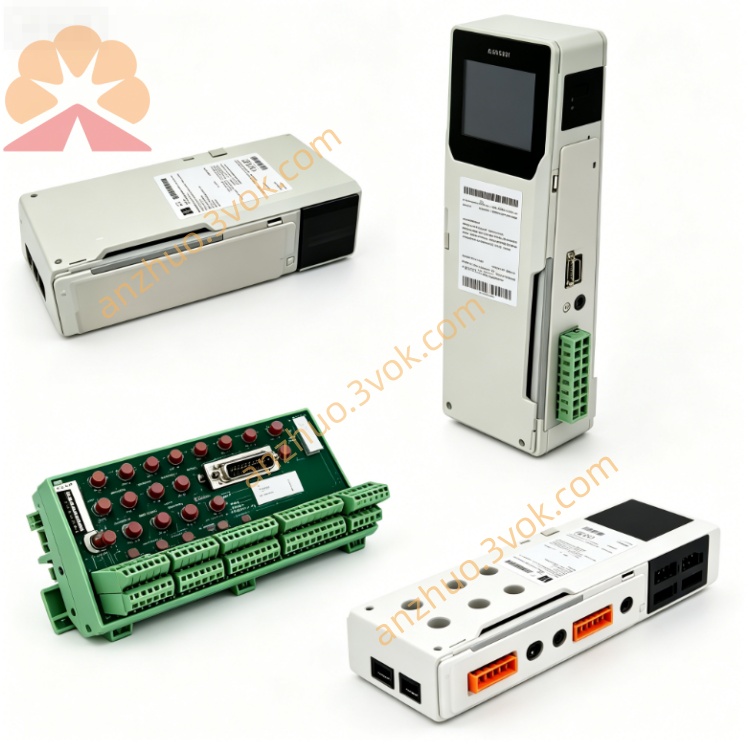
Schneider 140NOE35100 Ethernet Network Module
Description
1. General Description
The 140NOE35100 is a high-performance Ethernet communication module for the Schneider Electric Modicon Quantum PLC series. It provides reliable fiber-optic Ethernet connectivity for industrial automation networks, supporting SY/MAX and Modbus TCP/IP communication protocols.
Key Features
Fiber-Optic Interface: Two ST-style 10BASE-FL ports for long-distance, noise-immune communication.
Protocol Support: SY/MAX (peer-to-peer) and Modbus TCP/IP (client/server).
High-Speed Data Transfer: 10 Mbps Ethernet speed.
Embedded Web Server: For remote configuration, monitoring, and diagnostics.
Conformal Coating: Protects against harsh industrial environments.
Compliance: UL, c-UL, CE, and CSA certified; RoHS compliant.
2. Specifications
Electrical
Backplane Voltage: 5 V DC ±5%
Backplane Current: 1 A (max)
Power Consumption: 5 W (max)
Environmental
Operating Temperature: 0°C to 60°C (non-condensing)
Storage Temperature: -40°C to +85°C
Humidity: 0% to 95% RH (non-condensing)
Altitude: Up to 2,000 m (6,561 ft) above sea level
Physical
Dimensions: 160 mm × 40 mm × 110 mm (H × W × D)
Weight: 0.8 kg (1.76 lbs)
Mounting: Standard Quantum rack slot
3. Front Panel & LED Indicators
Front Panel Layout
Ports: Two ST fiber connectors (PORT 1, PORT 2)
LEDs: RUN, READY, FAULT, LINK, ACT, COLLISION
LED Status Definitions
表格
| LED | Color | Status | Description |
|---|---|---|---|
| RUN | Green | Steady | Module powered and operational |
| Flashing | Normal operation with activity | ||
| READY | Green | Steady | Passed internal diagnostics, ready for use |
| FAULT | Red | Steady | Critical error (hardware/configuration) |
| Flashing | Minor error or diagnostic failure | ||
| LINK | Green | Steady | Ethernet link established |
| ACT | Green | Flashing | Data transmission/reception activity |
| COLLISION | Red | Flashing | Network collisions detected |
4. Installation
4.1 Pre-Installation
ESD Protection: Wear anti-static wristband when handling the module.
Inspection: Check for physical damage (cracks, bent pins).
Rack Compatibility: Ensure Quantum rack is compatible (140 series).
4.2 Rack Mounting
Power off the PLC rack and all connected devices.
Align module with empty rack slot.
Slide module firmly into slot until it clicks into place.
Tighten side locking screw (torque: 0.8–1.0 N·m).
4.3 Fiber Cable Connection
Use 10BASE-FL compliant fiber cable (multi-mode, 62.5/125 μm).
Connect TX/RX pairs to PORT 1 (primary) or PORT 2 (secondary).
Ensure proper polarity (TX → RX, RX → TX).
Secure cables with cable ties to avoid strain.
5. Configuration
5.1 Software Requirements
EcoStruxure Control Expert (v15.0 or later) or Concept (v2.5 or later).
5.2 Basic Configuration Steps
Open your PLC project in EcoStruxure Control Expert.
Navigate to the I/O Configuration tab and select the target rack slot.
Add the 140NOE35100 module from the hardware catalog.
Configure network parameters:
IP Address: Static (e.g., 192.168.1.50) or DHCP.
Subnet Mask: 255.255.255.0 (default).
Gateway: 192.168.1.1 (if required).
Enable communication protocols:
Modbus TCP: Set port (default: 502) and timeout.
SY/MAX: Enable peer-to-peer communication (requires network ID).
Download the configuration to the PLC.
Verify module status: RUN and LINK LEDs steady green.
5.3 Web Server Access
Open a web browser and enter the module’s IP address.
Log in with default credentials (user: admin, password: admin).
Access features:
Status: View module and network status.
Configuration: Modify IP, protocol, and advanced settings.
Diagnostics: Check Ethernet statistics, error logs, and connection status.
6. Operation
6.1 Normal Operation
Power On: RUN LED flashes during self-test (5–10 seconds).
Ready: READY LED steady green when diagnostics pass.
Link: LINK LED steady green when fiber connection is active.
Activity: ACT LED flashes with data transfer.
6.2 Communication Modes
SY/MAX: High-speed peer-to-peer for Quantum PLCs (up to 32 nodes).
Modbus TCP: Client/server for communication with third-party devices (scanners, HMIs, other PLCs).
7. Maintenance & Troubleshooting
7.1 Routine Maintenance
Visual Inspection: Monthly check of LEDs, cables, and connectors.
Firmware Update: Use EcoStruxure Control Expert to update firmware (check Schneider Electric website for latest version).
Cleaning: Keep module and connectors free of dust/debris (use dry, lint-free cloth).
7.2 Troubleshooting Common Issues
Issue 1: RUN LED Off
Cause: No power or faulty backplane connection.
Action: Check rack power supply; re-seat module; inspect backplane pins.
Issue 2: FAULT LED Steady Red
Cause: Hardware failure or invalid configuration.
Action: Check configuration for errors; reset module; replace if fault persists.
Issue 3: LINK LED Off
Cause: Fiber cable fault, polarity error, or remote device offline.
Action: Verify cable integrity; check TX/RX polarity; ensure remote device is powered and connected.
Issue 4: No Modbus TCP Communication
Cause: Incorrect IP/port, network firewall, or slave device error.
Action: Ping module IP; verify Modbus port (502) is open; check slave device status.
8. Safety & Compliance
Safety Precautions
Qualified Personnel: Installation and maintenance must be performed by trained, certified technicians.
Power Off: Always power off the rack before installing/removing modules.
ESD Protection: Prevent static discharge to avoid component damage.
Environmental Limits: Do not operate outside specified temperature/humidity ranges.
Compliance
CE: Compliant with EU EMC Directive (2014/30/EU) and Low Voltage Directive (2014/35/EU).
UL/c-UL: Listed for use in industrial control panels (UL 508).
CSA: Certified for Canadian safety standards.
RoHS: Compliant with Directive 2011/65/EU (restriction of hazardous substances).
9. Ordering Information
Model: 140NOE35100
Description: Quantum Ethernet Fiber Module, 10BASE-FL, 2 ST Ports, SY/MAX/Modbus TCP
Accessories: Fiber cables (multi-mode, ST connectors), anti-static wristband, rack mounting screws
10. Support & Documentation
Official Website: www.schneider-electric.com
Techn
Get a Quote