
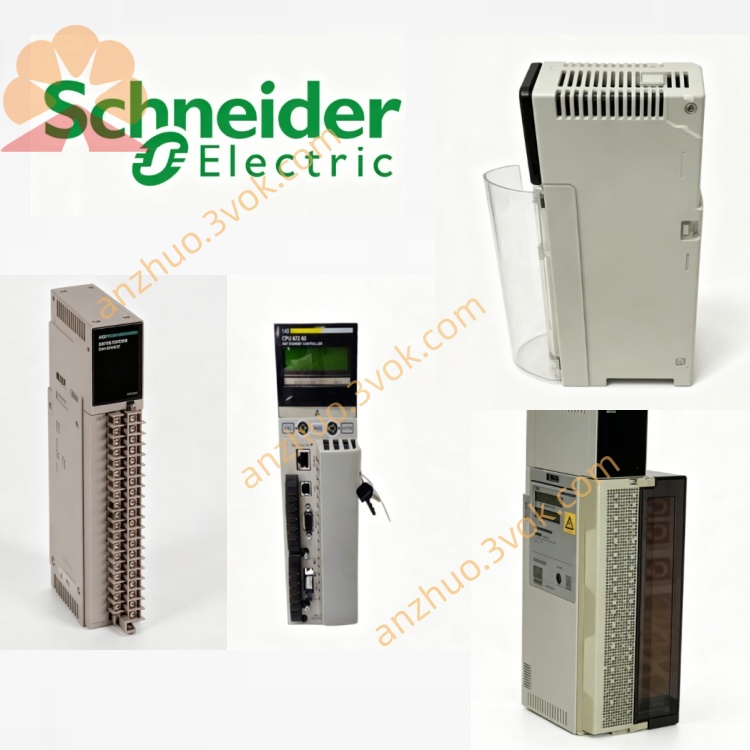
Schneider 140EIA92100 Analog Input Module
Description
1. General Description
Model: 140EIA92100
Brand: Schneider Electric
Series: Modicon Quantum
Role: AS‑i Master (Profile M2)
Slave Capacity: 31 standard / 62 single‑I/O
Transmission Rate: 167 kbit/s
2. Specifications
2.1 AS‑i Bus Interface
Connector: 3‑pin SUB‑D (AS‑i line, +30 V DC, GND)
Bus Voltage: 18–30 V DC (from AS‑i power supply)
Bus Current: ≤120 mA (30 V DC)
Cycle Time: 156×(n+1) μs (n = number of slaves)
Isolation: 500 Vrms (bus‑to‑backplane)
Polarity Protection: Internal (reverse‑voltage protected)
2.2 Backplane Power
Voltage: 5 V DC
Current: 185 mA typical / 250 mA max
Power Dissipation: ≤1.25 W
2.3 I/O Data (Per Slave)
Standard Slave: 4 inputs + 4 outputs (1 byte I/O)
Single‑I/O Slave: 2 inputs or 2 outputs (0.5 byte I/O)
Total I/O (Max): 124 inputs + 124 outputs (62 slaves)
2.4 Environmental & Mechanical
Operating Temp: 0 °C to +60 °C
Storage Temp: −40 °C to +85 °C
Humidity: 5–95 % non‑condensing
Protection: IP20 (module)
Dimensions: 104 × 40 × 250 mm (single slot)
Weight: ~0.32 kg
Certifications: CE, UL, CSA, RoHS
3. Front Panel LEDs & Controls
3.1 LED Indicators
B (Bus) – Green: Flashing = active data exchange with slaves.
Active – Green: On = module is controlled by Quantum CPU.
F (Fail) – Red:
Steady: Module hardware/configuration fault.
Flashing: Bus fault (slave address 0, missing slave, or config mismatch).
0–31 (Green): One LED per slave address; On = slave present & active.
3.2 Push Buttons
Mode: Toggle between Normal and Diagnostic display modes.
Address: Scroll slave addresses (0–31) for diagnostics.
4. Installation & Wiring
Power off Quantum rack and AS‑i power supply.
Insert module into any empty slot; secure screws.
Connect AS‑i bus cable to 3‑pin SUB‑D:
Pin 1: AS‑i signal (±)
Pin 2: +30 V DC (from AS‑i PSU)
Pin 3: GND
Use twisted‑pair, shielded cable for AS‑i bus; max length 100 m (standard) / 300 m (with repeaters).
Power on rack and AS‑i PSU; verify Active and B LEDs flash.
5. Configuration (EcoStruxure Control Expert / Unity Pro)
Add 140EIA92100 to hardware configuration.
Set AS‑i Master Profile: M2.
Define List of Projected Slaves (LPS): Assign addresses 1–31; set slave type (standard/single‑I/O).
Map I/O Data:
PLC Inputs: 8 words (124 bits) = AS‑i slave inputs.
PLC Outputs: 8 words (124 bits) = AS‑i slave outputs.
Status Words: LAS (List of Active Slaves), LDS (List of Detected Slaves).
Download configuration; check F LED (off = OK).
6. Operating Modes
6.1 Normal Mode
Automatic cyclic data exchange with all configured slaves.
Real‑time I/O update (167 kbit/s).
LAS/LDS status bits indicate slave health.
6.2 Diagnostic Mode
Activate via Mode button.
View slave‑specific errors:
Address conflict
Slave missing
Profile mismatch
Communication errors
Get a Quote