
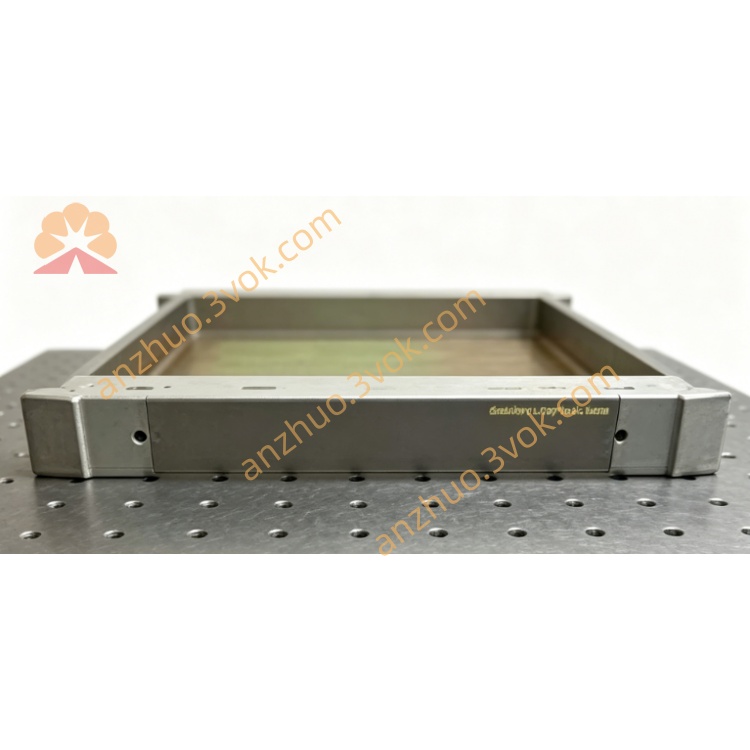
ICS Triplex T8191 Trusted Processor Module for SIL3 TMR Safety System
Description
TMR Architecture: Designed for triple‑modular redundancy; supports SIL 3 safety applications.
Serial Interfaces: Dual RS‑422/485 ports for 2‑wire or 4‑wire communication.
Connector: Dual 48‑way DIN41612 connectors for processor and field connections.
Protocols: Supports Modbus RTU, custom serial protocols, and IRIG‑B time synchronization (optional).
Mechanical: Single‑width module for Trusted T8100 (controller) or T8300 (expander) chassis.
Power: 20–32 V DC from backplane; max 260 mA current.
Modbus RTU master/slave communication with external devices.
High‑speed serial links to remote I/O subsystems.
Time synchronization via IRIG‑B for distributed systems.
Data exchange with third‑party automation equipment.
2. Specifications
2.1 General
Model: T8191
Type: Trusted TMR Communication Module
Chassis slot: Single‑width, fits T8100 / T8300 chassis
Power: 20–32 V DC (backplane), max 260 mA
Operating temperature: –20 °C to +60 °C
Storage temperature: –40 °C to +85 °C
Humidity: 5–95 % RH (non‑condensing)
Dimensions: 160 mm × 160 mm × 100 mm
Weight: Approx. 0.92 kg
2.2 Communication Interfaces
Ports: 2 × RS‑422/485 (isolated)
Data Rate: Up to 115.2 kbps
Mode: 2‑wire (half‑duplex) or 4‑wire (full‑duplex)
Protocols: Modbus RTU, ASCII, custom protocols
Time Sync: Optional IRIG‑B (AM/DC)
Connector: DIN41612 (48‑way, dual)
2.3 Performance
Sample Update Time: 0.5 ms
Event Resolution: 1 ms
Self‑Test Interval: 2 minutes
Channel Crosstalk: > –40 dB
Diagnostics: Comprehensive link status, error checking, and fault reporting.
3. Installation
3.1 Module Insertion
Power OFF the Trusted chassis.
Remove the blank panel from a vacant single‑width slot.
Align T8191 with slot guides and push firmly until fully seated.
Secure the module latch.
Restore chassis power.
3.2 Field Wiring (RS‑422/485)
Port A / Port B:
TX+ / TX–: Transmit data (4‑wire)
RX+ / RX–: Receive data (4‑wire)
DATA+ / DATA–: 2‑wire half‑duplex
GND: Isolated signal ground
Cable: Use twisted‑pair, shielded cable (e.g., Belden 9841).
Termination: 120 Ω resistor at bus ends (for RS‑485).
3.3 Backplane Connection
The T8191 connects to the Trusted Inter‑Module Bus (IMB) via the backplane, enabling communication with the TMR processor.
4. Configuration
4.1 Access via Trusted Workbench
Connect a PC with Trusted Workbench software to the Trusted system.
Select the T8191 module in the hardware tree.
Configure each serial port:
Baud Rate: 9.6 kbps – 115.2 kbps
Data Bits: 7 or 8
Parity: None, Even, Odd
Stop Bits: 1 or 2
Mode: RS‑422 (4‑wire) or RS‑485 (2‑wire)
Enable Modbus RTU (master/slave) or custom protocol.
Configure IRIG‑B (if used) for time synchronization.
Download configuration to the T8191.
4.2 Modbus RTU Setup
Master Mode: Define slave addresses, register maps, and polling intervals.
Slave Mode: Map internal Trusted tags to Modbus holding registers, inputs, coils.
5. Operation
5.1 Front Panel LEDs
PWR: Steady = OK; Flashing = power fault
COM A: Flashing = Port A activity
COM B: Flashing = Port B activity
SYS: Steady = healthy; Flashing = system/link error
5.2 Normal Operation
The T8191 runs in triple‑modular redundancy, with three internal channels voting on data validity.
Serial data is exchanged with external devices per configured protocol.
Diagnostics monitor link quality, errors, and module health.
5.3 Redundancy & Fault Tolerance
TMR Voting: Data from three channels is voted; single‑channel faults do not affect operation.
Fault Isolation: Failed channel is isolated; system continues with two channels.
Hot‑Swap: Module can be replaced online without system shutdown.
6. Fault Finding
6.1 Common Faults
No PWR LED: Check backplane voltage (20–32 V DC); reseat module.
COM LED Off: Verify wiring, termination, and baud rate/parity settings.
SYS LED Flashing: Check Trusted Workbench diagnostics; identify faulty channel or link.
Modbus Communication Failure: Verify slave address, register mapping, and cabling.
6.2 Maintenance
Inspection: Annually check cables, connectors, and termination resistors.
Diagnostics: Use Trusted Workbench to monitor link status and error logs.
Hot‑Swap Replacement: Replace faulty module online; system remains operational.
7. Safety & Compliance
Install in a controlled, dust‑free, climate‑controlled environment.
Disconnect power before insertion/removal.
Use shielded cables for serial links to reduce EMI.
Compliant with: CE, UL, CSA, IEC 61508 (SIL 3).
8. Ordering Information
T8191: Trusted Communication Module (dual RS‑422/485, TMR)
Accessories: DIN41612 cables, 120 Ω termination resistors, IRIG‑B adapter.
Modbus RTU master/slave communication with external devices.
High‑speed serial links to remote I/O subsystems.
Time synchronization via IRIG‑B for distributed systems.
Data exchange with third‑party automation equipment.
2. Specifications
2.1 General
Model: T8191
Type: Trusted TMR Communication Module
Chassis slot: Single‑width, fits T8100 / T8300 chassis
Power: 20–32 V DC (backplane), max 260 mA
Operating temperature: –20 °C to +60 °C
Storage temperature: –40 °C to +85 °C
Humidity: 5–95 % RH (non‑condensing)
Dimensions: 160 mm × 160 mm × 100 mm
Weight: Approx. 0.92 kg
2.2 Communication Interfaces
Ports: 2 × RS‑422/485 (isolated)
Data Rate: Up to 115.2 kbps
Mode: 2‑wire (half‑duplex) or 4‑wire (full‑duplex)
Protocols: Modbus RTU, ASCII, custom protocols
Time Sync: Optional IRIG‑B (AM/DC)
Connector: DIN41612 (48‑way, dual)
2.3 Performance
Sample Update Time: 0.5 ms
Event Resolution: 1 ms
Self‑Test Interval: 2 minutes
Channel Crosstalk: > –40 dB
Diagnostics: Comprehensive link status, error checking, and fault reporting.
3. Installation
3.1 Module Insertion
Power OFF the Trusted chassis.
Remove the blank panel from a vacant single‑width slot.
Align T8191 with slot guides and push firmly until fully seated.
Secure the module latch.
Restore chassis power.
3.2 Field Wiring (RS‑422/485)
Port A / Port B:
TX+ / TX–: Transmit data (4‑wire)
RX+ / RX–: Receive data (4‑wire)
DATA+ / DATA–: 2‑wire half‑duplex
GND: Isolated signal ground
Cable: Use twisted‑pair, shielded cable (e.g., Belden 9841).
Termination: 120 Ω resistor at bus ends (for RS‑485).
3.3 Backplane Connection
The T8191 connects to the Trusted Inter‑Module Bus (IMB) via the backplane, enabling communication with the TMR processor.
4. Configuration
4.1 Access via Trusted Workbench
Connect a PC with Trusted Workbench software to the Trusted system.
Select the T8191 module in the hardware tree.
Configure each serial port:
Baud Rate: 9.6 kbps – 115.2 kbps
Data Bits: 7 or 8
Parity: None, Even, Odd
Stop Bits: 1 or 2
Mode: RS‑422 (4‑wire) or RS‑485 (2‑wire)
Enable Modbus RTU (master/slave) or custom protocol.
Configure IRIG‑B (if used) for time synchronization.
Download configuration to the T8191.
4.2 Modbus RTU Setup
Master Mode: Define slave addresses, register maps, and polling intervals.
Slave Mode: Map internal Trusted tags to Modbus holding registers, inputs, coils.
5. Operation
5.1 Front Panel LEDs
PWR: Steady = OK; Flashing = power fault
COM A: Flashing = Port A activity
COM B: Flashing = Port B activity
SYS: Steady = healthy; Flashing = system/link error
5.2 Normal Operation
The T8191 runs in triple‑modular redundancy, with three internal channels voting on data validity.
Serial data is exchanged with external devices per configured protocol.
Diagnostics monitor link quality, errors, and module health.
5.3 Redundancy & Fault Tolerance
TMR Voting: Data from three channels is voted; single‑channel faults do not affect operation.
Fault Isolation: Failed channel is isolated; system continues with two channels.
Hot‑Swap: Module can be replaced online without system shutdown.
6. Fault Finding
6.1 Common Faults
No PWR LED: Check backplane voltage (20–32 V DC); reseat module.
COM LED Off: Verify wiring, termination, and baud rate/parity settings.
SYS LED Flashing: Check Trusted Workbench diagnostics; identify faulty channel or link.
Modbus Communication Failure: Verify slave address, register mapping, and cabling.
6.2 Maintenance
Inspection: Annually check cables, connectors, and termination resistors.
Diagnostics: Use Trusted Workbench to monitor link status and error logs.
Hot‑Swap Replacement: Replace faulty module online; system remains operational.
7. Safety & Compliance
Install in a controlled, dust‑free, climate‑controlled environment.
Disconnect power before insertion/removal.
Use shielded cables for serial links to reduce EMI.
Compliant with: CE, UL, CSA, IEC 61508 (SIL 3).
8. Ordering Information
T8191: Trusted Communication Module (dual RS‑422/485, TMR)
Accessories: DIN41612 cables, 120 Ω termination resistors, IRIG‑B adapter.
Get a Quote