
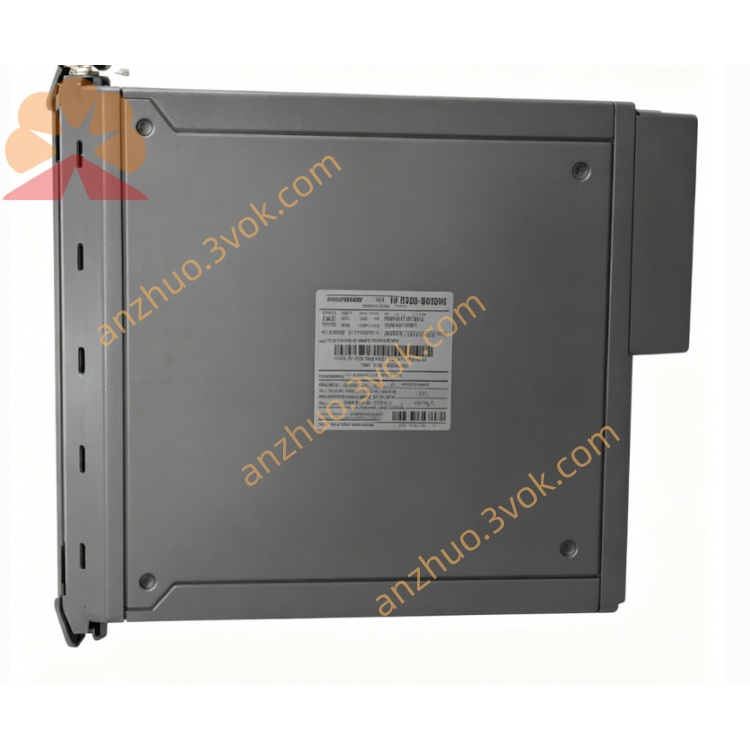
ICS Triplex T8170C Trusted Communication Interface Module for SIL3 TMR SIS System
Description
System Integration: Connects to the Trusted Inter‑Module Bus (IMB) via the T8151 Communications Interface over 100BASE‑T Ethernet.
Dual Ethernet: One port for IMB, one for client LAN (10/100 Mbps).
Serial Port: RS‑232 for legacy devices or diagnostics.
OS: Licensed Microsoft Windows XP Professional (embedded).
Mechanical: Single‑slot, fits Trusted Controller/Expander chassis; redundant 24 V DC power from backplane.
Rear I/O: Requires T8173 Gateway Adaptor for all external connections.
Host for the Trusted OPC Server (Data Access 1.0/2.0, Alarms & Events 1.0).
Enables SCADA, HMI, and other OPC clients to access Trusted system data and perform commands over TCP/IP.
2. Specifications
2.1 General
Model: T8170C
Form factor: Single‑width Trusted module
Chassis slot: Any vacant slot in Trusted Controller (T8100) or Expander (T8300) chassis
Power: 24 V DC (redundant backplane feed), max 15 W
Operating temperature: –20 °C to +60 °C
Storage temperature: –40 °C to +85 °C
Humidity: 5–95 % RH (non‑condensing)
Dimensions: 80 mm × 80 mm × 25 mm
Weight: Approx. 0.8 kg
2.2 Hardware
Processor: Industrial x86 CPU
Memory: 512 MB RAM
Storage: 12 GB industrial HDD
Ethernet: 2 × 10/100 BASE‑T (RJ45)
Serial: 1 × RS‑232 (DB9)
Video: VGA (via T8173)
Inputs: PS/2 keyboard, PS/2 mouse (via T8173)
2.3 Software
OS: Windows XP Professional (licensed, embedded)
Supported software: Trusted OPC Server, Remote Desktop, third‑party Windows applications
Configuration: Remote Desktop from a Windows XP client
3. Installation
3.1 Module Insertion
Ensure chassis power is OFF.
Remove the blank panel from a vacant slot.
Align T8170C with slot guides and push firmly until fully seated.
Secure the module latch.
Restore chassis power.
3.2 Rear Connections (T8173 Adaptor)
IMB Ethernet (Port 1): RJ45 → T8151 (100BASE‑T only)
Client Ethernet (Port 2): RJ45 → office/SCADA LAN (10/100 Mbps)
Serial (RS‑232): DB9 → modem, terminal, or diagnostic PC
VGA: 15‑pin D‑Sub → monitor
PS/2: Keyboard and mouse ports
3.3 Network Cabling
Use CAT5e or better for Ethernet.
IMB link: 100 Mbps full‑duplex, no crossover (use straight‑through).
Client LAN: Auto‑negotiate 10/100 Mbps.
4. Configuration
4.1 Access via Remote Desktop
Connect a Windows XP PC to the T8170C client Ethernet port.
Enable Remote Desktop on T8170C (default: enabled).
From the client PC: Start → Run →
mstsc→ Enter T8170C IP → Log in with local administrator account.
4.2 Windows Network Settings
IMB NIC (Port 1):
IP: Static (e.g., 192.168.2.100)
Subnet mask: 255.255.255.0
Gateway: Leave blank
Client NIC (Port 2):
IP: Static (e.g., 192.168.1.100)
Subnet mask: 255.255.255.0
Gateway: As per site LAN
4.3 OPC Server Setup
Install Trusted OPC Server via Remote Desktop.
Launch OPC Server Configuration tool.
Define IMB connection parameters (match T8151 network).
Browse and import Trusted controller tags.
Enable Data Access and Alarms & Events services.
Restart OPC Server.
5. Operation
5.1 Front Panel LEDs
PWR: Steady = OK; Flashing = power fault
IMB: Flashing = IMB Ethernet activity
LAN: Flashing = client Ethernet activity
SYS: Steady = healthy; Flashing = system error
5.2 Normal Operation
T8170C runs Windows XP and the OPC Server.
OPC clients connect to the client LAN IP and browse tags.
Data read/write and alarm events are exchanged with the Trusted controller via IMB.
5.3 Remote Management
Use Remote Desktop for:
Software installation
Configuration changes
File transfer
System backup
6. Fault Finding
6.1 Common Faults
No PWR LED: Check chassis redundant power supply; reseat module.
IMB LED off: Verify T8151 connection; check cable; confirm IMB NIC IP is on correct subnet.
LAN LED off: Check client cable; verify link speed/duplex.
OPC cannot connect: Disable Windows Firewall; check OPC Server configuration; verify tag import.
SYS LED flashing: Check Windows Event Log; run disk diagnostics; verify RAM.
6.2 Maintenance
Backup: Weekly backup of Windows system state and OPC configuration via Remote Desktop.
Anti‑virus: Install industrial AV; update signatures offline.
Disk: Check HDD health monthly; replace if errors occur.
Cables: Inspect Ethernet/serial cables annually.
7. Safety & Compliance
Install in a controlled, dust‑free, climate‑controlled environment.
Disconnect power before insertion/removal.
Use only the T8173 Gateway Adaptor.
Compliant with: CE, UL, CSA, IEC 61508 (SIL 3 system integration).
8. Ordering Information
T8170C: Trusted Gateway Module (Windows XP, 512 MB RAM, 12 GB HDD)
T8173: Gateway Adaptor (rear I/O panel)
T8151: Communications Interface (IMB Ethernet)
Get a Quote