
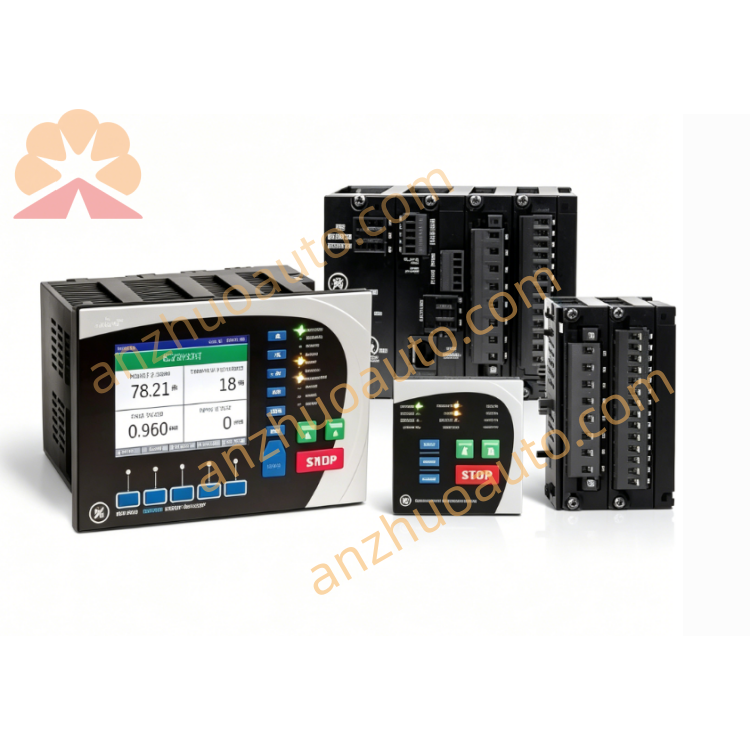
GE IS215PMVPH1A PMVP I/O Processor Board for Mark VI / Mark VIe Turbine Control System
June 11, 2026

GE IS215PMVPH1A PMVP I/O Processor Board for Mark VI / Mark VIe Turbine Control System

IS215PMVPH1A is an original GE PMVP series high-performance I/O processor board exclusively developed for Speedtronic Mark VI and Mark VIe gas & steam turbine control systems, manufactured in the USA. It acts as the core data processing unit between main controllers and PMVD termination modules, responsible for collecting, calculating, buffering and forwarding all field digital input and relay output signals. Equipped with dual redundant ARCNET communication interfaces, multi-channel status LED indicators and an infrared diagnostic window on the front panel, it supports real-time signal monitoring, fault self-check and offline parameter configuration. The board adopts 18–36VDC wide-range DC power input, fanless passive heat dissipation and industrial anti-vibration circuit layout, complying with Class I Division 2 hazardous area standards. It operates stably at -30℃ ~ +65℃ with 10%–95% non-condensing humidity, supporting triple redundant rack deployment. Widely applied in thermal power plants, oil & gas extraction, marine power and heavy industrial turbine control systems with high safety and data real-time requirements.

Description

Instruction Manual

Model: IS215PMVPH1A
Product Name: PMVP I/O Processor Card
Manufacturer: General Electric
Applicable System: Mark VI / Mark VIe Speedtronic Turbine Control Platform

1. Product Overview

IS215PMVPH1A is the dedicated master processing board paired with IS215PMVDH1A I/O termination modules in GE distributed turbine control architecture. Its core function is pre-processing massive field switching signals transmitted from PMVD terminal boards, executing local logic operations, uploading valid data to the main system CPU via dual redundant ARCNET bus, and distributing control commands to each output channel. Dual communication bus design eliminates single-point failure risks for critical turbine safety loops. The built-in infrared diagnosis window allows maintenance staff to read operating records, modify station addresses and locate hardware faults quickly with a handheld diagnostic tool. Reinforced circuit structure and dust-proof ventilation slots guarantee continuous long-term operation in high-temperature, dusty industrial control cabinets.

2. Main Technical Specifications

  1. Matching Hardware

    Supporting Module: IS215PMVDH1A I/O Termination Module

    Signal Capacity: Up to 96 digital inputs and 60 relay outputs per processing set

  2. Communication & Diagnosis

    Bus Interface: Dual redundant 100 Mbps ARCNET industrial bus

    Diagnosis Interface: Front infrared port for offline configuration and fault detection

    Data Refresh: Millisecond-level real-time signal interaction

  3. Electrical Parameters

    Input Power: 18–36 VDC wide voltage DC supply

    Max Power Consumption: 14 W

    Protection: Reinforced signal isolation circuit

  4. Environmental Specifications

    Operating Temperature: -30℃ ~ +65℃

    Storage Temperature: -40℃ ~ +70℃

    Humidity: 10%–95% RH, non-condensing

    Certification: Class I Division 2 hazardous area approval

  5. Mechanical Parameters

    Mounting: Standard VME dual-slot rack installation, triple redundancy compatible

    Cooling: Passive side slot heat dissipation, fan-free design

    Net Weight: Approx. 0.65 kg

    Origin: Salem, Virginia, USA

  6. Warranty: 12-month factory warranty for new original cards

3. Front Panel Layout Description

  1. LED Indicator Area

    Power (Green): Steady on = normal power; Off = power loss or reverse polarity

    Run (Green): Slow blink = normal running; Fast blink = firmware upgrading

    Fault (Red/Amber): Solid red = severe hardware failure; Amber flash = minor warning

    Link A / Link B (Green): Flicker = corresponding ARCNET channel communication normal

  2. Infrared Diagnostic Window

    Located under LED indicators, compatible with GE official handheld diagnostic equipment for parameter setting and fault query

  3. Locking Screws

    Two fixing screws on both sides of the panel to lock the card tightly into VME slots against mechanical vibration

4. Installation Procedures

Step 1 Cabinet Preparation
Prepare standard GE VME control rack, reserve two adjacent empty slots for IS215PMVPH1A. Reserve at least 5 cm ventilation space around the card to prevent heat accumulation under full load. Ensure cabinet cooling system runs normally.
Step 2 Card Insertion & Fixing
Align the card with VME slot guide rails, push fully into the rack until the front panel fits flush with the rack surface. Tighten two panel locking screws to avoid shifting under vibration. Multiple cards can be installed side by side to build triple redundant control architecture.
Step 3 Internal Wiring
  1. Connect dual ARCNET bus cables between PMVP card and main CPU board;

  2. Link dedicated internal signal cable between IS215PMVPH1A and matched IS215PMVDH1A termination module;

  3. Connect 24 VDC control power to the power terminal, strictly distinguish positive and negative poles to avoid reverse connection damage.

Step 4 Pre-Power-On Inspection
Check all bus connectors for tight insertion; confirm no short circuits, squeezed or aging cables. Only original GE shielded industrial bus cables can be used to suppress electromagnetic interference.
Step 5 Power-On Commissioning
Energize the entire Mark VI/VIe control rack. Confirm Power LED stays solid green, Run LED blinks slowly, and Link A/B LEDs flash alternately. Use infrared diagnostic tool to verify card address and channel status to finish acceptance.

5. Operation & Daily Maintenance

  1. Normal Operation Standard

    All LEDs display normal status without constant red fault alarms; turbine control HMI shows no signal loss, communication drop or channel overload alerts.

  2. Regular Inspection Checklist

  • Shift Check: Record LED indicator status and abnormal alarms;

  • Monthly Maintenance: Blow dust off ventilation slots with dry air blower to avoid heat blockage;

  • Quarterly Inspection: Retighten wiring terminals, check connector oxidation and cable aging.

  1. Environmental Maintenance

    Keep control cabinet sealed with dehumidifier installed. Block corrosive gas, conductive dust and water vapor from entering the rack area.

6. Fault Diagnosis & Troubleshooting

Fault 1: Power LED always off
Root Causes: DC power cut off, reversed power polarity, internal power circuit burnout
Solutions: Measure cabinet 24 VDC power output; rewire power terminals with correct polarity; replace card if internal power hardware is damaged.
Fault 2: Red Fault LED keeps steady on
Root Causes: Mismatched PMVD termination module, signal processing chip damage, corrupted firmware
Solutions: Confirm matching IS215PMVDH1A module; reflash official firmware via infrared port; replace card for permanent hardware failure.
Fault 3: Single Link LED off, one communication channel disconnected
Root Causes: Loose or damaged ARCNET cable, faulty bus interface circuit
Solutions: Reconnect or replace ARCNET cable; test dual communication circuits via diagnostic tool; replace card if interface chip fails.
Fault 4: Infrared diagnostic window no response
Root Causes: Window covered with dust, unmatched diagnostic tool, abnormal card firmware
Solutions: Wipe infrared window with soft clean cloth; use GE dedicated diagnostic device; power cycle the card to restore basic program.
Fault 5: Run LED blinks rapidly with system signal disorder
Root Causes: Interrupted firmware upgrade, cabinet temperature exceeding 65℃
Solutions: Complete firmware upgrade without power interruption; turn on cabinet cooling equipment to lower internal temperature.

7. Safety Instructions

  1. Cut off all DC power of the VME rack before disassembly, wiring or maintenance to prevent electric shock and total system communication breakdown.

  2. Only original matched IS215PMVDH series modules and official GE bus cables are permitted; uncertified third-party accessories void factory warranty.

  3. Shut down the system immediately if cabinet ambient temperature exceeds 65℃ and activate cooling devices; prolonged over-temperature causes irreversible PCB damage.

  4. Unauthorized disassembly of card shielding and internal components is forbidden; damage from private disassembly is not covered under warranty.

  5. Transport and store the card with anti-static shockproof packaging; avoid heavy collision, extrusion and static discharge to protect precision internal chips.

  6. This card controls turbine safety critical loops. All replacement, debugging and maintenance must be operated by certified GE industrial control technicians.

8. Storage Requirements

Store IS215PMVPH1A in dry, ventilated warehouse with temperature -40℃ ~ +70℃ and relative humidity below 80%. Keep away from chemical corrosives, heavy pressure and mechanical impact. Cards stored longer than 6 months must complete full communication and signal function testing before rack installation.


Get a Quote