
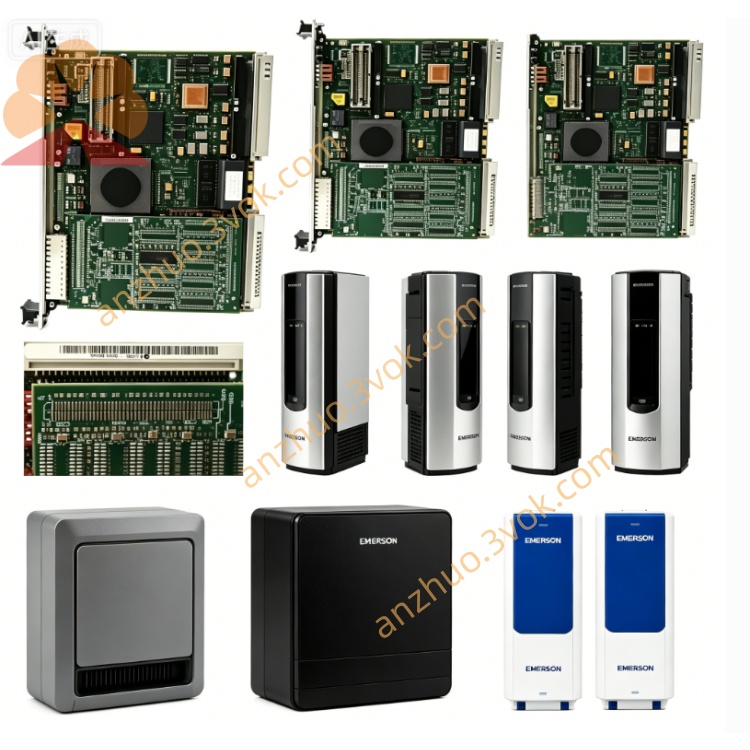
Emerson 404A747G02 Ovation DCS Signal Control Board
Description
Specifications
Manufacturer: Emerson / Westinghouse
Model: 404A747G02
Product Type: Remote I/O Extender Module (QEX)
Compatible Systems: Westinghouse Q‑Line DCS, Emerson OVATION DCS
Function: Extends communication, control, and power between main and remote I/O racks
Backplane Interface: Standard Q‑Line/OVATION backplane connector
Cable Interface: Dedicated Q‑Line extension port (front/rear)
Operating Temperature: 0 °C to +55 °C
Storage Temperature: −20 °C to +70 °C
Power Source: 24 VDC from rack backplane
Mounting: Standard Q‑Line/OVATION I/O rack slot
Status: Active; available as OEM new or refurbished
Key Features
Long‑Distance Signal Extension: Extends high‑speed control and data signals between main control racks and remote I/O enclosures, supporting distributed plant architectures.
Full Compatibility: Designed for seamless integration with legacy Westinghouse Q‑Line and modern OVATION DCS platforms, ensuring plug‑and‑play operation.
Integrated Power & Data: Transmits both control data and auxiliary power over the same extension link, reducing separate wiring complexity.
Robust Noise Immunity: Provides galvanic isolation and signal conditioning to maintain data integrity in high‑EMI industrial environments.
Hot‑Swappable: Can be inserted or removed from a live rack without system shutdown, minimizing maintenance downtime.
LED Status Indicators: Front‑panel LEDs for power, link activity, and fault status enable quick visual diagnostics.
Applications
Power Generation (Thermal / Nuclear): Connecting main control rooms to remote field I/O racks for turbine, boiler, and generator monitoring.
Petrochemical & Refining: Linking distributed process units, reactors, and storage areas to the central DCS.
Water / Wastewater Treatment: Extending control to remote pumping stations, filtration banks, and chemical feed skids.
Heavy Industry & Manufacturing: Supporting modular, distributed control systems in large production facilities.
Installation & Operation
Rack Installation: Insert the module into an available Q‑Line/OVATION rack slot. Ensure the backplane connector is fully seated and secure with mounting screws.
Cabling: Connect the dedicated Q‑Line extension cable to the module’s port and the remote I/O rack. Verify cable polarity and tight connections.
Power‑Up: The module receives 24 VDC from the backplane. Confirm the PWR LED is solid green.
Communication Check: Verify the LINK LED blinks, indicating active data transfer between main and remote racks.
Configuration: No software configuration is required; the module is automatically recognized by the Q‑Line/OVATION system.
Maintenance & Troubleshooting
Preventive Maintenance: Inspect LED indicators and cable connections quarterly. Clean the exterior with a dry, lint‑free cloth.
Power Fault (PWR LED Off): Check backplane power supply and module seating. Re‑seat the module or replace the backplane power unit if needed.
Link Fault (LINK LED Solid/Off): Verify extension cable integrity and connector pins. Replace damaged cables and re‑seat the module.
Physical Damage: Inspect for discoloration (overheating), bent pins, or loose components. Replace the module if internal damage is suspected.
Safety Notes
Electrical Safety: Disconnect rack power before installation, removal, or servicing to avoid electric shock.
ESD Protection: Use a grounded wrist strap and anti‑static mat when handling the module to prevent electrostatic damage.
Cable Handling: Avoid sharp bends or heavy loads on extension cables to prevent internal wire damage.
Compliance: Installation and operation must follow Emerson Q‑Line/OVATION standards and site safety regulations.
Warranty & Availability
Warranty: 12 months for new OEM units; 6–12 months for refurbished units (materials and workmanship).
Availability: In stock (new/refurbished); standard lead time 1–2 weeks; rush service available for critical applications.
Get a Quote