
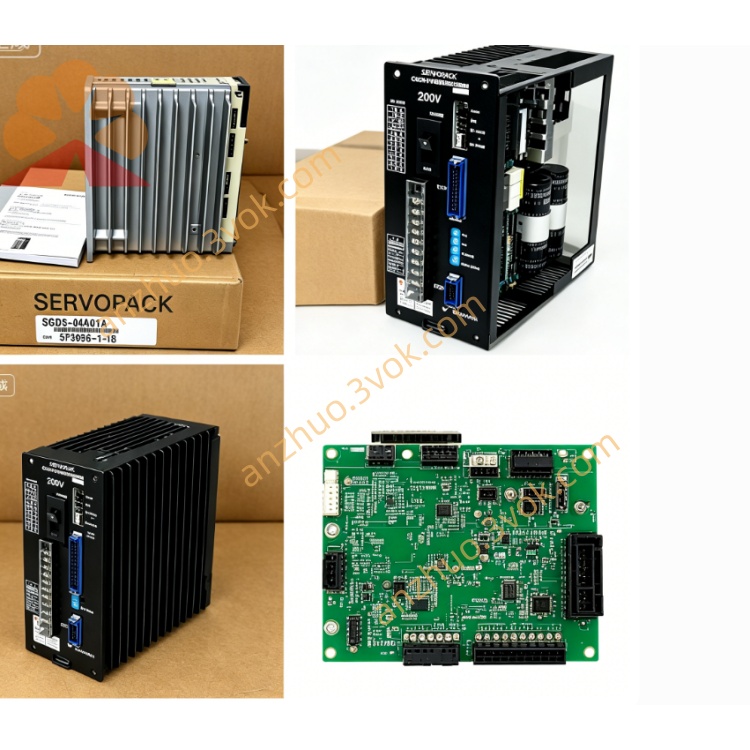
JANCD-XCP01B
Description
1. General Description

1.1 Key Features
High‑performance CPU: 66 MHz Motorola XPC105 real‑time processor
Memory: 16 MB DRAM(system/program)+ 1 MB SRAM(battery‑backed)
Onboard storage: CompactFlash slot(program/data backup & restore)
Integrated communication:
Ethernet 10/100 Mbps(TCP/IP, Modbus TCP)via JANCD‑XIF03‑1 daughter card
RS‑232C serial port(DB9)
Backplane interface: VME‑style system bus for JANCD‑XBB01 / XBB02(Slot 0)
Industrial‑grade ruggedness: Designed for 24/7 operation in automation environments
2. Specifications
2.1 Core & Memory
Processor: Motorola XPC105, 66 MHz
DRAM: 16 MB(volatile, system execution)
SRAM: 1 MB(non‑volatile, battery‑backed)
Storage: CompactFlash Type I/II slot(max. 2 GB)
Backup battery: 3 V lithium battery(Toshiba Ultra Lithium, ~5‑year life)
2.2 Electrical
Input voltage: 24 VDC ±10%(supplied via backplane CN1)
Current consumption: ~2.5 A(typical)
Protection: Overcurrent, overvoltage, overtemperature
2.3 Interfaces
CN1: 24 VDC power input(backplane)
CN2: System bus(to XBB01/XBB02 backplane Slot 0)
CN3: Ethernet RJ45(10/100 Mbps, XIF03‑1)
CN4: RS‑232C DB9(serial communication)
CF Slot: CompactFlash(front‑side access)
Battery holder: 3 V lithium battery(SRAM retention)
2.4 Physical & Environmental
Dimensions: 260 mm × 200 mm × 50 mm(L × H × W)
Weight: ~0.8 kg
Operating temperature: 0 °C to +55 °C
Storage temperature: −20 °C to +60 °C
Humidity: 5%–80% RH(non‑condensing)
Vibration: ≤0.5 G(10–500 Hz)
3. Board Layout & LED Indicators
3.1 Front‑Panel LEDs
| LED | Color | Status | Meaning |
|---|---|---|---|
| PWR | Green | ON | 24 VDC power normal |
| RUN | Green | Blinking | CPU running / program executing |
| ALM | Red | ON | System fault / error code present |
| COM | Yellow | Blinking | Ethernet data activity |
4. Compatibility
Robot controller: XRC2001, XRC1000(standard/extended cabinets)
Backplane: JANCD‑XBB01, JANCD‑XBB02(Slot 0 only)
Replacement compatibility:
Direct replacement for JANCD‑XCP01‑1 / XCP01C‑1
Factory‑approved substitute: 142154‑3R(latest revision)
Daughter cards: Compatible with JANCD‑XIF03‑1(Ethernet)and JANCD‑XMM01‑2(memory)
5. Installation & Replacement Procedure
5.1 Pre‑requisites
Qualified personnel only: Requires Yaskawa‑certified technicians
ESD protection: Anti‑static wristband and mat mandatory
Power OFF: Disconnect controller main power; wait 5 minutes for capacitor discharge
5.2 Step‑by‑Step Replacement
Locate the CPU slot: Identify Slot 0 on the XBB01/XBB02 backplane.
Disconnect cables: Unplug CN1(power), CN3(Ethernet), CN4(RS‑232C).
Remove old board: Loosen upper/lower screws; spread board levers; pull forward to extract.
Install new board: Align with Slot 0; insert firmly until seated; tighten screws.
Reconnect cables: Restore CN1, CN3, CN4 connections.
Power ON & verify:
PWR LED ON
RUN LED blinking
ALM LED OFF
COM LED blinks on network activity
5.3 Post‑Installation
Battery check: Replace lithium battery if >3 years old.
Program restore: If SRAM data lost, restore from CompactFlash backup.
System initialization: Re‑load CMOS file and user programs if required.
6. Troubleshooting
6.1 ALM ON / RUN Not Blinking
Check 24 VDC at CN1; verify backplane power supply.
Re‑seat CPU board in Slot 0; clean gold‑plated contacts.
Replace lithium battery; check SRAM integrity.
6.2 Ethernet Communication Failure
Verify Ethernet cable and RJ45 connection.
Check IP address settings; ping controller from host.
Re‑seat XIF03‑1 daughter card; inspect for damage.
6.3 User Program Loss
Replace lithium battery(every 2–3 years).
Restore programs from CompactFlash backup.
Check for loose battery holder or damaged wiring.
7. Ordering Information
Part Number: JANCD‑XCP01B‑1(DF9203887‑B0)
Replacement Part: 142154‑3R(latest revision)
Manufacturer: Yaskawa Electric Corporation
Warranty:
New original: 12 months
Refurbished: 24 months
8. Safety Warnings
Electrical hazard: High voltage present; disconnect power and wait 5 minutes before servicing.
ESD sensitivity: Static electricity can damage components; use anti‑static protection at all times.
Data loss risk: Incorrect battery replacement or board removal may erase user programs; always back up data to CompactFlash.
Unauthorized modification: Void warranty and may cause equipment damage or personal injury.
Get a Quote