
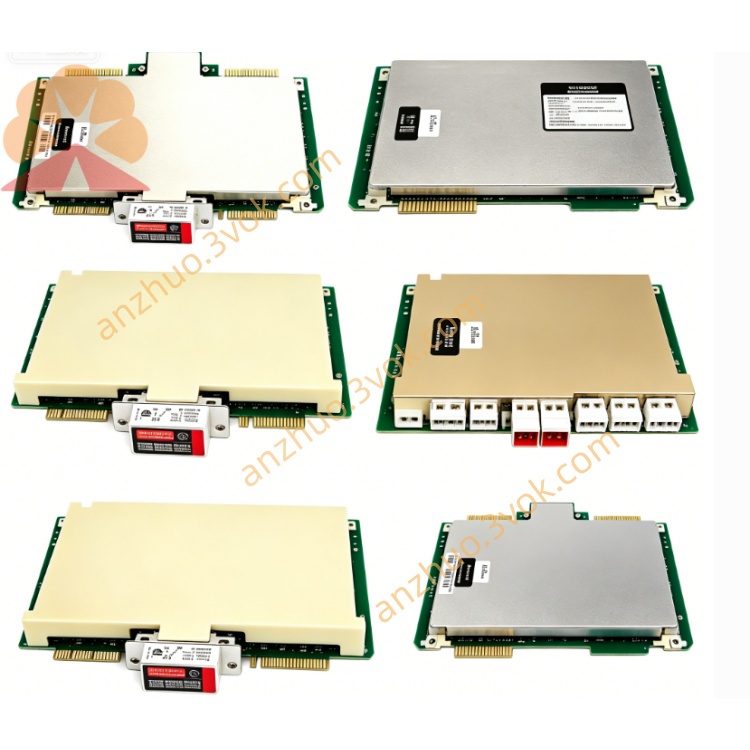
Honeywell 51191578-100 (19-inch operation interface PC board)
Description
Model Explanation
51191578-100
51191578: Basic model (operating station interface main control board)
-100: Hardware version / configuration code (standard version) Technical Specifications
Adaptation System: Honeywell TDC3000, TPS System GUS Operating Station (19-inch)
Processor: Industrial-grade embedded CPU, high real-time performance
Memory / Storage: On-board RAM and Flash, firmware for the system is pre-installed
Display Interface: Supports VGA output, compatible with 19-inch CRT / touch screen
Input Interface: Touch signal processing, PS/2 keyboard / mouse interface
Operating Temperature: 0°C ~ +50°C
Environmental Humidity: 5%–95% (no condensation)
Board Size: Standard industrial board specification, compatible with GUS operating station chassis
Protection / Compliance: Industrial-grade anti-interference design, compliant with ISA S71.04 environmental standards
Interface and Communication Configuration
On-board Interfaces: VGA, USB/PS/2, Ethernet, serial port, power interface
Internal Bus: Compatible with GUS operating station internal backplane bus
External Connections: Connect to display, touch screen, keyboard, mouse, network switch
Core Functions
Operating Station Control: Coordinating display output, input signal acquisition, and system communication
Signal Processing: Touch coordinate resolution, keyboard / mouse command conversion, video signal driving
Communication Management: Interacting with DCS control station data, ensuring the transmission of operation instructions and process data
Firmware Support: Pre-installed drivers and protocol stack compatible with TDC3000/TPS, plug-and-play Applicable scenarios
Honeywell TDC3000/TPS System 19-inch GUS Operator Station
DCS operation room for process industries such as chemical, power, and metallurgy
Project for replacing old operation station mainboards and upgrading the system
User and maintenance instructions
Installation: Insert the operation station chassis into the corresponding slot and tighten the screws
Commissioning: Power on and the hardware will automatically identify and match the system drivers, no additional configuration required
Maintenance: Regular dust removal, check interface connections; avoid static electricity, humidity, and strong electromagnetic interference
Spares: It is recommended to make a 1:1 backup for key operation stations to shorten the downtime in case of failure
Get a Quote