
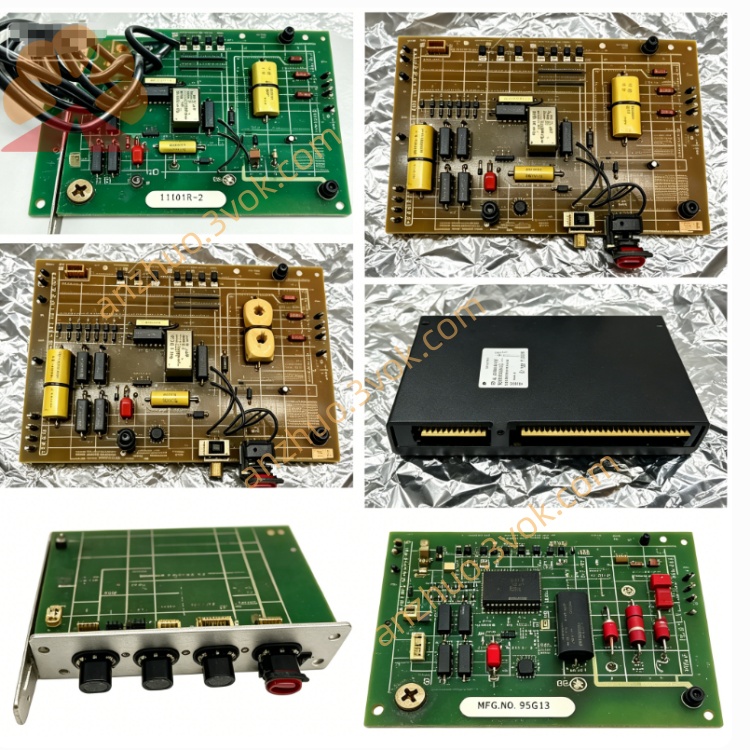
RELIANCE 57416-S Remote I/O Communication Module
Description
Product Overview
Model Definition
RELIANCE: Brand (now part of ABB/Baldor).
57416: Core series for AutoMax Remote I/O Communication Modules, connecting master and remote racks.
S: Standard enhanced version, featuring improved noise immunity and stable firmware for mainstream applications.
Technical Parameters
Backplane Power: 5VDC, 2.5A (from AutoMax rack).
Network Interface: RS-485 differential, multi-drop, up to 31 nodes.
Serial Debug Port: RS-232C, 9-pin D-Sub (local monitoring/test).
Drop Address: Set via two thumbwheel dials (00–99).
Operating Temperature: 0°C to +60°C; storage -40°C to +85°C.
Diagnostics: Multi-color LEDs (PWR, RUN, COM, FAULT); 7-segment display for fault codes.
Form Factor: Single-slot AutoMax rack; industrial-grade, IP20.
Certifications: UL, CE; ESD/surge protected.
Interface and Communication Configuration
Backplane: Connects to AutoMax DCS 5000 backplane for power and internal control data.
Remote I/O Network: Isolated RS-485 port (terminal block) for multi-drop remote I/O racks; supports daisy-chain topology.
Local RS-232 Port: For module testing, status monitoring, and local I/O point access/modification.
Addressing: Thumbwheel dials set unique drop number for network identification.
Indicators: LEDs for power, run, communication activity, and faults; 7-segment display shows diagnostic codes.
Core Functions
Remote I/O Networking: Links master processor rack to remote I/O racks, enabling distributed control across large systems.
Data Routing: Transmits control commands from master to remote I/O and returns sensor/device data to master.
Network Management: Manages RS-485 multi-drop communication, ensuring data integrity and collision avoidance.
Local Diagnostics: RS-232 port and display allow on-site testing, fault diagnosis, and I/O verification.
System Expansion: Facilitates scalable I/O deployment without master rack reconfiguration.
Application Scenarios
Operation and Maintenance Instructions
Installation: Power off the rack before insertion. Seat firmly in a single slot and secure. Connect RS-485 network wiring per terminal labeling; set drop address via thumbwheels.
Operation: Keep the rack area dry, ventilated, and free of dust/corrosive gases. Monitor LEDs and 7-segment display for status/faults.
Maintenance: Periodically check terminals for tightness/aging; clean connectors and indicators. If fault codes appear, power off, re-seat the module, and inspect wiring. Do not disassemble the housing. Replace only with 57416-S or compatible 57C416 to ensure network compatibility.
Get a Quote