
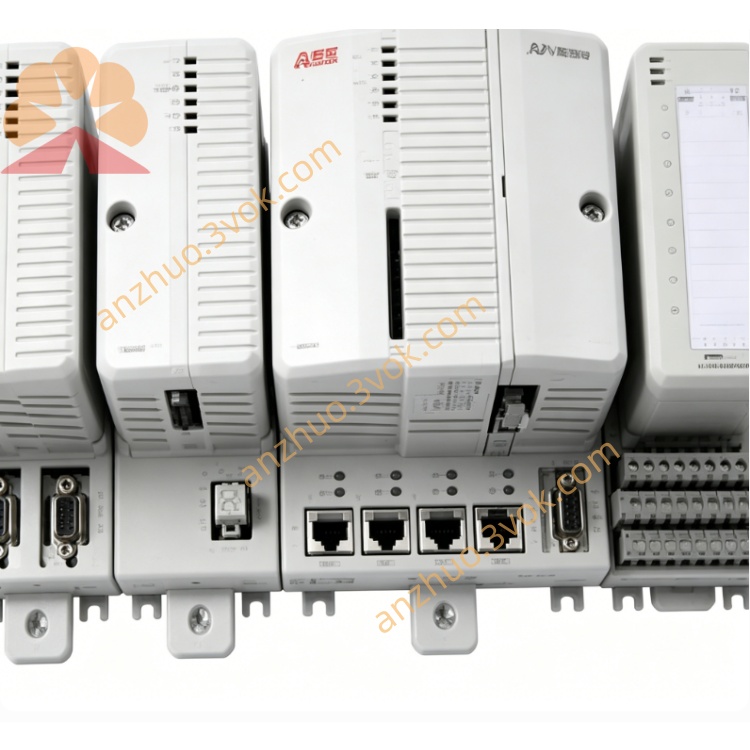
ABB 1SAP220900R0001(CI511‑ETHCAT)EtherCAT communication interface module
Description
Product Introduction
Model Explanation
1SAP220900R0001: ABB part number.
CI511‑ETHCAT:
CI = Communication Interface
511 = S500 EtherCAT interface code
ETHCAT = EtherCAT protocol
220900: S500 EtherCAT mixed I/O platform code
R0001: Initial hardware revision
Key feature: 4AI/2AO/8DI/8DO, EtherCAT slave, mixed I/O.
Technical Parameters
Analog Inputs (AI): 4 ch, voltage/current/RTD (PT100/PT1000)
Analog Outputs (AO): 2 ch, ±10 V / 0/4–20 mA
Digital Inputs (DI): 8 × 24 VDC, sink/source
Digital Outputs (DO): 8 × 24 VDC, 0.5 A/ch, short‑circuit protected
Bus interface: EtherCAT slave, 2 × RJ45 (10/100 Mbps), daisy‑chain
Power supply: 24 VDC (backplane), < 1.5 W
Protection: IP20
Operating temperature: 0 °C to +60 °C (horizontal); 0 °C to +40 °C (vertical)
Storage temperature: −40 °C to +70 °C
Humidity: 0–95 % non‑condensing
Dimensions (W×H×D): 67.5 mm × 76 mm × 62 mm
Weight: ~0.138 kg
Mounting: DIN rail (TH35‑15)
Certifications: CE, UL, CSA, RoHS
Compatibility: AC500 V2/V3/eCo/S; S500 I/O system.
Interface and Communication
Backplane: S500 I/O bus (plug‑and‑play)
Field wiring: Screw terminals for analog/digital devices
Fieldbus: EtherCAT slave, 2‑port switch (daisy‑chain)
Expansion: Up to 10 more S500 I/O modules
Hot swap: Yes
LEDs: PWR, RUN, ERR, EtherCAT link/activity, I/O status.
Core Functions
Mixed I/O: 4AI/2AO/8DI/8DO all‑in‑one
EtherCAT connectivity: High‑speed real‑time link for AC500/EtherCAT systems
Signal conditioning: Isolation, filtering, surge protection
Distributed control: Remote I/O expansion via EtherCAT
Compact design: Saves cabinet space for mixed I/O needs.
Application Scenarios
ABB AC500/EtherCAT systems needing EtherCAT + mixed analog/digital I/O
Factory automation: Conveyors, packaging, material handling with analog sensing
Process automation: Pump/valve control, temp/pressure/flow monitoring
Machine building: CNC, robotics, assembly lines with EtherCAT
Smart manufacturing: Industrie 4.0, real‑time Ethernet applications.
Usage and Maintenance
Mount on DIN rail; ensure airflow, avoid dust/condensation
Connect 24 VDC backplane power (correct polarity)
Plug into S500 backplane, lock securely
Wire field devices to screw terminals (0.6 Nm)
Configure EtherCAT via AC500 software (slave address, I/O mapping)
Check LEDs: PWR (on), RUN (green), ERR (red = fault), EtherCAT (link/activity)
Periodically tighten terminals, clean dust, inspect for corrosion
Troubleshoot: Verify power, EtherCAT cable/connection, LEDs first; replace if faulty.
Get a Quote