
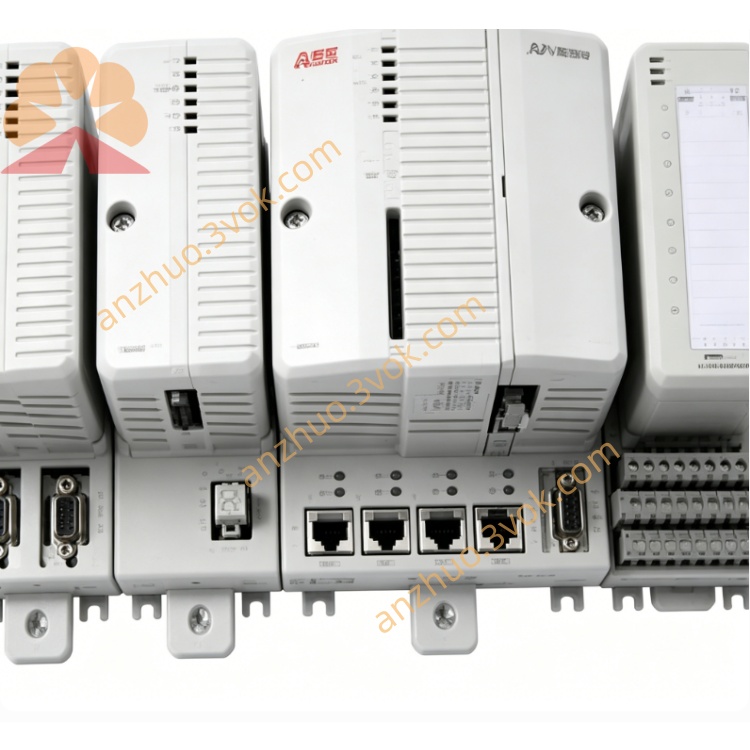
ABB 1SAP111100R0170(TB511‑ETH)CPU terminal base
Description
Product Introduction
Model Explanation
1SAP111100R0170: Full order number
TB511‑ETH: Type designation(ETH=Ethernet)
Series: ABB AC500 V2 PLC
Function: CPU mounting base + communication expansion
Slot: 1 × CPU slot; 1 × coupler slot
Technical Parameters
Power Supply: 24 V DC (±10%)
Communication Interfaces:
1 × Ethernet RJ45 (TCP/IP)
2 × serial (RS232/RS485, configurable)
Terminals: Spring‑type, tool‑free
Operating Temp: 0°C to +60°C
Storage Temp: -40°C to +70°C
Humidity: 5%–95% RH (non‑condensing)
Protection: IP20
Dimensions: ~135 × 95 × 30 mm
Weight: ~0.16 kg
Certifications: CE, UL, FCC
Core Functions
CPU Mounting: Dedicated slot for AC500 V2 CPU module.
Network Communication: Ethernet for SCADA, HMI, and programming.
Serial Connectivity: RS232/RS485 for third‑party devices or Modbus.
I/O Expansion: 1 coupler slot for fieldbus modules (e.g., Profinet, EtherCAT).
Hot‑Swap: Base remains powered during CPU replacement.
Application Scenarios
Factory Automation: Production line control, assembly systems.
Process Industries: Water treatment, chemical, pharmaceutical.
Infrastructure: Building automation, energy management.
Machine Building: Packaging, textile, and plastic machinery.
Usage & Maintenance
Mount on DIN rail; connect 24 V DC and Ethernet/serial cables.
Insert AC500 V2 CPU into the dedicated slot.
Configure IP and serial parameters via Automation Builder.
Keep terminals clean; avoid over‑torqueing wires.
Operate within temperature limits; protect from condensation.
Get a Quote