
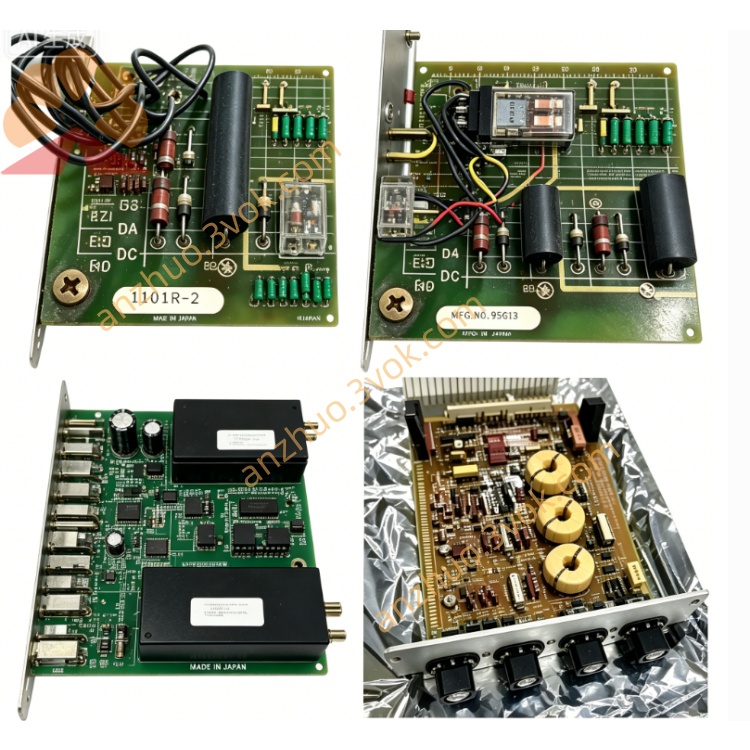
Reliance 45C-410 Industrial PLC Processor Module
Description
Product Introduction
45C-410 can also be labeled as 45C410. It is a high-performance control processor module that is compatible with Ryan (now ABB) AutoMate and AutoMax series PLCs. This module is equipped with a dedicated microprocessor and serves as the main control unit of the system, responsible for running control programs, managing I/O points, and handling various communication tasks. This model is currently out of production. Currently, only refurbished parts, inventory spare parts, and brand-new inventory items are available for use in the maintenance of old automation systems.
Model Interpretation
45C is the unified prefix for Ryan's AutoMate 45C control components. 410 represents the high-performance control processor module. 45C-410 and 45C410 are the conventional numbering conventions for the industrial field, referring to the same product. Some products have suffixes such as A, B, C, etc., which only distinguish different hardware revision versions, while the core functions of the module remain consistent.
Technical Specifications
The module type is a high-performance central processing unit module. The core uses the Motorola 68000 microprocessor. It is compatible with the AutoMate 40, 40E, 40X, and AutoMax series PLC systems. It has an internal 8K×16-bit non-volatile storage unit and supports memory expansion. It is equipped with one RS-232 communication serial port. The module is powered by 5 volts DC from the backplane of the frame. The overall weight is approximately 0.91 kilograms. The operating temperature range is 0 degrees Celsius to 55 degrees Celsius. When installed, it occupies one standard slot of the 45C series frame.
Interface and Communication Configuration
Before installing the module, it is necessary to cut off the power supply of the entire system. Place the module smoothly into the frame slot and tighten the fixing screws. Do not plug or unplug it while powered on. The external communication interface is an RS-232 serial port, which can be connected to programmers, human-machine interfaces, and upper-level monitoring equipment. Through the dedicated backplane bus of the frame, data interaction is realized between the module and various I/O modules and coprocessors. The front of the module is equipped with three types of status indicator lights for power, operation, and fault, which directly reflect the operating conditions. The module does not have a built-in dip switch. All programs and parameters are configured and downloaded through the accompanying programming software. Core function
It has high-speed computing capabilities and can stably execute complex control programs written in ladder diagrams and high-level languages. It manages all input and output points of the system, and supports up to 1024 digital signals and 64 analog signals. It uses the RS-232 serial port to complete program upload, download, and real-time transmission of on-site data. It integrates hardware self-checking function, triggering light alarms when the equipment malfunctions and retaining fault codes. It supports multi-task segmented operation, meeting the control requirements of complex industrial production processes.
Applicable scenarios
The old control modules in the AutoMate and AutoMax systems can be directly replaced. It is suitable for the core logic control of complex and old production lines in industries such as automobiles, metallurgy, papermaking, and textiles. In equipment renovation projects, the original I/O modules and wiring can be retained, and only the main control unit needs to be replaced to reduce the renovation cost. When used with the upper-level equipment, it can complete on-site production data collection, status monitoring, and remote communication.
Installation and Maintenance Instructions
Before installation, cut off the main power supply of the system, clean the miscellaneous items in the rack slots, ensure that the module and the backplane are in good contact and the screws are tightened. Connect the programming device through the RS-232 interface, download the matching control program and complete the verification. After confirming there are no errors, power on the equipment. Regularly check the status of the panel indicator lights and clean the dust on the module surface in time. Ensure that the ventilation of the equipment rack is smooth and do not cover the module heat dissipation areas to avoid faults caused by high temperature. When there is an abnormal operation, prioritize checking the power supply of the backplane and the connection of the lines. For program failures, you can re-download the program or troubleshoot the logic. For hardware damage, directly replace the module. Before performing disassembly, maintenance, etc., completely disconnect the power supply and strictly follow safety regulations to prevent electric shock and module burnout.
Get a Quote