
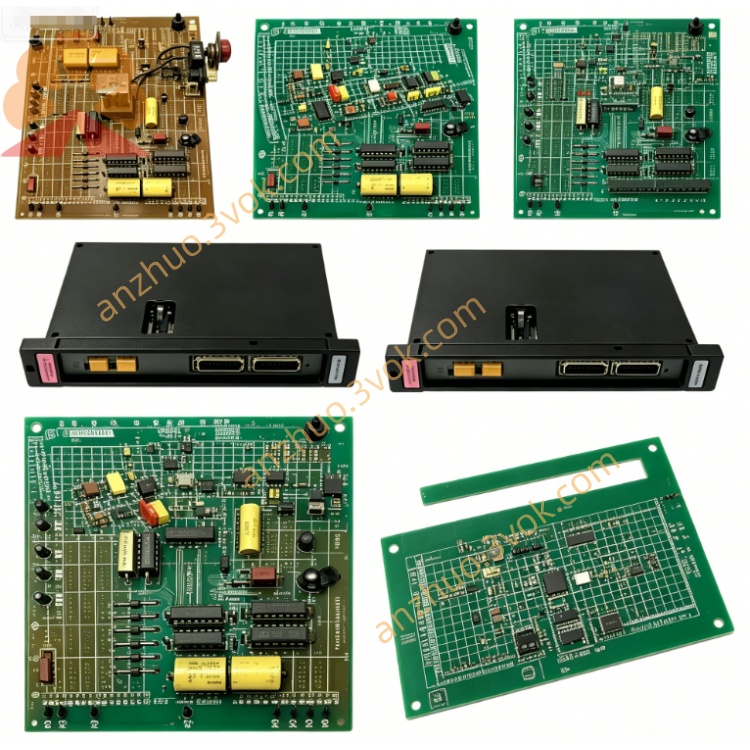
Reliance 45C225(AutoMate 20E CPU)
Description
I. Product Introduction
Reliance 45C225 is an enhanced PLC CPU module of the AutoMate 20E series launched by American Reliance Electric (subsequently belonging to ABB/Baldor). It is an upgraded model of the AutoMate 20 basic version (such as 45C20A), featuring stronger computing power, larger storage capacity, and built-in PID control capability, suitable for complex process control scenarios. This module has been completely discontinued. Currently, only second-hand, refurbished, or inventory new versions (NOS) are used for legacy system maintenance and replacement, and no new original factory products are available.
II. Model Interpretation
45C: The unified prefix for Reliance AutoMate 45C series control and I/O components, representing the core control family of the PLC.
225: The core model, defined as the AutoMate 20E enhanced CPU, distinct from the basic version 20 series (such as 45C20A, 45C204A); "E" stands for Enhanced.
Suffix (optional): Without letters is the standard version; C/D are hardware revision versions (45C225C/45C225D), functionally fully compatible with the standard version, only with hardware circuit optimization.
Alternative model: 802803-38RB (original part code, exactly the same as 45C225).
III. Technical Parameters
Processor: Enhanced 16-bit CPU, with an approximately 30% increase in computing speed compared to 45C20A.
Program memory: 4K×16-bit non-volatile RAM (permanent retention when power is off, no battery backup required).
Data registers: 512 general-purpose registers (45C20A has only 128); "E" indicates Enhanced.
PID control: Built-in 20 independent PID loops, supporting closed-loop control for temperature, pressure, flow, etc. (45C20A has no PID function).
I/O capacity: Supports up to 256 digital input/output points and 64 analog input/output points, expandable to remote I/O stations.
Power supply specifications: 120/240 VAC, 50/60 Hz, 0.5A (120V)/0.25A (240V), independent power supply (non-backplane power extraction).
Environmental parameters: Operating temperature 0–55℃, storage temperature - 20–70℃; humidity 20%–90% (no condensation); anti-vibration 2G RMS (20Hz–2000Hz).
Physical characteristics: Metal casing, DIN rail or panel mounting; approximately 233mm×20mm×262mm in size, approximately 0.9kg in weight.
Fuse: Built-in 250V AGC 2A replaceable fuse, overcurrent protection.
Front panel interfaces:
RS-232 port (DB25): Isolated, default 9600bps, 8 data bits, no parity, used for PC programming, upper computer monitoring or HMI connection; comes with isolated power supply, no external power supply required.
R-NET coaxial interface: Special industrial network port, supports R-NET peer-to-peer network, up to 32 AutoMate nodes can be connected to achieve multi-PLC distributed control.
I/O rail interface (4 channels): Connects to local I/O rail, can expand up to 64 digital or 16 analog points; combined with remote I/O head can expand to the maximum I/O capacity.
Power terminals: 120/240 VAC input, ready relay contacts (open when faulty).
IV. Interface and Communication Configuration
Front panel interfaces:
RS-232 port (DB25): Isolated, default 9600bps, 8 data bits, no parity, used for PC programming, upper computer monitoring or HMI connection; comes with isolated power supply, no external power supply required.
R-NET coaxial interface: Special industrial network port, supports R-NET peer-to-peer network, up to 32 AutoMate nodes can be connected to achieve multi-PLC distributed control.
I/O rail interface (4 channels): Connects to local I/O rail, can expand up to 64 digital or 16 analog points; combined with remote I/O head can expand to the maximum I/O capacity.
Power terminals: 120/240 VAC input, ready relay contacts (open when faulty). Status indicator lights (front panel):
PWR: Power is normal (always on).
RUN: Program is running (flashing); fault / stop (always on).
COMM: RS-232 communication is active (flashing).
R-NET: Network communication is active (flashing).
RAIL FAULT: I/O rail communication failure (always on).
FORCING: Input / output forcing state is activated (always on).
VII. Core Functions
Enhanced logic processing: Supports enhanced ladder logic instruction set, including advanced operations (multiplication, division, square root), shifting, jumping, and subroutine calls, with faster scanning speed, suitable for complex logic control.
Built-in PID control: 20 independent PID loops, support self-tuning, manual / automatic switching, positive and negative action settings, can achieve closed-loop control without additional modules, suitable for temperature, pressure, flow, etc. process scenarios.
Large-capacity data processing: 4K program space + 512 data registers, support complex formula storage, historical data recording, multi-variable calculation, meeting the requirements of medium and large-scale automation systems.
R-NET network networking: Supports 32-node R-NET network, realizes multi-PLC data sharing, synchronous control and remote monitoring, builds a distributed control system.
Remote programming and monitoring: Connect to PC via RS-232, can remotely download / upload programs, online monitor I/O status, modify parameters, diagnose faults, maintenance is convenient.
Complete fault diagnosis: Real-time detect power supply, communication, I/O rail, program errors, through indicator lights and internal diagnostic codes, quickly locate problems.
VI. Applicable Scenarios
Legacy system upgrade replacement: Directly replace AutoMate 20 basic version CPU (45C20A/45C204A), retain original I/O modules and wiring, improve system performance and add PID control capability.
Process control industry: Chemicals, water treatment, pharmaceuticals, food and beverage, etc., used for reaction vessels, storage tanks, pipelines' temperature / pressure / flow closed-loop control.
Industrial manufacturing: Automotive assembly lines, metal processing, heat treatment furnaces, etc., realize multi-station logic control + analog quantity closed-loop control.
Distributed control system: Factory workshop multi-device networking control, through R-NET network realize multi-PLC collaborative work, suitable for medium and large-scale automation lines.
Old equipment renovation: No need to replace the entire system, only upgrade CPU to achieve function expansion and performance improvement, reduce renovation costs.
VII. Usage and Maintenance Instructions
Installation steps: ① In the power-off state, insert the module into the AutoMate 20 series backplane rail, ensure the edge connector is firmly connected; ② Tighten the panel fixing screws to avoid vibration loosening; ③ Connect 120/240 VAC power to the power terminals, confirm the wiring is correct; ④ Connect the RS-232 programming cable or R-NET coaxial cable.
Programming configuration: ① Use IBM-compatible PC or dedicated handheld programmer, connect the CPU via RS-232; ② Configure communication parameters (baud rate, data bits, parity bit), default 9600bps; ③ Write ladder logic program, configure PID loop parameters (proportion, integral, derivative, sampling period); ④ Download program to CPU, switch to RUN mode, confirm the indicator light status is normal.
Daily maintenance: ① Check once a month, after power-off, clean the module surface dust (wipe with a dry soft cloth, avoid liquid contact); ② Check the power connection, communication cable connection is not loose, no loosening or oxidation; ③ Observe the status of the indicator lights and regularly back up the program to the PC to prevent program loss; ④ Check the fuses quarterly. If they are blown, replace them with fuses of the same specification (250V AGC 2A) of the same voltage, and investigate the cause of overcurrent.
Troubleshooting: ① The PWR light is not on: Check the AC power input, whether the fuse is blown, and whether the wiring of the power terminals is correct; ② The RUN light is constantly on (fault): Read the diagnostic code through the programmer to investigate program errors, I/O track faults, or CPU hardware damage; ③ The COMM light does not flash: Check the RS-232 wiring, whether the baud rate configuration is matched, and whether the PC serial port is normal; ④ The RAIL FAULT light is on: Check the I/O track connection, whether the module is loose or damaged.
Safety regulations: ① All installation, maintenance, and wiring operations must be carried out in a completely powered-off state. After power-off, wait for 5 minutes for the capacitors to discharge to avoid electric shock; ② Do not plug in or unplug modules, wire, or replace fuses while powered on; ③ Only use original or certified accessories to avoid module damage caused by incompatible parts; ④ When the module is faulty, prioritize professional repair or replacement. Non-professionals are not allowed to disassemble the casing.
Get a Quote