
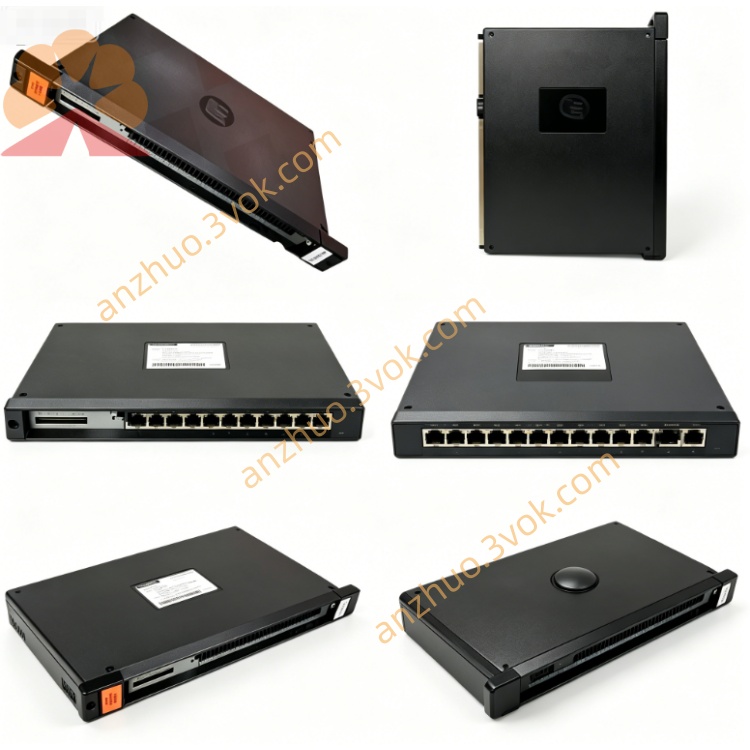
Reliance 45C220B (45C-220B)
Description
Product Description
Model Number Interpretation
45C: Unified prefix for Reliance AutoMate 45C series control and interface components.
220: Designates a dedicated R-NET communication interface module for AutoMate 20 systems.
B: Represents the second hardware revision, featuring improved signal integrity, enhanced noise immunity, and more robust circuit protection compared to the original 45C220.
Hyphen: Optional industrial part-number formatting (45C-220B = 45C220B), with identical functionality and specifications.
Technical Specifications
Power Supply: 5 VDC (from backplane), 1.2 A typical current consumption.
Network Protocol: Proprietary R-NET (Reliance Network) token-passing protocol.
Transmission Media: 75 Ω coaxial cable (BNC connectors), single or dual-cable configuration.
Network Speed: 1 Mbps maximum data transfer rate.
Node Capacity: Supports up to 32 AutoMate PLC nodes per R-NET network segment.
Distance: Maximum 1,000 meters (3,280 ft) per segment with proper cable and termination.
Operating Temperature: 0°C to 55°C; humidity 20%–90% non-condensing.
Mounting: DIN-rail or panel mount via AutoMate 20 series backplane.
Weight: ~1.5 kg (3.3 lbs); rugged metal enclosure for industrial durability.
Diagnostics: On-board LEDs for network status, activity, and fault indication.
Interface and Communication Configuration
Network Ports: Two BNC connectors (primary/secondary) for redundant or single R-NET cabling.
Backplane Interface: Proprietary AutoMate 20 series edge connector for power and data exchange with the host CPU (e.g., 45C20A).
Status LEDs:
PWR: On when 5 VDC backplane power is present.
NET OK: On when the R-NET network is operational and synchronized.
TX/RX: Flashes during data transmission/reception.
FAULT: On for network errors (e.g., cable break, termination fault, node conflict).
Termination: Built-in 75 Ω termination resistor, enabled via DIP switch for end-of-line nodes.
Core Functions
R-NET Network Management: Acts as a master or slave node to manage token passing, data routing, and synchronization across the network.
High-Speed Data Exchange: Transfers I/O status, register data, and program commands between PLCs at 1 Mbps, supporting real-time coordinated control.
Network Redundancy: Supports dual-cable R-NET configurations for fault-tolerant communication in critical applications.
CPU Offloading: Handles all R-NET communication tasks independently, reducing the main CPU’s workload and improving scan time efficiency.
Fault Detection and Reporting: Monitors network health continuously, with LED indicators and diagnostic codes for quick troubleshooting of cable, termination, or node issues.
Application Scenarios
Legacy AutoMate 20 Network Systems: Direct replacement or upgrade for aging 45C220 interface modules in multi-PLC manufacturing lines.
Distributed Industrial Control: Used in automotive assembly, packaging, and material handling systems requiring coordinated control across multiple zones.
Process Automation Networks: Deployed in water treatment, pharmaceutical, and food & beverage plants to link PLCs controlling pumps, valves, and production equipment.
Retrofit Projects: Ideal for expanding or modernizing older AutoMate 20 systems without full hardware replacement, preserving existing investments.
Redundant Communication Systems: Applied in critical processes (e.g., power utilities, chemical processing) where network uptime is essential.
Usage and Maintenance Instructions
Installation: Insert the module into an available slot on the AutoMate 20 backplane, ensuring secure connection; set the DIP switch for termination if the module is an end node.
Wiring: Connect 75 Ω coaxial cable to the BNC ports, following R-NET network topology rules (linear or star); avoid sharp bends and ensure proper grounding.
Power-On Check: Apply power to the backplane; confirm the PWR and NET OK LEDs are on, with no FAULT indication.
Routine Maintenance: Quarterly inspections; clean dust from BNC connectors and enclosure; check cable tightness and termination switch setting; verify LED status during operation.
Safety: Disconnect all AC power to the backplane and wait 5 minutes for discharge before servicing; avoid live maintenance; use only 75 Ω R-NET-compatible coaxial cables and connectors.
Get a Quote