
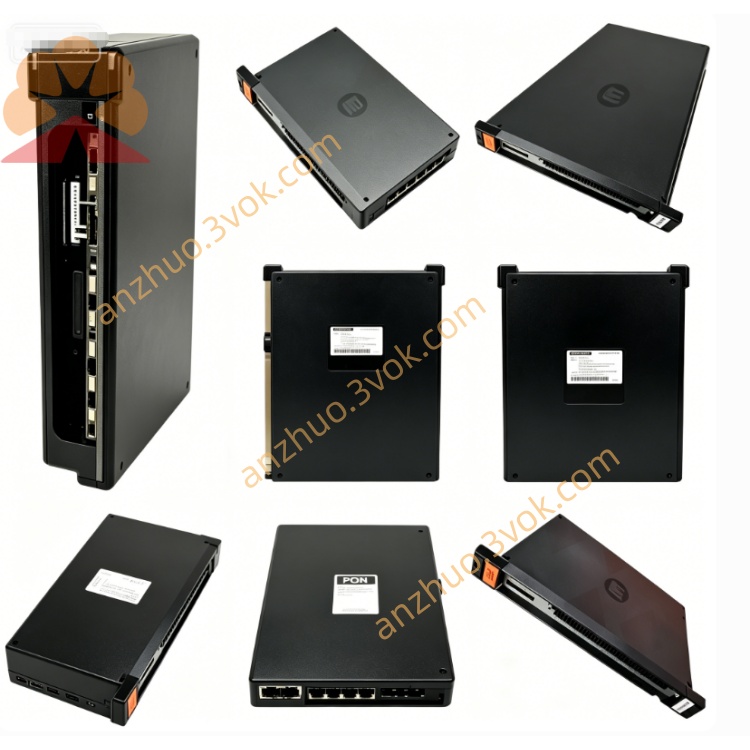
Reliance 103902-15T
103902-15T is a dynamic memory board developed by Reliance Electric, now part of ABB and Baldor. It is specially designed for AutoMax PLC and MaxPak DC drive systems. Serving as a core memory expansion unit, it stores user programs, data tables, configuration parameters and diagnostic data. The board is installed on the AutoMax backplane to ensure stable and high-speed operation of control logic.
Description
Product Description
103902-15T is a dynamic memory board developed by Reliance Electric, now part of ABB and Baldor. It is specially designed for AutoMax PLC and MaxPak DC drive systems. Serving as a core memory expansion unit, it stores user programs, data tables, configuration parameters and diagnostic data. The board is installed on the AutoMax backplane to ensure stable and high-speed operation of control logic.
Model Definition
The prefix 103 represents the expansion board platform for Reliance AutoMax and MaxPak systems. The code 902 indicates the product is a dynamic memory board. The number 15 stands for the hardware revision and 15K word storage capacity. The suffix T means the board is built for industrial temperature range and coated with conformal coating for environmental protection.
Technical Specifications
This board adopts high-speed CMOS dynamic RAM with a total storage capacity of 15K 16-bit words. It is equipped with an internal backup battery, which can retain data for no less than 72 hours after power loss. It is powered by 5 VDC from the backplane with a tolerance of plus or minus five percent, and the typical power consumption is less than 5 watts. It connects to the AutoMax backplane bus with a data transmission rate over 1 Mbps. The operating temperature ranges from 0 degrees Celsius to 60 degrees Celsius, and the storage temperature is from minus 40 degrees Celsius to 85 degrees Celsius. The relative humidity is 5% to 95% without condensation. The entire circuit board is covered with conformal coating to resist moisture, dust and corrosion.
Interface and Communication Configuration
It connects to the AutoMax rack backplane via edge connectors to obtain power and exchange data through address and data buses. An internal battery holder is reserved for the backup lithium battery to maintain data when the system is powered off. Onboard LED indicators display power status, running status and fault alarms, together with test points for maintenance and troubleshooting. This board has no independent communication ports, and all data interaction is completed through the backplane bus with the main CPU and control boards.
Core Functions
It stores user control programs such as ladder diagrams and function blocks, and supports online program editing and execution. It caches real-time operational data including timers, counters and process variables. All system configuration and threshold parameters are saved inside the board, and the data will not be lost after power failure. It also temporarily records fault codes and operation logs for system diagnosis. It realizes high-speed data exchange with the main controller via the backplane bus to guarantee real-time control performance.
Application Scenarios
This product is fully compatible with Reliance AutoMax PLC systems as a standard memory expansion module. It also matches MaxPak and MaxPak Plus DC drive units, and works cooperatively with control boards like 100C64 for DC motor speed regulation. It is widely applied in heavy industries including steel, papermaking, mining and cement production. It is suitable for automated equipment that requires continuous operation and reliable data storage under harsh industrial conditions with dust, vibration and electromagnetic interference.
Usage and Maintenance Instructions
Usage
Insert the board gently into the designated slot of the AutoMax rack and fasten the fixing screws to ensure reliable contact of edge connectors. No external wiring is required, as power supply and signal transmission are realized through the backplane. Check the status of the internal backup battery regularly before system startup. After installation, power on the system and confirm the board works normally via onboard indicators.
Maintenance
Keep the control cabinet clean and dry all the time. Remove dust on the board regularly with dry compressed air to avoid poor heat dissipation and insulation problems. Inspect the backup battery periodically and replace it in a timely manner once it is depleted. Store spare boards in anti-static bags and place them in cool and dry areas. Do not disassemble the board without authorization. All inspection and repair work must be performed by qualified professional technicians.
Get a Quote