
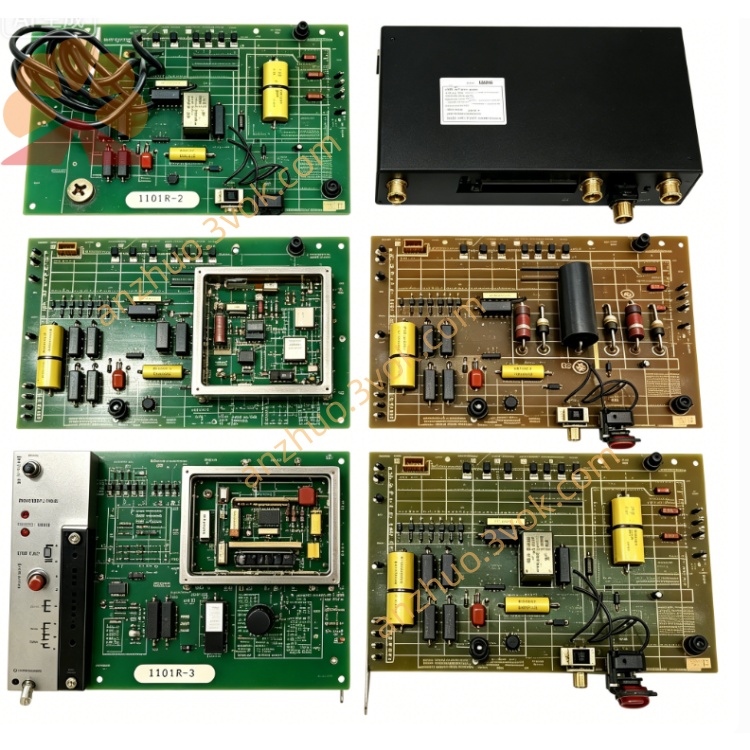
0-60029-1
Description
Model Number Definition
0-: Standard Reliance board prefix60029: Series identifier (SA 3000 parallel interface card)1: Hardware revision (1st version, standard communication feature set)
Technical Specifications
Card Type: Parallel Interface / Communication Card
Compatibility: AutoMax SA 3000 series AC/DC drives
Data Bus: 16‑bit parallel, bidirectional
Connector: D‑sub 25‑pin (female) on front panel
Logic Voltage: +5 V DC (from rack backplane)
Communication Speed: Up to 1 Mbps
Isolation: 500 V DC (signal‑to‑backplane)
Operating Temperature: 0–55 °C
Storage Temperature: -20–70 °C
Dimensions (W×H×D): Approx. 30 × 220 × 180 mm
Weight: Approx. 1.5 kg
Mounting: Standard slot in SA 3000 rack
Status Indicators: 3 LEDs (PWR, ACT, FLT)
Interface & Communication
Front Panel:
D‑sub 25‑pin: Parallel I/O to external PLC/controller
LEDs:
PWR (green): On = +5 V OK
ACT (yellow): Blinking = data activity
FLT (red): On = communication fault
Backplane Edge Connector:
Power: +5 V, GND
Parallel data: 16 data lines, 4 control lines
Status: Fault output, reset input
Protocol: Reliance proprietary parallel protocol (compatible with AutoMax PLCs)
Core Functions
Parallel Data Communication: Transmits/receives 16‑bit command, status, and setpoint data between drive and external controller.
Drive‑PLC Integration: Enables remote start/stop, speed reference, torque control, and fault monitoring from a host PLC.
Signal Conditioning & Buffering: Buffers and level‑shifts parallel signals for noise immunity in industrial environments.
Fault Detection & Reporting: Checks for parity errors, timeouts, and bus conflicts; reports faults to the drive and external system.
System Diagnostics: Provides LED status for quick troubleshooting of communication links.
Applications
AutoMax SA 3000 Drives: High‑power AC/DC drives for metal rolling, paper machines, extruders, cranes, and conveyors.
Legacy System Upgrades: Replaces older interface cards to restore communication with existing PLCs (e.g., Reliance Automate).
Industrial Motion Control: Used in lines requiring fast, deterministic parallel control (vs. slower serial links).
Plant Maintenance: Spare part for keeping aging SA 3000 drive systems operational.
Usage & Maintenance
Installation
Install only with rack power OFF; insert into designated slot and secure with front‑panel screws. No hot‑swap.
Ensure D‑sub connector is tightened; use shielded cable for external wiring.
Configuration
Set drive parameters for parallel communication (baud rate, address, data format) via drive keypad or software.
Wire external PLC to D‑sub 25‑pin per Reliance pinout diagram.
Routine Maintenance
Every 3–6 months: Power off, clean dust from card and connector; check for bent pins on D‑sub.
Verify LED status: PWR ON, ACT blinking during normal operation.
Troubleshooting
No communication: Check +5 V, D‑sub wiring, drive communication parameters.
FLT LED ON: Check for cable damage, loose connections, or PLC logic errors.
Intermittent errors: Clean connector contacts; use shielded cable; check for EMI sources.
Storage & Shipping
Store in anti‑static bag at -20–70 °C, dry and dust‑free.
Ship with cushioning; avoid bending the PCB or damaging the D‑sub connector.
Get a Quote