
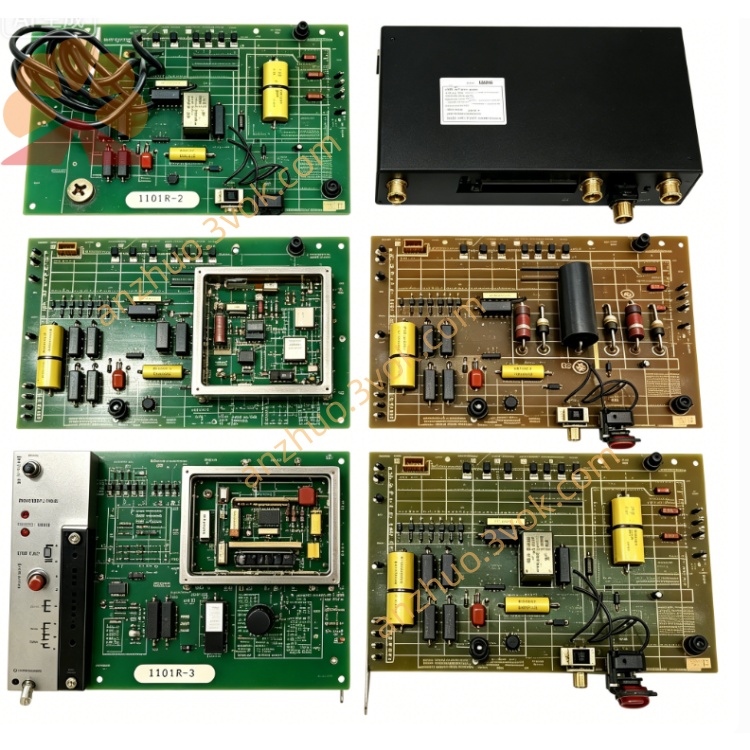
0-57404-1E
Description
Model Explanation
0-57404-1E: Basic model + Function Version 1E
Alias: 57404-1E, 57C404-1E
Full Function Name: Network Communication Module (Network Communication Module)
Compatible Series: Exclusive for AutoMax PLC/DCS 5000 system, not applicable to other brand PLCs. Technical Specifications
Manufacturer: Reliance Electric (Allen-Bradley/Rockwell)
Communication Protocol: AutoMax dedicated network protocol (supports multi-site master-slave communication)
Site Capacity: Supports 1 master station + up to 31 slave stations
Interface Configuration:
2 × 9-pin D-Sub (RS-232/485) communication ports
1 × 15-pin D-Sub expansion / programming port
Status Indicators:
OK (green): Module is operating normally
FAULT CODE (red): Fault code display (digital tube / LED)
Address Setting: 1ST/2ND DROP NUMBER dip switch (sets site address)
Operating Temperature: 0°C ~ +50°C
Dimensions: 343 × 203 × 38 mm (standard 1.25-inch slot)
Weight: Approximately 1.4 kg
Power Consumption: ≤ 12W
Interface and Communication Configuration
Backplane Interface: AutoMax backplane edge connector (power supply, addressing, data interaction)
Communication Ports:
PORT1 (9-pin): Main network communication (connects to other AutoMax modules / PLC)
PORT2 (9-pin): Backup network / slave station expansion
15-pin port: Host computer programming, debugging or third-party device connection
Isolation: Optical isolation between the logical side of the communication port and the backplane, strong anti-interference ability
Communication Rate: Maximum 115.2 kbps (adaptive baud rate)
Indicators: Module power indicator + OK indicator + FAULT CODE indicator + port transmit-receive indicator
Core Functions
Industrial Network Networking: Build AutoMax PLC dedicated network to achieve data sharing and collaborative control among multiple controllers.
Master-Slave Communication: Supports master station polling and slave station response mode, suitable for distributed control systems (DCS) architecture.
Fault Diagnosis and Display: Red FAULT CODE indicator directly displays fault codes, quickly locating communication / hardware issues.
Hot Swap Support: AutoMax rack can be replaced while the system is powered on, without interrupting system operation and network communication.
Address Flexible Configuration: Quickly set site address through dip switches, suitable for different network topologies. Application scenario
System: Reliance AutoMax (DCS 5000) PLC Control System.
Industry: Metallurgy, Papermaking, Water Treatment, Electricity, Heavy Machinery Automation.
Application: Multiple PLC networking, distributed I/O control, upper computer communication, data synchronization between devices.
Operation and Maintenance Instructions Installation
After power loss, insert the AutoMax rack slot and fasten the front panel latch.
Connect the communication cable through the 9-pin / 15-pin port and set the DROP NUMBER jumpers.
After powering on, the OK light being on indicates that the module is normal. The CPU will automatically recognize and connect to the network. Maintenance
Quarterly inspection: Communication port connection, LED status, cable shielding and aging condition.
Half-year maintenance: After power outage, clean the module surface and ports with an anti-static dry cloth.
Replacement: Use only the original 0-57404-1E, no configuration required. The CPU will automatically recognize and synchronize the network parameters. Fault diagnosis
OK indicator not lit: Check the power supply of the rack, the backplane connector, and whether the modules are securely plugged in.
FAULT CODE indicator lit: Refer to the fault code table to troubleshoot communication cables, port damage, or address conflicts.
Communication interruption: Check the terminal resistor, baud rate matching, and whether the network topology is correct. Safety Warning
Before operation, the power must be turned off. Wear an anti-static wrist strap to prevent static electricity from damaging the communication chip.
The communication cables should use shielded wires and be kept away from strong electrical equipment to avoid electromagnetic interference.
Do not plug or unplug the communication ports while powered on to prevent the ports from burning out.
Get a Quote